
After I installed Windows 7 (couldn't upgrade, had to do a custom install), the scrolling on the right side of my touchpad stopped working. I downloaded a new driver, but it still doesn't work.
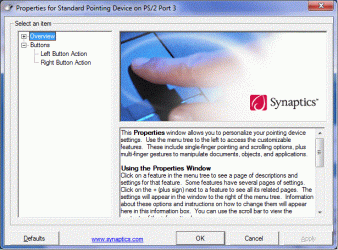
When I go into the Synaptics device settings, it says that I have a "Standard Pointing Device" and when I look at the settings it only gives me options for two buttons (no scrolling options). I attached a picture of the options window I'm talking about.
Can anybody help?
My computer is an hp pavilion dv2000.
When I go into the Synaptics device settings, it says that I have a "Standard Pointing Device" and when I look at the settings it only gives me options for two buttons (no scrolling options). I attached a picture of the options window I'm talking about.
Can anybody help?
My computer is an hp pavilion dv2000.
Attachments
My Computer
At a glance
windows 7
- Computer Manufacturer/Model Number
- hp pavilion dv2000
- OS
- windows 7

