
Transfer to new drive?

cclloyd9785

Master of Technology
Power User
Local time
9:00 AM
Messages
662
Location
Boston, MA
How am I supposed to transfer all my data from one hard drive to the other (replacing laptop drive, both are SATA 3Gb/s)
 

My Computer

Computer Manufacturer/Model Number
Toshiba Satellite L505D-S9565
OS
Windows 7 Home Premium x64, Mac OS X 10.6.2 x64
CPU
AMD Athlon X2 Dual-Core 2.1 GHz
Motherboard
Toshiba Built-In with Insyde H20 BIOS 1.40
Memory
4 GB DDR2 800 MHz
Graphics Card(s)
ATI Radeon HD Mobility 3100 Graphics 256MB to 1468 MB Shared
Sound Card
Realtek Mobile ALC272 HD Audio
Monitor(s) Displays
15.6" TFT LCD with TruBrite, Samsung 1080p HDTV
Screen Resolution
1366x768, 1920x1080
Hard Drives
❶:Main: Toshiba 250 GB SATA 5400 RPM
PSU
N/A
Case
N/A
Cooling
Built-in/Open window in winter :P
Keyboard
Built-in
Mouse
Build-in Symantics SmartTouch Pad
Internet Speed
55 MB/sec Down, 9 MB/sec Up
Other Info
❷:Backup: Seagate FreeAgent Desk USB 2.0 5400 RPM
❸:Media: Toshiba 640 GB USB 2.0 5400 RPM Portable Edition
If you're a laptop you can always create restore CDs with the Apps provide by the manufacturer, but this will not allow your proper data. This will install the OS like you bought it.

You can also ghost (image) the entire system including restore partition, with the one of your choice "Norton ghost 15", "Acronis True Image Home 2010", "DriveClone Pro 7"...and some other brand as Paragon software.

You will have to buy an adapter Usb 2.0 to Sata 2,5" to image from the laptop to the new Hdd:
http://sataadapter.com/
 

My Computer

Computer type
PC/Desktop
Computer Manufacturer/Model Number
Custom Build
OS
Windows 7 Professional SP1 - x64 [Non-UEFI Boot]
CPU
Ivy Bridge Core i5 3570K (Delidded)
Motherboard
Asus P8Z77-V LE PLUS
Memory
G.Skill "Ares" DDR3 PC3-12800 - 1600MHz (16Gb)
Graphics Card(s)
Asus Dual-RX480-O4G
Sound Card
Creative Sound Blaster Z w/5.1 sound system
Monitor(s) Displays
Asus IPS 23"
Screen Resolution
16/9
Hard Drives
Internal:
500Go Sata 6Gb/s (x2)
500Go Sata 3Gb/s (x2)
SSD 60Go Sata 6Gb/s
PSU
In Win C 900W Series 80+ Platinum
Case
Thermaltake Chaser A71
Cooling
Custom Water Cooling Loop
Keyboard
Cooler Master QuickFire XTi
Mouse
Razer Imperator 2012 (4G)
Antivirus
MSE
Browser
IE 11.0.xxx Rtm
Other Info
"Raid0" with Intel Smart Response Technology (HDD/SSD)
Do you have a friend? Do you have a friend with a computer? Does said computerized friend have a home network? If the answer is yes to these questions, then perhaps you could backup your data on their machine?

A good question might also be how much data do you have? Does your laptop have a DVD burner? Why not just burn a backup disc?

After replacing the HDD, what are you going to do in regards to the OS? Are you going to restore your factory settings (ugh), or were you thinking of just reinstalling the OS by itself?
 

My Computer

Computer type
Laptop
Computer Manufacturer/Model Number
Sager NP9150
OS
Windows 7 Home x64
CPU
Intel Core i7-3610QM @ 2.3GHz x4
Motherboard
Clevo P15xEMx
Memory
16GBs
Graphics Card(s)
nVidia GeForce GTX 670M
Sound Card
Realtek High Def Audio
Monitor(s) Displays
Samsung SyncMaster S24B300 + Mobile Display
Screen Resolution
1920x1080 + 1920x1080 (running 1366x768)
Hard Drives
128GBt SSD
500GBt HDD
Keyboard
Logitech K360
Mouse
Logitech Anywhere Mouse MX
Internet Speed
Fat
Antivirus
Avast
Browser
Chrome
Wait, are you saying I can just back up using Ghost, and then restore on the new drive, because I have Ghost 15.0.
 

My Computer

Computer Manufacturer/Model Number
Toshiba Satellite L505D-S9565
OS
Windows 7 Home Premium x64, Mac OS X 10.6.2 x64
CPU
AMD Athlon X2 Dual-Core 2.1 GHz
Motherboard
Toshiba Built-In with Insyde H20 BIOS 1.40
Memory
4 GB DDR2 800 MHz
Graphics Card(s)
ATI Radeon HD Mobility 3100 Graphics 256MB to 1468 MB Shared
Sound Card
Realtek Mobile ALC272 HD Audio
Monitor(s) Displays
15.6" TFT LCD with TruBrite, Samsung 1080p HDTV
Screen Resolution
1366x768, 1920x1080
Hard Drives
❶:Main: Toshiba 250 GB SATA 5400 RPM
PSU
N/A
Case
N/A
Cooling
Built-in/Open window in winter :P
Keyboard
Built-in
Mouse
Build-in Symantics SmartTouch Pad
Internet Speed
55 MB/sec Down, 9 MB/sec Up
Other Info
❷:Backup: Seagate FreeAgent Desk USB 2.0 5400 RPM
❸:Media: Toshiba 640 GB USB 2.0 5400 RPM Portable Edition
win 7 backup and restore will make an image of the drive and replicate it on the new one. You will need a network, or an external/separate drive to copy the image to.
 

My Computer

Computer Manufacturer/Model Number
Homebuilt
OS
Windows 7 x64
CPU
i7-2600K
Motherboard
Asus P8Z77-v Pro
Memory
8 G
Graphics Card(s)
GTX 480
Sound Card
Onboard
Monitor(s) Displays
LG W2753V
Screen Resolution
1920x1080
Hard Drives
Crucial M4 128 G SSD
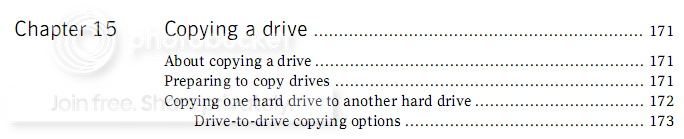
If you have Ghost, use the Copy function. That will copy MBR and everything else to e.g. an external drive. In my Ghost 14 manual it is described in chapter 15.

2010-04-08_235444.png
 

My Computer

Computer Manufacturer/Model Number
HP, Dell, Gateway, Toshiba - 4 laptops and 2 desktops
OS
Vista, Windows7, Mint Mate, Zorin, Windows 8
CPU
from 1.6GHz Duo to i7
Monitor(s) Displays
2x HP w2207
Hard Drives
5x HDD, 7x SSD, 12x Externals
Keyboard
with trackball - no mices
Mouse
Trackball mice
Internet Speed
DSL 6000
Wait, are you saying I can just back up using Ghost, and then restore on the new drive, because I have Ghost 15.0.

Yes you can Ghost your entire machine then image it to the new drive...but you'll still need the adapter Usb 2.0 to Sata 2.5" show on my previous post. So, you'll not screw the old Hdd one in case the new image fail to boot...
 

My Computer

Computer type
PC/Desktop
Computer Manufacturer/Model Number
Custom Build
OS
Windows 7 Professional SP1 - x64 [Non-UEFI Boot]
CPU
Ivy Bridge Core i5 3570K (Delidded)
Motherboard
Asus P8Z77-V LE PLUS
Memory
G.Skill "Ares" DDR3 PC3-12800 - 1600MHz (16Gb)
Graphics Card(s)
Asus Dual-RX480-O4G
Sound Card
Creative Sound Blaster Z w/5.1 sound system
Monitor(s) Displays
Asus IPS 23"
Screen Resolution
16/9
Hard Drives
Internal:
500Go Sata 6Gb/s (x2)
500Go Sata 3Gb/s (x2)
SSD 60Go Sata 6Gb/s
PSU
In Win C 900W Series 80+ Platinum
Case
Thermaltake Chaser A71
Cooling
Custom Water Cooling Loop
Keyboard
Cooler Master QuickFire XTi
Mouse
Razer Imperator 2012 (4G)
Antivirus
MSE
Browser
IE 11.0.xxx Rtm
Other Info
"Raid0" with Intel Smart Response Technology (HDD/SSD)
Wait, are you saying I can just back up using Ghost, and then restore on the new drive, because I have Ghost 15.0.

Yes you can Ghost your entire machine then image it to the new drive...but you'll still need the adapter Usb 2.0 to Sata 2.5" show on my previous post. So, you'll not screw the old Hdd one in case the new image fail to boot...
If you use Ghost 15 to "Copy" a clone to an external drive, I don't believe you need any of this gear.
 

My Computer

Computer Manufacturer/Model Number
HP, Dell, Gateway, Toshiba - 4 laptops and 2 desktops
OS
Vista, Windows7, Mint Mate, Zorin, Windows 8
CPU
from 1.6GHz Duo to i7
Monitor(s) Displays
2x HP w2207
Hard Drives
5x HDD, 7x SSD, 12x Externals
Keyboard
with trackball - no mices
Mouse
Trackball mice
Internet Speed
DSL 6000
Wait, are you saying I can just back up using Ghost, and then restore on the new drive, because I have Ghost 15.0.

Yes you can Ghost your entire machine then image it to the new drive...but you'll still need the adapter Usb 2.0 to Sata 2.5" show on my previous post. So, you'll not screw the old Hdd one in case the new image fail to boot...
If you use Ghost 15 to "Copy" a clone to an external drive, I don't believe you need any of this gear.

Depend if the drive is free...In case not, it will have to be formated before cloning action.

The drive have to be clean of any files or he will have to part it the same amount "Gb" as the original drive (prefered a little more Gb).

The tool adapter is just handy if you don't have an external drive Free!
 

My Computer

Computer type
PC/Desktop
Computer Manufacturer/Model Number
Custom Build
OS
Windows 7 Professional SP1 - x64 [Non-UEFI Boot]
CPU
Ivy Bridge Core i5 3570K (Delidded)
Motherboard
Asus P8Z77-V LE PLUS
Memory
G.Skill "Ares" DDR3 PC3-12800 - 1600MHz (16Gb)
Graphics Card(s)
Asus Dual-RX480-O4G
Sound Card
Creative Sound Blaster Z w/5.1 sound system
Monitor(s) Displays
Asus IPS 23"
Screen Resolution
16/9
Hard Drives
Internal:
500Go Sata 6Gb/s (x2)
500Go Sata 3Gb/s (x2)
SSD 60Go Sata 6Gb/s
PSU
In Win C 900W Series 80+ Platinum
Case
Thermaltake Chaser A71
Cooling
Custom Water Cooling Loop
Keyboard
Cooler Master QuickFire XTi
Mouse
Razer Imperator 2012 (4G)
Antivirus
MSE
Browser
IE 11.0.xxx Rtm
Other Info
"Raid0" with Intel Smart Response Technology (HDD/SSD)
The drive have to be clean of any files or he will have to part it the same amount "Gb" as the original drive (prefered a little more Gb).

That is not so. All you need to do is to define a new folder for the clone - but, of course, there must be enough room on the drive to hold the image.
 

My Computer

Computer Manufacturer/Model Number
HP, Dell, Gateway, Toshiba - 4 laptops and 2 desktops
OS
Vista, Windows7, Mint Mate, Zorin, Windows 8
CPU
from 1.6GHz Duo to i7
Monitor(s) Displays
2x HP w2207
Hard Drives
5x HDD, 7x SSD, 12x Externals
Keyboard
with trackball - no mices
Mouse
Trackball mice
Internet Speed
DSL 6000
How am I supposed to transfer all my data from one hard drive to the other (replacing laptop drive, both are SATA 3Gb/s)

Ok... I gather you are currently in posession of both of these hard drives... but (laptop style) you only have one place to install a disk drive...

You need one of these...

Welcome to Vantec ? Leading Brand of Storage, Thermal, and Mobile Accessories! -

That is an external housing for a laptop drive....

Install your OLD hard disk in the external housing. Put the new one in the laptop.

Create whatever partitions you need... I strongly recommend splitting the drive so that Win7 has about 50gb and the rest is used for data storage.

Install your OS on the laptop *without* the old drive connected.

Now connect the (now external) old drive and copy your data files over to the new one.

In Disk Management delete all partitions on the old drive, format it as one big playspace.

Now copy your data files *not programs* *not os* just data.... movies, music, documents, financials etc.


Now you have a brand new internal drive, with a fresh OS and an external backup drive to keep your data safe from irretrievable loss....
 
Last edited:

My Computer

Computer Manufacturer/Model Number
Homebrew
OS
XP Pro SP3 X86 / Win7 Pro X86
CPU
Amd 64 x2 4200 (2.4ghz)
Motherboard
Asus M2N-MX SE Plus
Memory
Kingston DDR2 800 2gb
Graphics Card(s)
Nvidia GF-8400
Sound Card
Realtek on Motherboard
Monitor(s) Displays
Acer x-193bw
Screen Resolution
1440 x 900
Hard Drives
Western Digital 500g
PSU
350watt In-Win
Case
In-Win
Cooling
Air
Keyboard
yes
Mouse
yes
Internet Speed
5mpbs
Other Info
Also ASRock ION 330 as HTPC (on XP).
Acer Aspire as GP netbook (on XP).
Im not going to reinstall the OS just to get a bigger drive.


So I can clone my drive using Ghost 15, to my Seagate 1.5TB drive, then insert the new drive, install an OS with ghost, then clone it back or what?
 

My Computer

Computer Manufacturer/Model Number
Toshiba Satellite L505D-S9565
OS
Windows 7 Home Premium x64, Mac OS X 10.6.2 x64
CPU
AMD Athlon X2 Dual-Core 2.1 GHz
Motherboard
Toshiba Built-In with Insyde H20 BIOS 1.40
Memory
4 GB DDR2 800 MHz
Graphics Card(s)
ATI Radeon HD Mobility 3100 Graphics 256MB to 1468 MB Shared
Sound Card
Realtek Mobile ALC272 HD Audio
Monitor(s) Displays
15.6" TFT LCD with TruBrite, Samsung 1080p HDTV
Screen Resolution
1366x768, 1920x1080
Hard Drives
❶:Main: Toshiba 250 GB SATA 5400 RPM
PSU
N/A
Case
N/A
Cooling
Built-in/Open window in winter :P
Keyboard
Built-in
Mouse
Build-in Symantics SmartTouch Pad
Internet Speed
55 MB/sec Down, 9 MB/sec Up
Other Info
❷:Backup: Seagate FreeAgent Desk USB 2.0 5400 RPM
❸:Media: Toshiba 640 GB USB 2.0 5400 RPM Portable Edition
Im not going to reinstall the OS just to get a bigger drive.


So I can clone my drive using Ghost 15, to my Seagate 1.5TB drive, then insert the new drive, install an OS with ghost, then clone it back or what?

Yes, that's about it. Clone your OS (with Ghost COPY) to your external drive. Then install your new disk, run the Ghost recovery disk and pull the clone into your new disk. I suggest you clone to a predifined folder on your external disk rather than to the disk address. If you give the folder a meaningful name, it will be easier to id when you work off the recovery disk. And make sure you also restore the MBR (you will be prompted for that option).
 

My Computer

Computer Manufacturer/Model Number
HP, Dell, Gateway, Toshiba - 4 laptops and 2 desktops
OS
Vista, Windows7, Mint Mate, Zorin, Windows 8
CPU
from 1.6GHz Duo to i7
Monitor(s) Displays
2x HP w2207
Hard Drives
5x HDD, 7x SSD, 12x Externals
Keyboard
with trackball - no mices
Mouse
Trackball mice
Internet Speed
DSL 6000
Ok thank you.
 

My Computer

Computer Manufacturer/Model Number
Toshiba Satellite L505D-S9565
OS
Windows 7 Home Premium x64, Mac OS X 10.6.2 x64
CPU
AMD Athlon X2 Dual-Core 2.1 GHz
Motherboard
Toshiba Built-In with Insyde H20 BIOS 1.40
Memory
4 GB DDR2 800 MHz
Graphics Card(s)
ATI Radeon HD Mobility 3100 Graphics 256MB to 1468 MB Shared
Sound Card
Realtek Mobile ALC272 HD Audio
Monitor(s) Displays
15.6" TFT LCD with TruBrite, Samsung 1080p HDTV
Screen Resolution
1366x768, 1920x1080
Hard Drives
❶:Main: Toshiba 250 GB SATA 5400 RPM
PSU
N/A
Case
N/A
Cooling
Built-in/Open window in winter :P
Keyboard
Built-in
Mouse
Build-in Symantics SmartTouch Pad
Internet Speed
55 MB/sec Down, 9 MB/sec Up
Other Info
❷:Backup: Seagate FreeAgent Desk USB 2.0 5400 RPM
❸:Media: Toshiba 640 GB USB 2.0 5400 RPM Portable Edition
Ok thank you.

OK follow the advice of Saltgrass. This is also the method recommended by Microsoft.

Procedure is very simple.
Connect and external USB drive.
Control Panel | Backup and Restore | in left-hand task pane select Create a System Image | follow prompts to backup all "drives" from your present hard disk to the external.

Now what you will have is a VHD file on that external which Win 7 knows how to use.

Now make yourself a System Repair Disk;
Control Panel | Backup and Restore | in left-hand pane, select Create a system repair disc

After you have the system repair disk, then put same into your CD drive.
Power off, boot up
IF you are not set up to boot from CD, then go into you bios (often the F2 kay) and choose to boot from CD first.
After booting from that repair disk, choose System Restore from the menu.
Prompts will ask where the repair image is located.
You'll be ask if you want to restore all drives (which you do).

It takes more effort to explain this procedure than it does to do it.

Once you've got your repair cd and the Win 7-created backup then you can't miss.
 

My Computer

Computer Manufacturer/Model Number
Toshiba Satellite S875D-S7239 laptop
OS
MS Windows 7 Ultimate SP1 64-bit
CPU
AMD A10-4600M
Motherboard
AMD Pumori (Socket FT1)
Memory
6.00 GB Dual-Channel DDR3 @ 798MHz (11-11-12-28)
Graphics Card(s)
AMD Radeon HD 7660G
Sound Card
High Definition Audio Device
Monitor(s) Displays
Generic PnP Monitor (1600x900@60Hz)
Screen Resolution
1600x900@60Hz
Hard Drives
SSD 119GB Corsair CSSD-V128GB2 ATA Device
Keyboard
Standard PS/2 Keyboard
Mouse
HP Wireless Optical Mobile Mouse Model FHA-3410
Internet Speed
What the local pub, local coffee shop offers.
Other Info
Optical Drive:MATSHITA BD-CMB UJ160B ATA Device


Also have an Asus ha1002xp netbook with Win 7 Ultimate installed.
Ok thank you.

OK follow the advice of Saltgrass. This is also the method recommended by Microsoft.

Procedure is very simple.
Connect and external USB drive.
Control Panel | Backup and Restore | in left-hand task pane select Create a System Image | follow prompts to backup all "drives" from your present hard disk to the external.

Now what you will have is a VHD file on that external which Win 7 knows how to use.

Now make yourself a System Repair Disk;
Control Panel | Backup and Restore | in left-hand pane, select Create a system repair disc

After you have the system repair disk, then put same into your CD drive.
Power off, boot up
IF you are not set up to boot from CD, then go into you bios (often the F2 kay) and choose to boot from CD first.
After booting from that repair disk, choose System Restore from the menu.
Prompts will ask where the repair image is located.
You'll be ask if you want to restore all drives (which you do).

It takes more effort to explain this procedure than it does to do it.

Once you've got your repair cd and the Win 7-created backup then you can't miss.
Karl, why do you want him to jump thru 9 hoops with these complicated windows programs where he has Ghost15 which is a lot simpler.

Update: we are discussing after the fact. That's what the OP just told me: " your idea worked flawlessly".
 

My Computer

Computer Manufacturer/Model Number
HP, Dell, Gateway, Toshiba - 4 laptops and 2 desktops
OS
Vista, Windows7, Mint Mate, Zorin, Windows 8
CPU
from 1.6GHz Duo to i7
Monitor(s) Displays
2x HP w2207
Hard Drives
5x HDD, 7x SSD, 12x Externals
Keyboard
with trackball - no mices
Mouse
Trackball mice
Internet Speed
DSL 6000
This is a detailed explanation of a very simple procedure and is the very same procedure recommended by Microsoft.

The procedure works, works, works, works, works, works, works, works,.....
 

My Computer

Computer Manufacturer/Model Number
Toshiba Satellite S875D-S7239 laptop
OS
MS Windows 7 Ultimate SP1 64-bit
CPU
AMD A10-4600M
Motherboard
AMD Pumori (Socket FT1)
Memory
6.00 GB Dual-Channel DDR3 @ 798MHz (11-11-12-28)
Graphics Card(s)
AMD Radeon HD 7660G
Sound Card
High Definition Audio Device
Monitor(s) Displays
Generic PnP Monitor (1600x900@60Hz)
Screen Resolution
1600x900@60Hz
Hard Drives
SSD 119GB Corsair CSSD-V128GB2 ATA Device
Keyboard
Standard PS/2 Keyboard
Mouse
HP Wireless Optical Mobile Mouse Model FHA-3410
Internet Speed
What the local pub, local coffee shop offers.
Other Info
Optical Drive:MATSHITA BD-CMB UJ160B ATA Device


Also have an Asus ha1002xp netbook with Win 7 Ultimate installed.
This is a detailed explanation of a very simple procedure and is the very same procedure recommended by Microsoft.

The procedure works, works, works, works, works, works, works, works,.....

Karl, I am sure your procedure is correct. But I have had too much bad luck with MS backup/restore that I will not touch it with a 10 foot pole.
 

My Computer

Computer Manufacturer/Model Number
HP, Dell, Gateway, Toshiba - 4 laptops and 2 desktops
OS
Vista, Windows7, Mint Mate, Zorin, Windows 8
CPU
from 1.6GHz Duo to i7
Monitor(s) Displays
2x HP w2207
Hard Drives
5x HDD, 7x SSD, 12x Externals
Keyboard
with trackball - no mices
Mouse
Trackball mice
Internet Speed
DSL 6000
Yes, that's about it. Clone your OS (with Ghost COPY) to your external drive. Then install your new disk, run the Ghost recovery disk and pull the clone into your new disk. I suggest you clone to a predifined folder on your external disk rather than to the disk address. If you give the folder a meaningful name, it will be easier to id when you work off the recovery disk. And make sure you also restore the MBR (you will be prompted for that option).

Ummmmm only problem with that is when he puts in the new disk it won't have an operating system on it so he's not going to be able to boot the thing up to clone or declone anything...
 

My Computer

Computer Manufacturer/Model Number
Homebrew
OS
XP Pro SP3 X86 / Win7 Pro X86
CPU
Amd 64 x2 4200 (2.4ghz)
Motherboard
Asus M2N-MX SE Plus
Memory
Kingston DDR2 800 2gb
Graphics Card(s)
Nvidia GF-8400
Sound Card
Realtek on Motherboard
Monitor(s) Displays
Acer x-193bw
Screen Resolution
1440 x 900
Hard Drives
Western Digital 500g
PSU
350watt In-Win
Case
In-Win
Cooling
Air
Keyboard
yes
Mouse
yes
Internet Speed
5mpbs
Other Info
Also ASRock ION 330 as HTPC (on XP).
Acer Aspire as GP netbook (on XP).
Im not going to reinstall the OS just to get a bigger drive.

In a computer that only holds one disk drive... I'll bet you 3 manhole covers that's exactly what you end up doing.
 

My Computer

Computer Manufacturer/Model Number
Homebrew
OS
XP Pro SP3 X86 / Win7 Pro X86
CPU
Amd 64 x2 4200 (2.4ghz)
Motherboard
Asus M2N-MX SE Plus
Memory
Kingston DDR2 800 2gb
Graphics Card(s)
Nvidia GF-8400
Sound Card
Realtek on Motherboard
Monitor(s) Displays
Acer x-193bw
Screen Resolution
1440 x 900
Hard Drives
Western Digital 500g
PSU
350watt In-Win
Case
In-Win
Cooling
Air
Keyboard
yes
Mouse
yes
Internet Speed
5mpbs
Other Info
Also ASRock ION 330 as HTPC (on XP).
Acer Aspire as GP netbook (on XP).
Back
Top