PEBMAFerror
New member
- Local time
- 7:27 AM
- Messages
- 5
I want to go back to windows 7, just for the games.
Last year I bought a $50 government surplus laptop built in 2009. (see system specs) I don't make a lot of money, so I can't afford much in the way of hardware, but I quickly realized what I have is the kind of machine I would've killed for (figuratively speaking) when it was new.
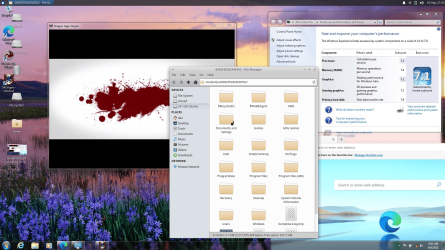
Unfortunately, it didn't come with memory, a HDD, or a working operating system, so after fixing the first two problems, I borrowed a friend's computer to make a bootable Xubuntu flash drive, then installed windows 10, but what I really want to do is set up a triple boot with windows 7
I have a few old games that don't work very well in windows 10 (some do, but not all of them) or wine, but would work perfectly in windows 7, partially because the HP website still has the windows 7 x64 drivers available my machine. (I made sure to store a few copies of each as soon as my laptop was up and running)
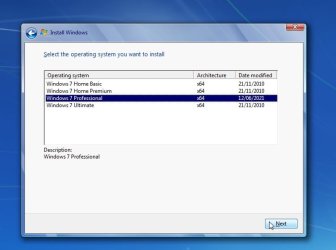
What I can't find ATM is an HP recovery disk for windows 7 pro. I probably will eventually, but I was wondering if anyone knows a legitimate way to get a Windows 7 pro iso? I paid for my copy of Windows 10, which means I still have a valid OEM license to install Windows 7. So yeah, it's going to happen one way or another.
Second question is what should I do to keep the Windows 7 partition quarantined from the other operating systems? I just want a stable OS for old games, and the best way I can think of is no network connections of any kind but is there anything else I don't know that I should?
Last year I bought a $50 government surplus laptop built in 2009. (see system specs) I don't make a lot of money, so I can't afford much in the way of hardware, but I quickly realized what I have is the kind of machine I would've killed for (figuratively speaking) when it was new.
Unfortunately, it didn't come with memory, a HDD, or a working operating system, so after fixing the first two problems, I borrowed a friend's computer to make a bootable Xubuntu flash drive, then installed windows 10, but what I really want to do is set up a triple boot with windows 7
I have a few old games that don't work very well in windows 10 (some do, but not all of them) or wine, but would work perfectly in windows 7, partially because the HP website still has the windows 7 x64 drivers available my machine. (I made sure to store a few copies of each as soon as my laptop was up and running)
What I can't find ATM is an HP recovery disk for windows 7 pro. I probably will eventually, but I was wondering if anyone knows a legitimate way to get a Windows 7 pro iso? I paid for my copy of Windows 10, which means I still have a valid OEM license to install Windows 7. So yeah, it's going to happen one way or another.
Second question is what should I do to keep the Windows 7 partition quarantined from the other operating systems? I just want a stable OS for old games, and the best way I can think of is no network connections of any kind but is there anything else I don't know that I should?
Last edited:
My Computers
-
At a glance
Windows 10 Pro/Xubuntu dual bootCore i7 840QM32GiB DDR3 @ 1333MhzAti Firepro HD5800- Computer type
- Laptop
- Computer Manufacturer/Model Number
- HP Elitebook 8540W
- OS
- Windows 10 Pro/Xubuntu dual boot
- CPU
- Core i7 840QM
- Motherboard
- Factory
- Memory
- 32GiB DDR3 @ 1333Mhz
- Graphics Card(s)
- Ati Firepro HD5800
- Screen Resolution
- 1920 x 1080
- Hard Drives
- Crucial BX500
- Antivirus
- Common Sense and bootable flash drives
-
- Computer type
- PC/Desktop