- Local time
- 3:10 AM
- Messages
- 568
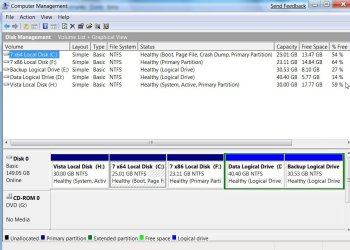
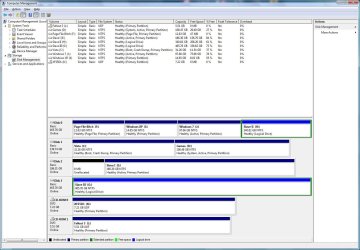
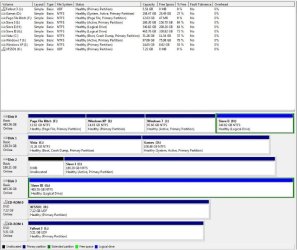
I have four SATA II drives, four gig memory, etc, in my machine that have Windows XP and Vista dual-booting. Both OS's are installed on the same physical drives; about 150 gig each partition.
I've freed up one of the drives, changed the BIOS to boot from the DVD, and installed Windows 7, 64-bit. The installation completed without a hitch and the setup detected everything, sans the Viewsonic monitor. Windows did have a driver for the monitor, but I used the one for Vista 64-bit from Viewsonic and we are good.
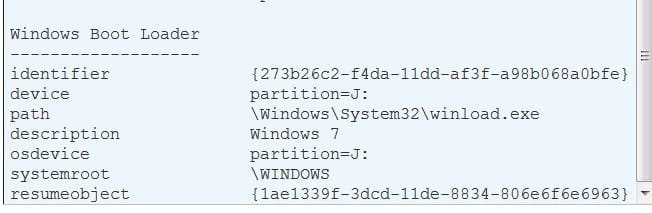
After rebooting Windows 7, I expected to have couple of boot option but there's none. No XP and/or Vista, just Windows 7. I've tried to locate the bootmanager in Windows 7, but I couldn't find it and that worried me. There was no backup made since it should've picked up the other OS's.
I didn't touch any of the bootsectors, nor did Windows 7; the latter one did make the drive a primary disk and installed the boot record there. After modifying the BIOS, making the the XP/Vista drive the first drive to be booted, XP and Vista came back, but Windows 7 disappeared. I can boot either OS's by changing the order the drives are booted by the BIOS, but I rather have the choice for XP/Vista/7 in the boot menu.
I am not sure why Windows 7 didn't pick up on the other OS's; the reason could be the SATA drives, if I'd have to guess. Since "disk 1" was set as the first drive to boot by the BIOS, Windows 7 did not check other drives and declared itself the only OS.
The question is, how do I add Windows 7 to the Vista's boot menu, or alternatively, how do I add XP/Vista to 7's boot menu?
TIA...
Cr00zng
I've freed up one of the drives, changed the BIOS to boot from the DVD, and installed Windows 7, 64-bit. The installation completed without a hitch and the setup detected everything, sans the Viewsonic monitor. Windows did have a driver for the monitor, but I used the one for Vista 64-bit from Viewsonic and we are good.
After rebooting Windows 7, I expected to have couple of boot option but there's none. No XP and/or Vista, just Windows 7. I've tried to locate the bootmanager in Windows 7, but I couldn't find it and that worried me. There was no backup made since it should've picked up the other OS's.
I didn't touch any of the bootsectors, nor did Windows 7; the latter one did make the drive a primary disk and installed the boot record there. After modifying the BIOS, making the the XP/Vista drive the first drive to be booted, XP and Vista came back, but Windows 7 disappeared. I can boot either OS's by changing the order the drives are booted by the BIOS, but I rather have the choice for XP/Vista/7 in the boot menu.
I am not sure why Windows 7 didn't pick up on the other OS's; the reason could be the SATA drives, if I'd have to guess. Since "disk 1" was set as the first drive to boot by the BIOS, Windows 7 did not check other drives and declared itself the only OS.
The question is, how do I add Windows 7 to the Vista's boot menu, or alternatively, how do I add XP/Vista to 7's boot menu?
TIA...
Cr00zng
My Computer
- Computer type
- PC/Desktop
- Computer Manufacturer/Model Number
- Custom built at Home
- OS
- Windows 7 64-bit, Windows 8.1 64-bit, OSX El Capitan, Windows 10 (VMware)
- CPU
- Intel i5-3350P 3.1 GHz
- Motherboard
- Gigabyte GA-Z77X-UP5 TH
- Memory
- 16 GBs GSkill Sniper
- Graphics Card(s)
- Radeon HD 7850
- Sound Card
- VIA HD Audio
- Monitor(s) Displays
- Dell U2410 24"
- Screen Resolution
- 1920x1200
- Hard Drives
- 1 x Intel 520 240 GBs
1 x Seagate 1TBs SATA 2.0,
1 x Seagate 1TBs eSATA 2.0
- PSU
- Thermaltake 850W
- Case
- Antec P183
- Cooling
- Noctua NH-D14 Heatsink 2 x 120mm fans, 4 x 120mm case fans
- Keyboard
- Dell Multimedia keyboard
- Mouse
- Logitech Trackball
- Internet Speed
- 28.5 Mb/s