
I'm trying to use my Samsung Galaxy Nexus phone as an internet modem for my laptop, but I've been encountering problems downloading the USB driver for it.
When I try installing the PdaNet program, I encounter this:
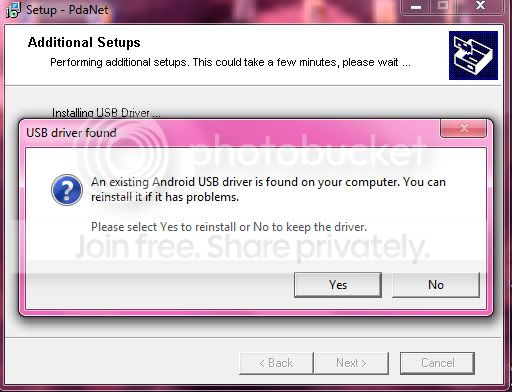
When I click "Yes" reinstall the driver, I get this very weird error:
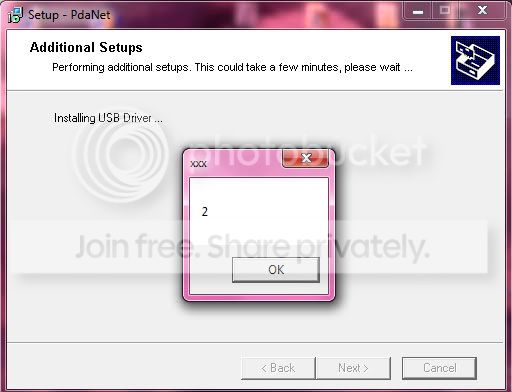
WTF?
After I click "OK", I get this:
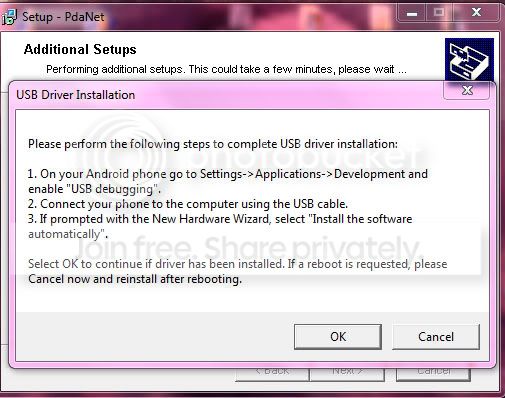
I follow the instructions and then I see this:

When I go to the Device Manager, I DO see an error:
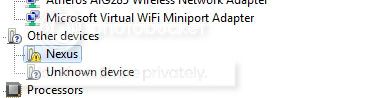
I'm guessing the problem is an existing Android driver installed on my computer cause I had an HTC Dream before the Nexus - How do I find the existing older driver(s) and delete it so I can install the latest Samsung driver?
It doesn't show up in the Control Panel. ALSO, I've tried doing this:
How To Easily Remove Old Drivers from Windows
And I still didn't see any older USB drivers.
When I try installing the PdaNet program, I encounter this:
When I click "Yes" reinstall the driver, I get this very weird error:
WTF?
After I click "OK", I get this:
I follow the instructions and then I see this:
When I go to the Device Manager, I DO see an error:
I'm guessing the problem is an existing Android driver installed on my computer cause I had an HTC Dream before the Nexus - How do I find the existing older driver(s) and delete it so I can install the latest Samsung driver?
It doesn't show up in the Control Panel. ALSO, I've tried doing this:
How To Easily Remove Old Drivers from Windows
And I still didn't see any older USB drivers.
My Computer
At a glance
Windows 7 Home Premium x64
- OS
- Windows 7 Home Premium x64

