My Computer
At a glance
Windows 7 Ultimate 32bit
- Computer type
- Laptop
- Computer Manufacturer/Model Number
- HP
- OS
- Windows 7 Ultimate 32bit



Chobbs mate as maxie has said the problem looks to be with the chipset and these are the drivers for it http://h10025.www1.hp.com/ewfrf/wc/softwareCategory?os=4062&lc=en&cc=us&dlc=en&sw_lang=&product=3818852
Mate don't go back to Vista as anyway I would reckon it would be a pain to do that too. Try the chipset drivers first.
Sorry Brian missed that by being lazy and not going back throughChobbs mate as maxie has said the problem looks to be with the chipset and these are the drivers for it http://h10025.www1.hp.com/ewfrf/wc/softwareCategory?os=4062&lc=en&cc=us&dlc=en&sw_lang=&product=3818852
Mate don't go back to Vista as anyway I would reckon it would be a pain to do that too. Try the chipset drivers first.
Tried those John did not help ...

Yes mate I was just wondering re the age of the drive though seeing it is getting on a bit - as in physical wear on the thing.No problem John .. Not sure if a Clean Install will help any as that is when the problem first started .. Maybe a corrupt OS is to blame ...

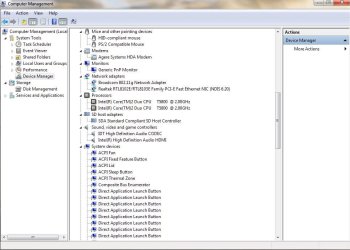
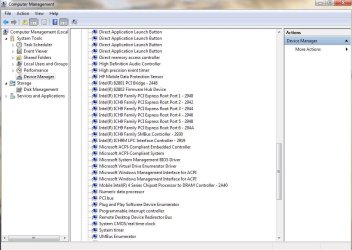
I'm coming up with needing "ENE CIR Receiver Driver" (i'm gussing it's for an IR receiver on your laptop) Download driver HERENot Available ACPI\ENE0100\3&21436425&0 The drivers for this device are not installed.
<snip>
There are 2 line items in the report (corresponding to 2 Problem Devices). There are 3 parts to each line item in the reportNow my 2 cents again I see three problem devices listed there - am I right? because I am not very familiar with this sort of stuff.
Now for the TSST it's an optical device - so far so good and the other a receiver driver .
Now I Googled the ACPI and came across this Unknow device acpi/hpq004/3&21436425&0 - HP Support Forum - 121884
which I see is the drive stuff.
Now going back to my earlier suggestions would not it be an idea to test that drive?