Hello all
I'm not sure I'll ever get used to Win7 Libraries
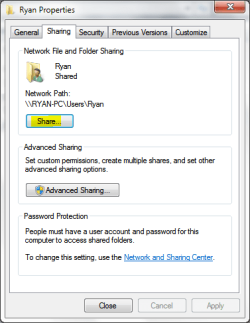
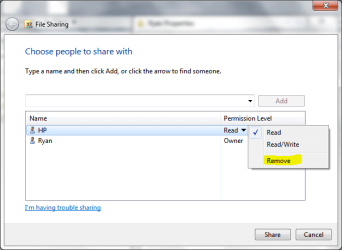
I'm the admin on my system. My husband is a standard user. He only does email or internet. But all my music is also in his log-in account. It went there automatically. He doesn't use music etc... but if I try to delete music from his account it also deletes it from my account. I chose the share with nobody but that didn't help. Does he also have to pick the share with nobody?
I'm not sure I'll ever get used to Win7 Libraries
I'm the admin on my system. My husband is a standard user. He only does email or internet. But all my music is also in his log-in account. It went there automatically. He doesn't use music etc... but if I try to delete music from his account it also deletes it from my account. I chose the share with nobody but that didn't help. Does he also have to pick the share with nobody?
My Computer
At a glance
Windows 7 Home Premium 64 bitIntel Corei3 5506 GBIntel HD Integrated
- Computer Manufacturer/Model Number
- HP All-in-One 200xt
- OS
- Windows 7 Home Premium 64 bit
- CPU
- Intel Corei3 550
- Motherboard
- American Megatrends
- Memory
- 6 GB
- Graphics Card(s)
- Intel HD Integrated
- Hard Drives
- 720 GB
- Case
- CPU and Monitor are All-in-One