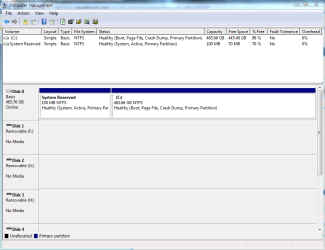
Two drives with the same volume serial number

brocks

New member
Member
Local time
11:08 PM
Messages
39
I just noticed that two of my hard drives (one is the boot drive, and both are internal SATA drives that are always running when Windows (Win7 64) is) have the same volume serial number. I'm talking about the 8 hex digits assigned by Windows when a primary partition is formatted as a drive, not the hardware serial number from the manufacturer. The two volumes are each the first primary partition of separate physical drives.

The odds of it happening by chance are miniscule, so I guess this must have happened when I imaged one to the other. That last happened over a year ago, and I haven't had any problems, so apparently it's not a fatal error. But still, it seems like if Windows can't tell my boot drive from my data drive, an accident is waiting to happen.

Should I try to fix this, or is the fact that they are on different physical drives mean that there is no way Windows can get confused?

CAN I fix this? I'm comfortable editing the registry, and I have a sector editor to edit data on the disk directly, but I can't find the serial number on the disk, plus I'm worried that I may break something if I change the serial of my data drive without going through Windows.

Also, how can I make sure this doesn't happen again when doing an image copy? I'm not sure whether this happened using Acronis or Paragon.

Any tips greatly appreciated.
 

My Computer My Computer

At a glance

Win7-64
OS
Win7-64

My Computer My Computer

At a glance

Windows 7 Ultimate X64 SP1Intel i5-2550K, Differing ~4.4-4.8GHz No buil...16GB G.Skill Sniper 1866MHz @ 2133MHz 2x8GBASUS GTX650TIB-DC2OC-2GD5, (650TI Boost)
Computer type
PC/Desktop
Computer Manufacturer/Model Number
Home Built Desktop By DataTech
OS
Windows 7 Ultimate X64 SP1
CPU
Intel i5-2550K, Differing ~4.4-4.8GHz No built in GPU
Motherboard
ASUS P8Z68-V PRO/GEN3
Memory
16GB G.Skill Sniper 1866MHz @ 2133MHz 2x8GB
Graphics Card(s)
ASUS GTX650TIB-DC2OC-2GD5, (650TI Boost)
Sound Card
Onboard Realtek 5-1
Monitor(s) Displays
Samsung P2570HD
Screen Resolution
1920x1080
Hard Drives
Samsung 840 Pro 256GB SSD for OS, 500GB Seagate Constellation (Enterprise drive) for Data
PSU
Corsair HX650W
Case
Inwin Dragon Rider
Cooling
Hyper 212 EVO w/two Noctua fans, push-pull, @1300 RPM
Keyboard
E-Z Eyes, bright yellow keys with large characters
Mouse
steelseries SENSEI Laser Pro Gaming
Internet Speed
48-51Mbs Mbs down, 11 Mbs up Xfinity Cable
Antivirus
Norton Internet Security 2013
Browser
IE 10, Opera, Pale Moon if needed
Other Info
4 case fans, LG BluRay-RE, ASUS DVD-RW, Mr. Fusion power supply, 1.21 gigawatts.
You can see your Volume Serial Numbers by going to Start > All Programs > Accessories > System Tools > System Information > Components > Storage > Drives.

It is very unusual for 2 volumes to have the same serial number. These numbers are generated when a "disk" or volume is formatted. Your hypothesis that the image caused this may be correct.

The safest, easiest way to correct the condition would be to copy all your data on the volume that you want to change to an external drive, or another drive/volume, then format the drive/volume. A new, unique Volume Serial Number should be generated.


My Computer My Computer

At a glance

Windows 7 64 Bit Home Premium SP1i7-3820GSkill F3-14900CL9Q - 16GBEVGA GeForce GTX660 - Driver 352.86
Computer type
PC/Desktop
Computer Manufacturer/Model Number
Home Built - Jan 2013
OS
Windows 7 64 Bit Home Premium SP1
CPU
i7-3820
Motherboard
Asus P9X79-PRO - Bios 4608
Memory
GSkill F3-14900CL9Q - 16GB
Graphics Card(s)
EVGA GeForce GTX660 - Driver 352.86
Sound Card
On board Realtek ALC898
Monitor(s) Displays
Acer S271HL
Screen Resolution
1920 x 1080
Hard Drives
#1- Samsung 840 Pro Series
#2- Western Digital WD1002FAEX Sata3 Black
#3- Western Digital WD1002FAEX Sata3 Black
PSU
Corsair CMPSU-850TX-V2 - 850 watt (by Seasonic)
Case
Corsair Obsidian 550D
Cooling
Standard 3 120mm case fans, Cooler Master Hyper 212 EVO
Keyboard
MS KC-0405
Mouse
Intellimouse 5-button
Internet Speed
56 Mbits/Sec (on a good day)
Antivirus
Avast & Malwarebytes
Browser
Firefox
Other Info
Asus DVD - DRW-24B1ST 24X
Windows uses another ID, called the disk signature, to uniquely identify physical disk drives. It is these signatures that cannot collide. Volume Serial Numbers do not have to be unique, though I believe software uses them for licensing purposes, so it is a good idea to keep the VSN the same when cloning or restoring from an image - there the assumption is made that the old drive will be discarded or reformatted and given a different VSN. I don't think having duplicate VSN has any harmful effects.
 

My Computer My Computer

At a glance

Windows 10 Pro. EFI boot partition, full EFI ...i7 4770k 4.4GHz (44-44-43-43 turbo) @ 1.248V16GB (8GBx2) @2200 MHz G.skill Sniper 10-11-1...MSI GTX 970 Gaming 4G
Computer type
PC/Desktop
Computer Manufacturer/Model Number
Home built (GeneO industries)/Model 4
OS
Windows 10 Pro. EFI boot partition, full EFI boot
CPU
i7 4770k 4.4GHz (44-44-43-43 turbo) @ 1.248V
Motherboard
ASUS Maximus VI Hero
Memory
16GB (8GBx2) @2200 MHz G.skill Sniper 10-11-10-30-1, 1.6V
Graphics Card(s)
MSI GTX 970 Gaming 4G
Sound Card
Onboard SupremeFX Audio
Monitor(s) Displays
NEC Spectraview 2490WUXi-SV
Screen Resolution
1920 x 1200
Hard Drives
Samsung 850 Pro 256GB (OS), Samsung 2x 128GB 840 Pro SSD in RAID0, 3x WD Blue 6Gb/s 1TB RAID0, WD 2TB Black external USB 3.0, 2TB WD20EARS Green external USB 3.0, 2x 500GB Seagate and 1 750 GB external USB, 1x 350GB external USB3
PSU
Seasonic X-850 (2012 KM3 model)
Case
Fractal Design Define R4
Cooling
NH-D14, NF-F12, NF-A15; NF-P14, NF-P12,NF-A14, S12A PWM
Keyboard
Cooler Master Storm Quickfire Rapid - Brown
Mouse
Logitech G602
Internet Speed
126.4 Mb/s down, 24.3 Mb/s up
Other Info
USB 3.0 x8 , SATA III x8, eSATA, USB 2.0 x6. Samsung DVD R/W drive.

WEI: CPU 7.8, Memory 7.9, Graphics 7.9, Disk 7.9
You can see your Volume Serial Numbers by going to Start > All Programs > Accessories > System Tools > System Information > Components > Storage > Drives.

Correct, and the two drives have the same VSN numbers, but are on different physical hard drives. The VSNs of my other drives (I have three physical drives which are each partitioned to have three or four logical drives) are all unique.
 

My Computer My Computer

At a glance

Win7-64
OS
Win7-64
Windows uses another ID, called the disk signature, to uniquely identify physical disk drives. It is these signatures that cannot collide.

I assume you are talking about the four bytes at offset x1B8 in the MBR. Those are unique for me.

Volume Serial Numbers do not have to be unique, though I believe software uses them for licensing purposes, so it is a good idea to keep the VSN the same when cloning or restoring from an image - there the assumption is made that the old drive will be discarded or reformatted and given a different VSN. I don't think having duplicate VSN has any harmful effects.

I think you must be right, because I looked through the old reports from my disk cataloger, and I've had several duplicate VSNs in the past, probably going back several years, and no problems that I'm aware of. So I guess I won't worry about this until the next time I format or image a drive.

Thanks to everyone for the responses.
 

My Computer My Computer

At a glance

Win7-64
OS
Win7-64
Windows uses another ID, called the disk signature, to uniquely identify physical disk drives. It is these signatures that cannot collide.

I assume you are talking about the four bytes at offset x1B8 in the MBR. Those are unique for me.

Volume Serial Numbers do not have to be unique, though I believe software uses them for licensing purposes, so it is a good idea to keep the VSN the same when cloning or restoring from an image - there the assumption is made that the old drive will be discarded or reformatted and given a different VSN. I don't think having duplicate VSN has any harmful effects.
I think you must be right, because I looked through the old reports from my disk cataloger, and I've had several duplicate VSNs in the past, probably going back several years, and no problems that I'm aware of. So I guess I won't worry about this until the next time I format or image a drive.

Thanks to everyone for the responses.

Yes, the 32 bit ID in the MBR.
 

My Computer My Computer

At a glance

Windows 10 Pro. EFI boot partition, full EFI ...i7 4770k 4.4GHz (44-44-43-43 turbo) @ 1.248V16GB (8GBx2) @2200 MHz G.skill Sniper 10-11-1...MSI GTX 970 Gaming 4G
Computer type
PC/Desktop
Computer Manufacturer/Model Number
Home built (GeneO industries)/Model 4
OS
Windows 10 Pro. EFI boot partition, full EFI boot
CPU
i7 4770k 4.4GHz (44-44-43-43 turbo) @ 1.248V
Motherboard
ASUS Maximus VI Hero
Memory
16GB (8GBx2) @2200 MHz G.skill Sniper 10-11-10-30-1, 1.6V
Graphics Card(s)
MSI GTX 970 Gaming 4G
Sound Card
Onboard SupremeFX Audio
Monitor(s) Displays
NEC Spectraview 2490WUXi-SV
Screen Resolution
1920 x 1200
Hard Drives
Samsung 850 Pro 256GB (OS), Samsung 2x 128GB 840 Pro SSD in RAID0, 3x WD Blue 6Gb/s 1TB RAID0, WD 2TB Black external USB 3.0, 2TB WD20EARS Green external USB 3.0, 2x 500GB Seagate and 1 750 GB external USB, 1x 350GB external USB3
PSU
Seasonic X-850 (2012 KM3 model)
Case
Fractal Design Define R4
Cooling
NH-D14, NF-F12, NF-A15; NF-P14, NF-P12,NF-A14, S12A PWM
Keyboard
Cooler Master Storm Quickfire Rapid - Brown
Mouse
Logitech G602
Internet Speed
126.4 Mb/s down, 24.3 Mb/s up
Other Info
USB 3.0 x8 , SATA III x8, eSATA, USB 2.0 x6. Samsung DVD R/W drive.

WEI: CPU 7.8, Memory 7.9, Graphics 7.9, Disk 7.9
Use "DiskPart" in a command shell or powershell tofind the drives "Signature", which is the Unique ID that each drive must have. The "Volume Serial Number" is NOT the same as the "UniqueID" or signature. Here is what you need to type to get what you want.

run cmd.exe
DiskPart
List Disk (To list the disks in your PC)
Select Disk X (Where X is the disk you want to see)
UniqueID Disk

It will reply with something like this:

Disk ID: FA30143E
 

My Computer My Computer

At a glance

Windows 7
OS
Windows 7
I had this problem when I copied a whole disk with partitions to an equivalently identical disk. Not sure of the problems I had but it did require changing the disk ID. I can't find the option to change it but I'm pretty sure I managed it via Disk Management. It might have been that I did this via Partition Magic on my XP system however - just can't rmember, sorry. :(
 

My Computer My Computer

At a glance

Windows 7 x64 SP1Athlon II x2 2154.0 GBOnboard
Computer Manufacturer/Model Number
Compaq desktop
OS
Windows 7 x64 SP1
CPU
Athlon II x2 215
Memory
4.0 GB
Graphics Card(s)
Onboard
Sound Card
Creative SB X-Fi Titanium HD (nice)
Monitor(s) Displays
24" Dell LCD
Screen Resolution
1900 x 1200
Hard Drives
320 GB, 500 GB and 750 GB 7200 rpm
PSU
430w
Keyboard
USB
Mouse
USB
Internet Speed
approx 10 Mbps
Try Belarc Advisor or Cupid's PC Wizard

Belarc Advisor is a very helpful and FREE tool for indentifying computer components and doe so by serial number.Audits for missed updates & Hot Fixes.
Google- Cpuid and download a Free PC Wizard to list everything about your compuer. Overclocking is a very easy process while on that page should you want to speed up your computer but shorten it's life!
Hope that helps someone. I am new to this wonderful site and hope that I am not violating any rules, however I did read them and the only thing is if I posted in the right place.
harmie
 

My Computer My Computer

At a glance

Windows 7 Ultimate x64AMD 9600 SeriesPhysical Memory : 8192MB DDR3-SDRAMVideo Card : AMD Radeon HD 6900 Series
Computer Manufacturer/Model Number
Dell Alienware Aurora R3
OS
Windows 7 Ultimate x64
CPU
AMD 9600 Series
Motherboard
Mainboard : Alienware 046MHW
Memory
Physical Memory : 8192MB DDR3-SDRAM
Graphics Card(s)
Video Card : AMD Radeon HD 6900 Series
Sound Card
Sound Card Device : Realtek HD-AMD HD
Monitor(s) Displays
Monitor Type : Dell Computer DELL S2209W
Screen Resolution
1920x1080
Hard Drives
Drive C:\ 250Gig OCZ SSD- Not in use a 500 Gig Seagate SSD- a 2T Seagate HHD-not in use
PSU
Term unknown. If Power Supply Unit-unknown
Case
Black Standard Tower AR3
Cooling
Water Cooled + fans
Keyboard
Standard Wired USB
Mouse
Microsoft Wireless
Internet Speed
Cable-20Gig down-4 Gb up
Other Info
Can't get but a 7.2 on WEI. I would like to set the HHD up for storage but don't know how to get them formatted to work together!
Back
Top