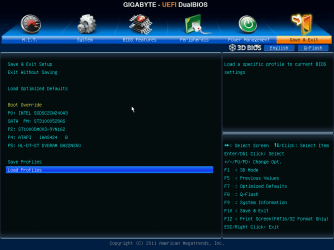
At the current time UEFI and BIOS names are interchangable, but will fade away with time. Having UEFI supporting many BIOS features doesn't help either, but technological advances will eliminate the need for backward compatibility.
Currently, all UEFI boards support BIOS features, some of them more than others. While Gigabyte calls theirs "UEFI DUAL BIOS", it isn't dual at all, nor is it BIOS. My motherboard has two "BIOS ROMs" as the marketing material calls it. They could've called it UEFI ROM for all practical purposes...
The UEFI DUAL BIOS actually one is active, while the other is backup ROM. The backup cannot boot the system; however, the end user can save UEFI settings in the backup. The system also backs up a number of last know successful boot configuration, similarly as Windows does. The difference is that the end user would need to load the saved UEFI settings from the backup to the active ROM, if needed to.
We old timers didn't grow up with one BIOS, it had gone through number of changes since the beginning. We'll just need get used of the UEFI acronym as the interface for managing computer hardware. It's an OS on its own, much more than the BIOS used to be...
This discussion on this subject certaily helped me to understand UEFI and through that, quite a few things about my new motherboard. Thanks guys...
Cr00zng, are you sure about that? I have 2 bios chips, physically on the board. I have different bios rom files loaded onto each. I can boot from either one and it will show the correct bios version. Now, on the other hand, every time I have switched bios chips, on start up it shows, updating bios, then loads. Just trying to figure this out. I also have options to copy bios 1 to bios 2 and the other way around too.
My Computers
-
At a glance
Windows 11 ProRyzen 9 5900X32GB G Skill DDR4-3600EVGA RTX 3080 FTW 3 Ultra- Computer type
- PC/Desktop
- Computer Manufacturer/Model Number
- ALWAYS UNDER CONSTRUCTION
- OS
- Windows 11 Pro
- CPU
- Ryzen 9 5900X
- Motherboard
- Asus X570 Crosshair Viii Hero
- Memory
- 32GB G Skill DDR4-3600
- Graphics Card(s)
- EVGA RTX 3080 FTW 3 Ultra
- Sound Card
- On Board/Sennheiser PC37X Headset
- Monitor(s) Displays
- 3 X Asus 27"
- Screen Resolution
- 2560x1440
- Hard Drives
- 2 X 1 TB NVME drives
- PSU
- EVGA 850
- Case
- Phanteks Eclipse P400A
- Cooling
- EVGA 280 AIO
- Keyboard
- Logitech G510s/ Logitech G13
- Mouse
- Logitech G502
- Internet Speed
- 24/1
- Antivirus
- ESET/MBAM Pro/SAS Pro
- Browser
- Chrome/ Firefox/ Edge
-
At a glance
Windows 11 ProIntel Ultra 9 288V32 GB LPDDR5X 8533- Computer type
- Laptop
- System Manufacturer/Model Number
- Dell 16 Plus
- OS
- Windows 11 Pro
- CPU
- Intel Ultra 9 288V
- Memory
- 32 GB LPDDR5X 8533
- Monitor(s) Displays
- 16" Mini-LED HDR600 Touch 90 Hz
- Screen Resolution
- 2560X1600
- Hard Drives
- 1 TB NVME