Unable to access/view my NAS folders after reinstalling Windows 7

ushae

New member
Local time
8:16 PM
Messages
3
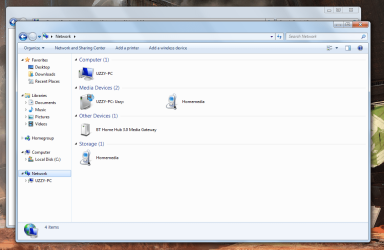
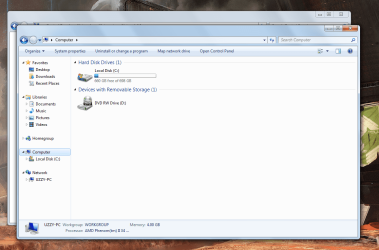
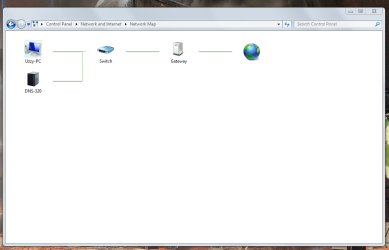
Hi guys, have a bit of a problem on my hands and have no choice but to ask for help after (what I think lol) exhausting all options. The NAS is a Dlink 320 Sharecenter, I have already set it up to view files from any computer, and I am able to access and view all my videos etc from any other computer on the network (1 W8 laptop & 1 W7 laptop). However after doing a clean install on my desktop computer, I cannot access my folders/view them at all. I am able to access the admin page for the NAS and change settings etc, but have zero access to actually stream any media and read/write. I've attached some screenshots below for clarity.
 

Attachments
  • Capture1.PNG
    Capture1.PNG
    44.4 KB · Views: 5
  • Capture2.PNG
    Capture2.PNG
    92.5 KB · Views: 4
  • Capture3.PNG
    Capture3.PNG
    104.9 KB · Views: 4

My Computer My Computer

At a glance

Windows 7 64Bit
Computer type
PC/Desktop
OS
Windows 7 64Bit
Anyone have any ideas? Thought I may add, that I added an exception to my firewall (Windows) & changed the local security policy. Still no joy.. :(
 

My Computer My Computer

At a glance

Windows 7 64Bit
Computer type
PC/Desktop
OS
Windows 7 64Bit

My Computer My Computer

At a glance

Windows 7 Ult, Windows 8.1 Pro,Q9650-4.275GHz, E8600 4.5GHz, E6750-3.8GHzG.Skill PC2 9600 1200Mhz 5 5 5 15 2TGTX480
Computer type
PC/Desktop
Computer Manufacturer/Model Number
Home built
OS
Windows 7 Ult, Windows 8.1 Pro,
CPU
Q9650-4.275GHz, E8600 4.5GHz, E6750-3.8GHz
Motherboard
Evga 780i FTW
Memory
G.Skill PC2 9600 1200Mhz 5 5 5 15 2T
Graphics Card(s)
GTX480
Sound Card
Asus Xonar D2
Monitor(s) Displays
HannsG
Screen Resolution
1680X1050
Hard Drives
GSkill Phoenix Pro 120GB SSD
PSU
ThermalTake Toughpower 1000Watt modular
Case
ThermalTake XaserV
Cooling
Xigmatek S1283
Keyboard
Logitech G15
Mouse
Logitech G9
Internet Speed
T1
Thanks for the help Chev65, I just tried this with 128bit encryption disabled. No Joy :(

I also pinged the NAS, it sent and received 4 packets with no issues at all. So I have no clue why I have no access from my desktop. Is it a possibility the NAS belongs to another workgroup, hence all existing devices having free access to it?
 

My Computer My Computer

At a glance

Windows 7 64Bit
Computer type
PC/Desktop
OS
Windows 7 64Bit
Back
Top