
A while ago, I tried out DreamScene & DeskScapes, and now I can't set up a desktop slideshow. I've already checked MANY forums, but was unable to find a solution. :banghead:
• ATTEMPTS AT FIXING
Uninstalled them and even used their uninstall patches.
Checked power settings (animations are enabled, even in power settings)
Tried sticking to Aero themes
• THIS IS WHAT I DO
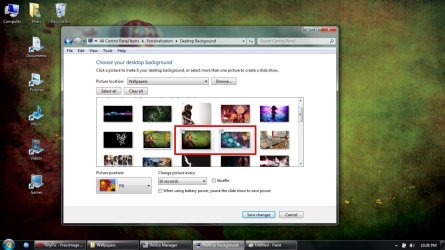
1. Select 2 wallpapers to alternate (both are my screen size [1366 x 768])
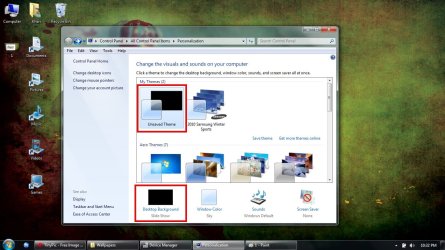
2. Make sure that it says slideshow (note that the "my theme" pic has a black background, don't know why)
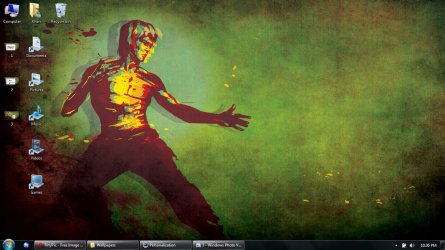
3. Wait for my background to alternate (never happens)
4. Click 'next background' to manually alternate (still won't change)]
• ATTEMPTS AT FIXING
Uninstalled them and even used their uninstall patches.
Checked power settings (animations are enabled, even in power settings)
Tried sticking to Aero themes
• THIS IS WHAT I DO
1. Select 2 wallpapers to alternate (both are my screen size [1366 x 768])
2. Make sure that it says slideshow (note that the "my theme" pic has a black background, don't know why)
3. Wait for my background to alternate (never happens)
4. Click 'next background' to manually alternate (still won't change)]
Attachments

My Computer
At a glance
Windows 7 Home Premium 64bit SP1Intel Core (i3)4 GB
- Computer Manufacturer/Model Number
- Acer Aspire 5742
- OS
- Windows 7 Home Premium 64bit SP1
- CPU
- Intel Core (i3)
- Memory
- 4 GB
- Monitor(s) Displays
- 1366 x 768


