Unidentified Network - No Internet Access

OMFG!!!!!!! I got my desktop to go online! (I'm typing this from it right now). How I got it fixed was this and it amazed me that it work since I figured reseting the cable modem would have done this as well. First I disconnected the coax cable from the cable modem. I then connected my laptop to the cable modem. The laptop was assigned an IP from the cable modem and the default gateway was the IP address of the cable modem. I brought up the cable modem's web page in explorer but it had no settings you could change or adjust. It just has stats, info and log files. After that I decided to run ipconfig /release on my laptop. Now I had run that before but that was the cable modem was still connected to the coax cable and the laptop had internet access. I then powered off the laptop and then connected my desktop back to the cable modem (still without the coax cable). My desktop was the assigned an IP (different from the laptop one) by the cable mode. Ecstatic that I finally got something other than a 169.x.x.x. I then plugged the coax cable back into the cable modem and horray my desktop went online for the first time in almost a week. Now I won't be getting a new PC or motherboard and I'm actually happy about it!

biggrin.gif


Now I just need to get everything reinstalled and reconfigured after I had reformatted earlier. Looks like I've got hours of work ahead of me. Oh well, live and learn.
redface.gif


Hope this might help anyone who runs into something similar.

Sounds good to me although resetting the modem and router is the first thing I would have tried. I always say, when in doubt reset everything and go back to square one. Sounds like the DHCP on the cable modem was the only real problem, a router would have fixed that for you also and with much less effort. Glad you got your network working firestorm.
 

My Computer My Computer

At a glance

Windows 7 Ult, Windows 8.1 Pro,Q9650-4.275GHz, E8600 4.5GHz, E6750-3.8GHzG.Skill PC2 9600 1200Mhz 5 5 5 15 2TGTX480
Computer type
PC/Desktop
Computer Manufacturer/Model Number
Home built
OS
Windows 7 Ult, Windows 8.1 Pro,
CPU
Q9650-4.275GHz, E8600 4.5GHz, E6750-3.8GHz
Motherboard
Evga 780i FTW
Memory
G.Skill PC2 9600 1200Mhz 5 5 5 15 2T
Graphics Card(s)
GTX480
Sound Card
Asus Xonar D2
Monitor(s) Displays
HannsG
Screen Resolution
1680X1050
Hard Drives
GSkill Phoenix Pro 120GB SSD
PSU
ThermalTake Toughpower 1000Watt modular
Case
ThermalTake XaserV
Cooling
Xigmatek S1283
Keyboard
Logitech G15
Mouse
Logitech G9
Internet Speed
T1
I recently got bit by the limited access network, no Internet connection problem and here's the solution I found.

I am running Vista Home Premium. Recently I tried to install Microsoft Security Essentials. The install failed.

As I researched this, I found that I had not gotten any Windows updates in several months.

So I decided to go back to the last recover point, which was around the time I stopped getting OS updates.
After going back to the recovery point and rebooting, I lost Internet connectivity.

Running ipconfig showed an ip address that started with 169, so I knew that my router didn't give me an IP address as it should with DHCP turned on. Also, there was no gateway.

I searched the Internet for solutions and tried all sorts of things (the regedit solution, a new, different second NIC card, tested the CAT 5 network cable with another computer, turned some services off, turned other services on, a static IP address), but nothing seemed to work.

Then when I looked at my network stack, I saw the standard Client for Microsoft Networks and the TCP/IP protocols, but I also saw an entry from Symantec.

My computer from HP came bundled with a trial subscription to Norton Anti-Virus. The subscription had expired some time ago and before installing MS Security Essentials, I uninstalled Norton using standard Vista software removal procedures.

Well it seems that the standard procedure doesn't always work right. I found a reference at a Windows Q&A site to a Norton utility that would remove all traces of Norton products in the event that a partial install was creating problems.

I downloaded the tool from Symantec Norton's site, and presto my problem disappeared completely. Within twenty minutes, I had the almost 50 OS updates I missed downloaded and installed, along with MS Security Essentials.

So watch out friends. A partial or otherwise corrupted Norton Anti-Virus install could be your problem too!
 

My Computer My Computer

At a glance

Vista Home Premium 64 bitQuad core8GBNVIDA
Computer Manufacturer/Model Number
HP A6645F
OS
Vista Home Premium 64 bit
CPU
Quad core
Motherboard
OEM HP
Memory
8GB
Graphics Card(s)
NVIDA
Hard Drives
1TB SATA
Problem Fixed

Firestorm solution worked for me.
i had the same problem: I can connect through wireless, but when i plug the lan cable, i get the error "Local Area Connection doesn't have a valid IP configuration" after i run the diagnostic process.
I tried all solutions, related to Bonjour program issue, to change the MAC address ...all what you can imagine.
But Firestorm solution helped me to overcome this nighmare

Thank you
 

My Computer My Computer

At a glance

Windows 7 Ultimate x32
OS
Windows 7 Ultimate x32
This Fix my issue.

I myself have been trying to resolve this for along time. I Tried everything even replaced motherboard. I found this solution and hope tis helps.

Check to see if you have this is in your services list: "##Id_String2.6844F930_1628_4223_B5CC_5BB94B87 9762 ##"

You can find it by right clicking on Computer/Manage/ Services and Applications/Services

Click on String and it will hilight
Click "Stop service"
Right click on string and select properties or double click
On the General tab/ Startup type: dropdown select "disabled" Click apply and OK :D Reboot PC
 

My Computer My Computer

At a glance

Windows 7 Ultimit x64AMD Phenom II X4 965 Black Edition Deneb 3.4GHzG.SKILL Sniper 1GB 240-Pin DDR3 SDRAM DDR3 13...Galaxy NVidia GeForce GTX 295
Computer Manufacturer/Model Number
Built my own
OS
Windows 7 Ultimit x64
CPU
AMD Phenom II X4 965 Black Edition Deneb 3.4GHz
Motherboard
ASUS M4A88TD-V EVO/USB3 AM3 AMD 880G SATA 6Gb/s USB 3.0 HDMI
Memory
G.SKILL Sniper 1GB 240-Pin DDR3 SDRAM DDR3 1333 (PC3 1066)
Graphics Card(s)
Galaxy NVidia GeForce GTX 295
Sound Card
Onboard Realtek ALC892
Monitor(s) Displays
Dual 23" HanhSpree
Hard Drives
Western Digital Caviar Black WD1002FAEX 1TB 7200 RPM 64MB Cache SATA 6.0Gb/s 3.5" Internal Hard Drive

Western Digital RE4 WD5003ABYX 500GB 7200 RPM 64MB Cache SATA 3.0Gb/s 3.5" Internal Hard Drive
PSU
BFG Tech EX-1000 1000W
Case
Sentey Burton Series GS-6500 Black 1mm SECC / Plastic ATX Fu
Cooling
GIGABYTE GH-PSU23-PB 120mm EBR CPU Cooler
I get this from time to time too. It's horrible when it happens because I usually have to battle for about an hour to get back on line. It happened today but was extra weird because in addition to the common "no internet access" message I also got "i/p address conflict" at one point. Then even after the network showed healthy again, the connection to my router was seemingly intermittent. If I tried a "ping" from a command prompt it would work one moment and fail completely the next, in a cycle. In my case the only way to fully recover seems to be:

1. Uninstall the onboard network adapter in device manager.
2. Reboot PC - and allow windows to re-install.
3. Power cycle my router.

So far this has got me working again but no idea at all what the real problem is.
 

My Computer My Computer

At a glance

Windows 7 Home Premium 64-bitIntel i5 7508GB Corsair XMS 1333Mhz CL9Asus HD4350
OS
Windows 7 Home Premium 64-bit
CPU
Intel i5 750
Motherboard
Asus P7P55D
Memory
8GB Corsair XMS 1333Mhz CL9
Graphics Card(s)
Asus HD4350
Sound Card
ASUS onboard sound
Monitor(s) Displays
Dell U2412m
Screen Resolution
1920 x 1200
Hard Drives
Crucial M4 128GB
Samsung EcoGreen F2 500GB
PSU
Corsair VX450
Case
Cooler Master aluminium case
Cooling
Noctua NH-U9B
Help

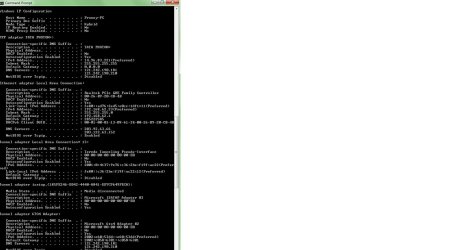
Please help its too confusing have tried every thing that i can understand from the forum

Mine is a simple Dell studio connected to LAN and its not working saying "Unidentified Network no internet access"

Please help
 

Attachments

  • ipconfig.jpg
    ipconfig.jpg
    112.4 KB · Views: 13

My Computer My Computer

At a glance

Windows 7 Home premium
OS
Windows 7 Home premium
Back
Top