
169Problems
New member
- Local time
- 3:26 AM
- Messages
- 2
Hej! Been searching far and wide for a solution and seen many similar posts, but most doesn't seem right for me due to that I'm not using a switch nor a router, just cable.
What I've tried
ipconfig /release
ipconfig /renew
ipconfig /flushdns
netsh winsock reset catalog
netsh int ipv4 reset reset.log
netsh int ipv6 reset reset.log
uninstall and reinstall NIC, update NIC drivers
Used USB/ethernet device (same problem)
checked MS services.
Uninstalled Itunes, Bonjour
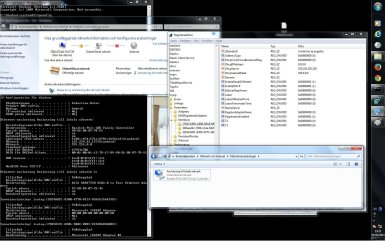
I supppose something has to be changed in Regedit?
Many thanks in advance!
Sebastian, Sweden
What I've tried
ipconfig /release
ipconfig /renew
ipconfig /flushdns
netsh winsock reset catalog
netsh int ipv4 reset reset.log
netsh int ipv6 reset reset.log
uninstall and reinstall NIC, update NIC drivers
Used USB/ethernet device (same problem)
checked MS services.
Uninstalled Itunes, Bonjour
I supppose something has to be changed in Regedit?
Many thanks in advance!
Sebastian, Sweden
Attachments
My Computer
- Computer type
- PC/Desktop
- OS
- Windows 7


