Unprompted registry update, system restore and clock change

Futant

New member
Local time
8:34 PM
Messages
5
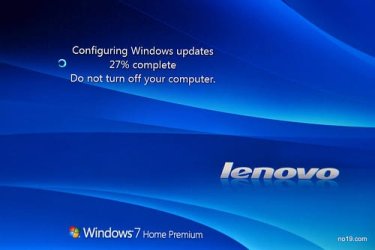
Hello, not sure if I've put this in the right place, just hoping someone can put my mind at ease here. A couple of days ago I started my laptop and before the option screen (Windows 7 professional dual boot with Ubuntu) it said something about updating registry (unfortunately I cannot remember the exact wording), then just before the log on screen it said configuring windows as if it was the first time I'd used the computer. I found this odd as it has never done it before, slightly worried it is some sort of virus action? Later it crashed and while rebooting a 'safe mode looking' window that I have never seen before came up asking if I wanted to restore the system to an earlier date, I pressed cancel as it was something I'd never seen before and was worried that a virus had taken over... The computer is functioning normally, except that the clock went forward an hour, and I have scanned for viruses with Avast Internet Security which found nothing. I was a bit spooked by the whole thing as I've not seen it do that before, is the 'updating registry' and 'configuring windows' bit to do with windows update?
 

My Computer My Computer

At a glance

Windows 7 professional 64 bit
OS
Windows 7 professional 64 bit
Depending on the time zone you set, time recently went forward by an hour.
I f you notice no strange behaviour, run Malwarebytes and MS security essentials if they don't find a problem (if they do they will fix it) just relax your clean. If it happens again post back.
:)
 

My Computer My Computer

At a glance

Windows 7 home premium x64AMD FX-4100 AM3+ 3.6GHz 12MB Black EditionCrsair vengeance 12Gb DDR3 1600MHz CL9Asus GTX 560 1GB
Computer Manufacturer/Model Number
DIY
OS
Windows 7 home premium x64
CPU
AMD FX-4100 AM3+ 3.6GHz 12MB Black Edition
Motherboard
Asus M5A97 Pro
Memory
Crsair vengeance 12Gb DDR3 1600MHz CL9
Graphics Card(s)
Asus GTX 560 1GB
Sound Card
Realtek onboard
Monitor(s) Displays
Hanns G 1680x1050 native
Hard Drives
OCZ 128Gb Petrol ssd
2x500 Gb Samsung
PSU
OCZ StealthXstream II 500W
Internet Speed
8Mb or better
Lol I know the clocks changed... That was well before this happened. I will carry out your recommendations, thanks.
 

My Computer My Computer

At a glance

Windows 7 professional 64 bit
OS
Windows 7 professional 64 bit

My Computer My Computer

At a glance

Windows 10 Home x64INTEL Core i5-750 Quad-Core 3.37GHzHyperX Fury Black Series 8GB (2 x 4GB) 1866MhzEVGA GeForce GTX 750 Superclocked 1GB 128-Bit...
Computer type
PC/Desktop
OS
Windows 10 Home x64
CPU
INTEL Core i5-750 Quad-Core 3.37GHz
Motherboard
ASUS P7P55D
Memory
HyperX Fury Black Series 8GB (2 x 4GB) 1866Mhz
Graphics Card(s)
EVGA GeForce GTX 750 Superclocked 1GB 128-Bit GDDR5
Monitor(s) Displays
LG 32MA68HY 32" IPS
Screen Resolution
1920 x 1080
Hard Drives
Samsung 840 Evo 120GB, SEAGATE 500GB Barracuda® 7200.12, SATA 3 Gb/s, 7200 RPM, 16MB cache
PSU
ANTEC TruePower New TP-550, 80 PLUS, 550W
Case
ANTEC Three Hundred Illusion
Cooling
COOLER MASTER Hyper 212 Plus, 4 x 120mm 1 x 140mm Noctua's
Internet Speed
85 + Mbps
Antivirus
Avast
Browser
Vivaldi
Hello, thanks for the reply and the welcome! It didn't look like the usual windows update message, especially as it was during bootup not shutdown. However I've pretty much let this one go, done a million scans with Avast, Malwarebytes, MSE, Spybot S&D with nothing found, the computer is acting normally again, and as I can't remember the exact details (date, wording etc) I'm sort of thrashing around in the dark...
 

My Computer My Computer

At a glance

Windows 7 professional 64 bit
OS
Windows 7 professional 64 bit
Back
Top