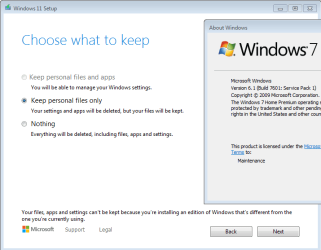
Hi all,
I need to upgrade Windows 7 to Windows 11 but I want to simulate the proces in a virtual enviroment. What I've done so far:
- cloned the physical disk,
- created a VM with proper hardware and cloned disk,
- converted system from MBR to UEFI,
- added TPM 2.0
And now I have Windows 7 in UEFI mode on VMware Workstation Pro. I still can't upgrade to Windows 11 due to secure boot option which VMware doesn't let me enable - it's greyed out. If i change guest OS in VMware from Windows 7 to Windows 10 then I can enable secure boot option but system doesn' boot anymore... Can you help me please?
I need to upgrade Windows 7 to Windows 11 but I want to simulate the proces in a virtual enviroment. What I've done so far:
- cloned the physical disk,
- created a VM with proper hardware and cloned disk,
- converted system from MBR to UEFI,
- added TPM 2.0
And now I have Windows 7 in UEFI mode on VMware Workstation Pro. I still can't upgrade to Windows 11 due to secure boot option which VMware doesn't let me enable - it's greyed out. If i change guest OS in VMware from Windows 7 to Windows 10 then I can enable secure boot option but system doesn' boot anymore... Can you help me please?
Last edited:
My Computers
-
At a glance
Windows 7 Home Premium x64- OS
- Windows 7 Home Premium x64
-
- Computer type
- PC/Desktop