Last edited by a moderator:
My Computer
- OS
- Windows 7 Ultimate x86
Ralf,
Hopefully after you assign a drive letter, you may be able to recover more. However, I wouldn't expect to be able to get to much more than what you already have if any.![]()
Right click the partition and assign it a drive letter.
http://www.sevenforums.com/tutorials/82994-drive-letter-add-change-remove-windows-7-a.html
Ralf,
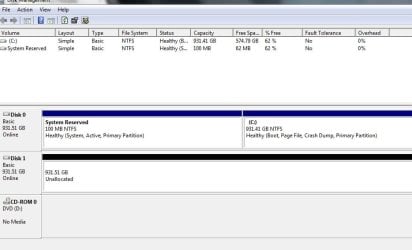
It says that Disk1 has 931.51 GB capacity and 931.51 GB free. There's nothing left on it.
As Stenzin posted above, go ahead and add a driver letter for Disk 1 to see if you may be able to access it afterwards, and hopefully recover anything on it with a free program like Recuva. I would recommend to add whatever letter it originally had if able.
Sorry, I thought that you had already recovered what you could with Partition Wizard.
Did you "Apply" after it was recovered at step 14 in OPTION FOUR in the tutorial below?
http://www.sevenforums.com/tutorials/26829-convert-dynamic-disk-basic-disk.html
DO NOT press Yes. You do not want to convert the disk to dynamic.
Were you not able to restore all partitions on Disk 1 at once as in the tutorial instead of one at a time like this?
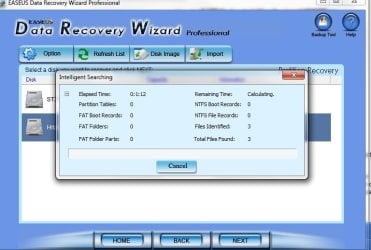
Are you able to run the "Partition Recovery Wizard" option (top left pane) on the selected L partition to restore it separately?
Did you want to merge the unallocated space to another partition on the disk, or recover it as a separate partition?
You would only want to try and restore the disk exactly how it was before you deleted it. If the disk originally had partitions where the two unallocated spaces are now, then merging them (extending another partition into them) could destroy any chance of recovery files from them.
Have you already tried using Recuva to see if you may be able to recover any files from them?