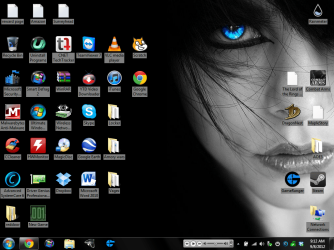
Use drop shadows doesn't change anything

asd123321

New member
Local time
8:17 PM
Messages
1
I need the dark background behind the desktop icons
but it is not there in either position of the
drop shadows parameter like it did in XP.
If I click on the text, the shadow is there.
 

My Computer

OS
Windows 7 Home Premium 64
Hi try using the attached program, it lets you change background color(lots of colors) of icons as well as the text of the icons. It can be buggy though, so once you get what you want i would exit.
Here is what i did to mine :
 

Attachments

  • Capture.PNG
    Capture.PNG
    243.4 KB · Views: 16

My Computer

Computer type
Laptop
Computer Manufacturer/Model Number
Lenovo Y560 Laptop
OS
Microsoft Windows 7 Ultimate 64-bit 7601 Multiprocessor Free Service Pack 1

CPU
Intel(R) Core(TM) i7 CPU Q [email protected] (Turbo boost 2.93ghz)
Motherboard
Lenovo KL3
Memory
4.00 GB
Graphics Card(s)
ATI Mobility Radeon HD 5730
Sound Card
(1) ATI HDMI Audio (2) Realtek High Definition Audio
Monitor(s) Displays
1024 x 768 x 32 bits (4294967296 colors) @ 60 Hz
Screen Resolution
1366 x 768 x 32 bits (4294967296 colors) @ 60 Hz
Hard Drives
WDC WD5000BEVT-24A0RT0
Mouse
Logitech M305
Internet Speed
10 Mbps
Antivirus
My brain
Browser
Google Chrome
Other Info
Trying my best to learn.
Back
Top