
triplecore
New member
- Local time
- 7:05 AM
- Messages
- 4
I have 1TB MSD attached and my computer drive is only using 279gb, yet windows always tells me that the drive is to full to backup. I tried changing the settings, but my only option is to keep one backup or allow windows to manage, but in brackets it says maximum 279gb. How can I change the setting so it will back up to the entire drive and delete the oldest backup when full? Currently the Backup program even recognizes that free space of 652.11GB exists.
Please see attachment.
Thanks,
Please see attachment.
Thanks,
Attachments
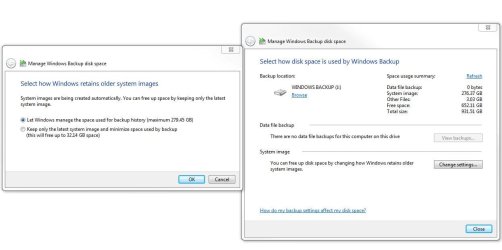
Last edited:
My Computer
- Computer Manufacturer/Model Number
- Dell XPS 8500
- OS
- Windows 7 Ultimate x64
- CPU
- Intel i7-3770
- Memory
- 16.0 GB
- Graphics Card(s)
- AMD Radeon HD 7770
- Monitor(s) Displays
- 4


