Solved Using Ethernet Cable between devices whilst using WIFI network.

jw416

New member
Local time
9:39 AM
Messages
7
Hello,

Without too much information, I'm learning how to use Beckhoff hardware. I have a motor rigged up to a PLC that is programmable via Ethernet using a software called Twincat.

I'm a hardware person so hooking it up was no problem. But I'm venturing out into the world of PLC programming which I'm finding quite new and difficult. I use Google/ YouTube/ internet services to aid me in learning this.

The problem is, to connect with the PLC, my Ethernet port needs to be active. Whilst connected, (whilst programming) I'd like to connect to the internet via WIFI.

I've found a multitude of forums with instructions to change the priority of the network connections using metrics and all that, but none of the solutions allow me to connect to both.

Is it really impossible to connect with a device via Ethernet, whilst connected to the internet using WIFI?

I don't know the exact specs for all the different hardware cards on my laptop, but its a HP ZBook running windows 7.

Much obliged.
 

My Computer

Computer type
PC/Desktop
Computer Manufacturer/Model Number
HP
OS
Windows 7 professional x64
You may need a crossover cable.

How is everything connected ?

A router ? A switch ?
 

My Computer

Computer type
PC/Desktop
Computer Manufacturer/Model Number
Skylake Special #666
OS
Windows 10 Pro x64
CPU
Intel Core i7 6700K
Motherboard
Asus Sabertooth Z170 Mark 1
Memory
GSkill TridentZ RGB 16GB 3600 16-16-16-36
Graphics Card(s)
EVGA GTX 980 Ti SC x2
Sound Card
Realtek High Definition
Monitor(s) Displays
AOC G2460PG
Screen Resolution
1920 x 1080 144Hz
Hard Drives
Samsung 860 Pro 256GB, Seagate Barracuda 4TB x2
PSU
EVGA 1000 P2, EVGA White Custom Braided Cables
Case
Corsair Vengeance C70 Gunmetal Black
Cooling
Corsair H100i v2, Corsair ML120 x2, Thermal Grizzly Kryonaut
Keyboard
Logitech G910 Orion Spectrum
Mouse
Logitech G700s
Internet Speed
Verizon Fios Quantum Gateway 75/75
Antivirus
Windows Defender, Malwarebytes Free 3.8.3
Browser
Chrome
Other Info
Corsair SP120 x4, LG Blu-ray Drive, Durabrand HT-395 100 Watt Dolby Digital Amp, Corsair H2100 Wireless 7.1 Headset
Thanks for your reply.

My laptop is connected to a Wi-Fi router. The PLC is connected directly with an Ethernet cable, from Ethernet port to Ethernet port so to speak.

When I plug in the Ethernet cable the Wi-Fi is disconnected. I know I can stop that happening by changing the interface metric to a lower number than the Ethernet connection, but doing that stops my connection to the PLC whenever Wi-Fi is active. So I effectively have the same problem in reverse.
 

My Computer

Computer type
PC/Desktop
Computer Manufacturer/Model Number
HP
OS
Windows 7 professional x64
Is your PLC on a different subnet from the WiFi because if its not you more than likely will have problems.

For example if your Wifi's IP is 192.168.0.X you could set your PLC to 192.168.10.X and after a few min's the computer should remember where it is.

Your best bet would be to grab a cheap router and have that take care of your internet and PLC. Did your ISP supply you with router with more than one lan jack because that would work to, instead of buying another cheap router
 

My Computer

Computer type
PC/Desktop
Computer Manufacturer/Model Number
Compac
OS
Microsoft Windows 7 Ultimate 32-bit 7601
CPU
Intel(R) Pentium(R) Dual CPU E2160 @ 1.80GHz
Motherboard
MSI Boston
Memory
4.00 GB
Graphics Card(s)
(1) VNC Mirror Driver (2) Intel(R) G33/G31 Express Chipset
Sound Card
Disabled
Monitor(s) Displays
Headless
Screen Resolution
1280 x 960 x 32 bits (4294967296 colors) @ 60 Hz
Hard Drives
ST3320820AS ATA Device
Keyboard
Headless
Mouse
Headless
Antivirus
Malwarebytes pro
Other Info
Also
Windows 8.1 Laptop and Desktop both Acer
In case you missed what sml156 said because it was at the tail end of his reply, connect your PLC programmer to an ethernet port on your router instead of your PC. That will allow the PC to connect to the router via wifi but be connected to the PLC programmer via the router.

Since you say you prefer hardwire, you could connect both the PC and the PLC programmer to the router via ethernet. If your router has only one ethernet port or you don't have any free ethernet ports, you can use a switch to add more ethernet ports.
 

My Computer

Computer type
PC/Desktop
Computer Manufacturer/Model Number
Home Built desktop, Dell G15 5511 Gaming laptop,MS Surface Pro 7 tablet
OS
W10 Pro desktop, W11 laptop, W11 Pro tablet (all 64-bit)
CPU
3.7Ghz 8700K i7, i7-11800H, i7-1065G7
Motherboard
ASUS TUF Z370-Pro Gaming in desktop
Memory
16G desktop, 16G laptop, 4G tablet
Graphics Card(s)
AMD Radeon RX580, RTX 3060, Intel Iris Plus
Sound Card
High Definition Audio (Built-in to mobo)
Monitor(s) Displays
Samsung U32J59 32" (2x), 15.6", 12"
Screen Resolution
3840x2160, 3840x2160, 1920x1080, 2160x1440
Hard Drives
500G SSD for OS; 2T, 10T & 15T HDDs for Data on Desktop, 1TB SSD laptop, 128G SSD tablet.
PSU
Corsair CX 750M
Case
Antec 100
Cooling
CM 212+
Keyboard
IBM Model M - used continuously since 1986
Mouse
Microsoft Pro IntelliMouse
Internet Speed
400M down 8M up
Antivirus
Windows Defender
Browser
FireFox
Other Info
Built my first computer (8Mhz 8088cpu, 640K RAM, 20MB HDD, 2 360K floppy drives) in 1985 and have been building them for myself, relatives and friends ever since.
Sorry I should have specified;

The network is at work. I'm calling it the LAN because my company uses a LAN, in that I can login into any computer connected. When logged in I have access to my network drives and so on.

However we do have personal laptops so that I can store files on the laptop, whereby I can only access the files from that laptop. (this is probably all obvious I'm just trying to give you an accurate picture).

The 'LAN' is accessible via either WIFI (routers located throughout the building), or by Ethernet (again, ports located throughout the building).

Most of the time in my job I use large modelling files and transfer massive amounts of data around the network so my preference is to plug in with Ethernet. We have docking stations and everything it's all very good and easy.

But to program the PLC, it has to be connected using an Ethernet cable, and connected with Twincat (the programming software) as if in a network. But I'm totally useless at programming PLC's at the moment and I'm searching for videos and other literature online to help me learn, whilst doing it.

Isn't there a simple setting in windows, in order to listen to both the Ethernet port, and the Wi-Fi 'port'?

Technically I'm networking with the PLC, but it only needs to transfer data. It doesn't need access to the rest of the network, or the internet, or anything. It might as well be a USB connection. (accept it doesn't support a USB connection).

How can I tell what subnet its on? My apologies, I'm at the stage where the saying "A little knowledge is dangerous" definitely applies to me.
 

My Computer

Computer type
PC/Desktop
Computer Manufacturer/Model Number
HP
OS
Windows 7 professional x64
In case you missed what sml156 said because it was at the tail end of his reply, connect your PLC programmer to an ethernet port on your router instead of your PC. That will allow the PC to connect to the router via wifi but be connected to the PLC programmer via the router.

Since you say you prefer hardwire, you could connect both the PC and the PLC programmer to the router via ethernet. If your router has only one ethernet port or you don't have any free ethernet ports, you can use a switch to add more ethernet ports.

Thanks.

Your all giving me great advice I appreciate it. I think If I was at home this would be the perfect solution. I've tried connecting the PLC to the LAN, similarly to your advice, but I'm assuming the firewalls at work stop unknown devices from gaining access because It can't be found.

the PLC doesn't have its own UI, so I'm not even sure how I could go about logging it onto the network.

Thanks again. sorry for the essay posts by the way.
 

My Computer

Computer type
PC/Desktop
Computer Manufacturer/Model Number
HP
OS
Windows 7 professional x64
See image attached, hopefully that portrays what I'm trying to achieve more elegantly than I can type it.
 

Attachments

  • network issue sketch.PNG
    network issue sketch.PNG
    292.3 KB · Views: 0

My Computer

Computer type
PC/Desktop
Computer Manufacturer/Model Number
HP
OS
Windows 7 professional x64
I was a bit confused as to why you would use wifi over ethernet, but I think they nailed it.
 

My Computer

Computer type
PC/Desktop
Computer Manufacturer/Model Number
Skylake Special #666
OS
Windows 10 Pro x64
CPU
Intel Core i7 6700K
Motherboard
Asus Sabertooth Z170 Mark 1
Memory
GSkill TridentZ RGB 16GB 3600 16-16-16-36
Graphics Card(s)
EVGA GTX 980 Ti SC x2
Sound Card
Realtek High Definition
Monitor(s) Displays
AOC G2460PG
Screen Resolution
1920 x 1080 144Hz
Hard Drives
Samsung 860 Pro 256GB, Seagate Barracuda 4TB x2
PSU
EVGA 1000 P2, EVGA White Custom Braided Cables
Case
Corsair Vengeance C70 Gunmetal Black
Cooling
Corsair H100i v2, Corsair ML120 x2, Thermal Grizzly Kryonaut
Keyboard
Logitech G910 Orion Spectrum
Mouse
Logitech G700s
Internet Speed
Verizon Fios Quantum Gateway 75/75
Antivirus
Windows Defender, Malwarebytes Free 3.8.3
Browser
Chrome
Other Info
Corsair SP120 x4, LG Blu-ray Drive, Durabrand HT-395 100 Watt Dolby Digital Amp, Corsair H2100 Wireless 7.1 Headset
Do you think its possible to connect with a router like you suggest, but then connect that router to the overall network of the building?

I remember at home a few years back I had a router connected to another router to boost the signal upstairs. (I had a spare router, and a not quite long enough wire to reach upstairs, so I put the other router at the top of the stairs to reach the bedrooms)
Might it be possible to connect one to the main network, effectively creating a sub network with just my laptop and the PLC on it?

Thanks again
 

My Computer

Computer type
PC/Desktop
Computer Manufacturer/Model Number
HP
OS
Windows 7 professional x64
Are you doing this at home or at work, If you are doing this at work I highly recommend that you talk to whoever is looking after the network and ask him/her for a solution because hooking up unknown devices at minimum could set off alarms and if you setup your own router that is connected to the company network could cause connectivity and routing issues that will cripple their network.

Might it be possible to connect one to the main network, effectively creating a sub network with just my laptop and the PLC on it?

Yes that will work, But like I said above if this is at work don't don't connect this to the work network
 

My Computer

Computer type
PC/Desktop
Computer Manufacturer/Model Number
Compac
OS
Microsoft Windows 7 Ultimate 32-bit 7601
CPU
Intel(R) Pentium(R) Dual CPU E2160 @ 1.80GHz
Motherboard
MSI Boston
Memory
4.00 GB
Graphics Card(s)
(1) VNC Mirror Driver (2) Intel(R) G33/G31 Express Chipset
Sound Card
Disabled
Monitor(s) Displays
Headless
Screen Resolution
1280 x 960 x 32 bits (4294967296 colors) @ 60 Hz
Hard Drives
ST3320820AS ATA Device
Keyboard
Headless
Mouse
Headless
Antivirus
Malwarebytes pro
Other Info
Also
Windows 8.1 Laptop and Desktop both Acer
Right,

Ye best not risk it. I will be at work.

Thanks all for your replies, I think I've got enough now to find a solution.
 

My Computer

Computer type
PC/Desktop
Computer Manufacturer/Model Number
HP
OS
Windows 7 professional x64
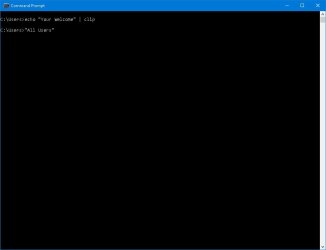
@ sml156 that clip switch in your sig is a good tip for grabbing cmd text.
 
Last edited:

My Computer

Computer type
PC/Desktop
Computer Manufacturer/Model Number
self build
OS
W10 Pro x64, W7 Pro x64 in VMware
CPU
i7 2600K @ 4.4GHz
Motherboard
MSI Z68A-GD80
Memory
8GB Mushkin @ 1600MHz
Graphics Card(s)
Nvidia GTX 750 Ti
Monitor(s) Displays
27" Benq + 27" LG
Screen Resolution
1080p
Hard Drives
500GB 850 Evo SSD + 3 * 2TB Seagate
PSU
EVGA 650 GS modular
Case
Antec 300
Cooling
Seidon 120V v2
Internet Speed
62/18 Mbps
Antivirus
Defender (W10) + MSE (W7)
Browser
Firefox
@ sml156 that clip switch in your sig is a good tip for grabbing cmd text.
your welcom.jpg

Your Welcome

Your Welcome

And now for my next trick I will press the Tab Key (Only work's in cmd)
tab key.jpg

:D
 
Last edited:

My Computer

Computer type
PC/Desktop
Computer Manufacturer/Model Number
Compac
OS
Microsoft Windows 7 Ultimate 32-bit 7601
CPU
Intel(R) Pentium(R) Dual CPU E2160 @ 1.80GHz
Motherboard
MSI Boston
Memory
4.00 GB
Graphics Card(s)
(1) VNC Mirror Driver (2) Intel(R) G33/G31 Express Chipset
Sound Card
Disabled
Monitor(s) Displays
Headless
Screen Resolution
1280 x 960 x 32 bits (4294967296 colors) @ 60 Hz
Hard Drives
ST3320820AS ATA Device
Keyboard
Headless
Mouse
Headless
Antivirus
Malwarebytes pro
Other Info
Also
Windows 8.1 Laptop and Desktop both Acer
Back
Top