Very slow Startup- 5:30+ minutes

Ok, if safe mode is loading much faster, it must be something you're loading during start.

Open msconfig.exe, on services tab mark Hide Microsoft services and Disable all other services.
On Startup tab, Disable all programs.
Reboot and report.
 
Last edited:

My Computers My Computers

  • At a glance

    Windows 7 HP 64i5 6600K - 800MHz to 4200MHz4+4G GSkill DDR4 3000IG - Intel 530
    Computer type
    PC/Desktop
    Computer Manufacturer/Model Number
    custom build
    OS
    Windows 7 HP 64
    CPU
    i5 6600K - 800MHz to 4200MHz
    Motherboard
    GA-Z170-HD3P
    Memory
    4+4G GSkill DDR4 3000
    Graphics Card(s)
    IG - Intel 530
    Monitor(s) Displays
    Samsung 226BW
    Screen Resolution
    1680x1050
    Hard Drives
    (1) -1 SM951 – 128GB M.2 AHCI PCIe SSD drive for Windows 7 and Lubuntu
    (2) -1 WD SATA 3 - 1T for Data
    (3) -1 WD SATA 3 - 1T for backup
    PSU
    Thermaltake 450W TR2 gold
    Keyboard
    Old and good Chicony mechanical keyboard
    Mouse
    Logitech mX performance - 9 buttons (had to disable some)
    Internet Speed
    500Mb/s
    Browser
    Firefox 64
    Other Info
    TinyWall firewall
  • At a glance

    Windows 7 Proi7-4500U 800MHz to 3.0GHz(4+4)G DDR3 1600IG intel 4400 + NVIDIA GeForce GT 745M
    Computer type
    Laptop
    System Manufacturer/Model Number
    Asus Q550LF
    OS
    Windows 7 Pro
    CPU
    i7-4500U 800MHz to 3.0GHz
    Motherboard
    Asus Q550LF
    Memory
    (4+4)G DDR3 1600
    Graphics Card(s)
    IG intel 4400 + NVIDIA GeForce GT 745M
    Sound Card
    Realtek
    Monitor(s) Displays
    LG Display LP156WF4-SPH1
    Screen Resolution
    1920 x 1080
    Hard Drives
    BX500 120G SSD for Windows and programs +
    1T HDD for data
    Internet Speed
    500 Mb/s
    Browser
    Firefox
    Other Info
    TinyWall firewall
Ok, if safe mode is loading much faster, it must be something you're loading during start.

Open msconfig.exe, on services tab mark Hide Microsoft services and Disable all other services.
On Startup tab, Disable all programs.
Reboot and report.
No real change, 5+ minutes to where it's usable. I will say the firewall (ZoneAlarm) and anti-virus (AVG) always load, no matter what I do, EXCEPT in Safe Mode, where they are both disabled.
 

My Computer My Computer

At a glance

Windows 7 Ultimate x64Intel i5-2500K16GBNVIDIA GeForce GT 710
Computer type
PC/Desktop
Computer Manufacturer/Model Number
Custom Build
OS
Windows 7 Ultimate x64
CPU
Intel i5-2500K
Motherboard
Gigabyte P67A-UD3-B3
Memory
16GB
Graphics Card(s)
NVIDIA GeForce GT 710
Sound Card
Microsoft HD Audio
Monitor(s) Displays
AOC 21"
Screen Resolution
1920 x 1080 x 60 hertz
Hard Drives
Seagate Barracuda 1000GB
PSU
Antec Neo ECO 620C
Case
Antec
Cooling
2 case fans, video card fan
Keyboard
Insignia wireless
Mouse
Insignia wireless
Internet Speed
COX 89Mbps v, 9Mbps ^
Antivirus
AVG Free
Browser
Chrome
If you suspect that AVG and / or ZoneAlarm, uninstall them. You can always reinstall.
 

My Computers My Computers

  • At a glance

    Windows 7 HP 64i5 6600K - 800MHz to 4200MHz4+4G GSkill DDR4 3000IG - Intel 530
    Computer type
    PC/Desktop
    Computer Manufacturer/Model Number
    custom build
    OS
    Windows 7 HP 64
    CPU
    i5 6600K - 800MHz to 4200MHz
    Motherboard
    GA-Z170-HD3P
    Memory
    4+4G GSkill DDR4 3000
    Graphics Card(s)
    IG - Intel 530
    Monitor(s) Displays
    Samsung 226BW
    Screen Resolution
    1680x1050
    Hard Drives
    (1) -1 SM951 – 128GB M.2 AHCI PCIe SSD drive for Windows 7 and Lubuntu
    (2) -1 WD SATA 3 - 1T for Data
    (3) -1 WD SATA 3 - 1T for backup
    PSU
    Thermaltake 450W TR2 gold
    Keyboard
    Old and good Chicony mechanical keyboard
    Mouse
    Logitech mX performance - 9 buttons (had to disable some)
    Internet Speed
    500Mb/s
    Browser
    Firefox 64
    Other Info
    TinyWall firewall
  • At a glance

    Windows 7 Proi7-4500U 800MHz to 3.0GHz(4+4)G DDR3 1600IG intel 4400 + NVIDIA GeForce GT 745M
    Computer type
    Laptop
    System Manufacturer/Model Number
    Asus Q550LF
    OS
    Windows 7 Pro
    CPU
    i7-4500U 800MHz to 3.0GHz
    Motherboard
    Asus Q550LF
    Memory
    (4+4)G DDR3 1600
    Graphics Card(s)
    IG intel 4400 + NVIDIA GeForce GT 745M
    Sound Card
    Realtek
    Monitor(s) Displays
    LG Display LP156WF4-SPH1
    Screen Resolution
    1920 x 1080
    Hard Drives
    BX500 120G SSD for Windows and programs +
    1T HDD for data
    Internet Speed
    500 Mb/s
    Browser
    Firefox
    Other Info
    TinyWall firewall
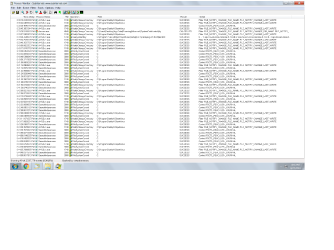
Okay, I've got the System Boot Log, but I'll need help in deciphering it...


start procman right after booting and it will automatically ask if you want to load the recently created boot log. Say yes and let it load. Then on the procman menu select "filter" and it will show you a drop down. On that dropdown again select "filter", which pulls up a filter dialog. Right under "display entries that match these conditions" change "architecture" to "duration" because we want to create a filter that ONLY shows line items of long duration. So change "is" to "greater than", then type in say 5 (meaning 5 seconds), then select "add". Then press apply and the log you are looking at right now which has about 10,000 lines will be redisplayed with perhaps 2 or 10 lines only, and those will be the lines that took more than 5 seconds to process during boot up. Hopefully one of them will say 100 or 200 seconds, in which case that is your culprit. If so, click on that line item, which will bring up the event details showing tabs for event, process, and stack. You can take a screenshot of each of those three and post them here and perhaps we can figure out what happened.
 

My Computer My Computer

At a glance

Win7 pro x64stock i7 7700kCorsair Vengeance LPX 16GB (2x8GB) DDR4 @ 320...integrated Intel HD 630
Computer type
PC/Desktop
Computer Manufacturer/Model Number
diy
OS
Win7 pro x64
CPU
stock i7 7700k
Motherboard
Gigabyte Z270N-WIFI mini-ITX
Memory
Corsair Vengeance LPX 16GB (2x8GB) DDR4 @ 3200MHz
Graphics Card(s)
integrated Intel HD 630
Sound Card
onboard Realtek ALC1220
Monitor(s) Displays
two vertically mounted samsung 55" 4k un55mu8000
Screen Resolution
1920x1280
Hard Drives
256GB Samsung EVO 960 M.2 pci-e NVMe SSD
PSU
SilverStone Nightjar ST45NF 450Watt Fanless
Case
No case. Motherboard is mounted directly onto power supply
Cooling
Evercool low profile 815EP with Panaflow 12L fan at 7v
Keyboard
Ortek MCK-86 mini
Mouse
Belkin 5-button USB
Internet Speed
spectrum 400mbps
johnhoh-

Take a look, if you can read it...


Untitled.png
 

My Computer My Computer

At a glance

Windows 7 Ultimate x64Intel i5-2500K16GBNVIDIA GeForce GT 710
Computer type
PC/Desktop
Computer Manufacturer/Model Number
Custom Build
OS
Windows 7 Ultimate x64
CPU
Intel i5-2500K
Motherboard
Gigabyte P67A-UD3-B3
Memory
16GB
Graphics Card(s)
NVIDIA GeForce GT 710
Sound Card
Microsoft HD Audio
Monitor(s) Displays
AOC 21"
Screen Resolution
1920 x 1080 x 60 hertz
Hard Drives
Seagate Barracuda 1000GB
PSU
Antec Neo ECO 620C
Case
Antec
Cooling
2 case fans, video card fan
Keyboard
Insignia wireless
Mouse
Insignia wireless
Internet Speed
COX 89Mbps v, 9Mbps ^
Antivirus
AVG Free
Browser
Chrome
If you suspect that AVG and / or ZoneAlarm, uninstall them. You can always reinstall.
Getting late, going to do this in the morning. Thanks
 

My Computer My Computer

At a glance

Windows 7 Ultimate x64Intel i5-2500K16GBNVIDIA GeForce GT 710
Computer type
PC/Desktop
Computer Manufacturer/Model Number
Custom Build
OS
Windows 7 Ultimate x64
CPU
Intel i5-2500K
Motherboard
Gigabyte P67A-UD3-B3
Memory
16GB
Graphics Card(s)
NVIDIA GeForce GT 710
Sound Card
Microsoft HD Audio
Monitor(s) Displays
AOC 21"
Screen Resolution
1920 x 1080 x 60 hertz
Hard Drives
Seagate Barracuda 1000GB
PSU
Antec Neo ECO 620C
Case
Antec
Cooling
2 case fans, video card fan
Keyboard
Insignia wireless
Mouse
Insignia wireless
Internet Speed
COX 89Mbps v, 9Mbps ^
Antivirus
AVG Free
Browser
Chrome
Thanks for the reply. I checked Autoruns before, not many Startup items, so I didn't think that was the problem.

However, not sure where I could find the ARN file so I could post it here. Could you point me in the right direction? Thanks for your help, I appreciate it.


Go to File and save.
 

My Computer My Computer

At a glance

Windows 7 Ultimate x64
Computer type
PC/Desktop
OS
Windows 7 Ultimate x64
Okay, I've got it Saved- won't let me upload a .arn file. Any other suggestions?
 

My Computer My Computer

At a glance

Windows 7 Ultimate x64Intel i5-2500K16GBNVIDIA GeForce GT 710
Computer type
PC/Desktop
Computer Manufacturer/Model Number
Custom Build
OS
Windows 7 Ultimate x64
CPU
Intel i5-2500K
Motherboard
Gigabyte P67A-UD3-B3
Memory
16GB
Graphics Card(s)
NVIDIA GeForce GT 710
Sound Card
Microsoft HD Audio
Monitor(s) Displays
AOC 21"
Screen Resolution
1920 x 1080 x 60 hertz
Hard Drives
Seagate Barracuda 1000GB
PSU
Antec Neo ECO 620C
Case
Antec
Cooling
2 case fans, video card fan
Keyboard
Insignia wireless
Mouse
Insignia wireless
Internet Speed
COX 89Mbps v, 9Mbps ^
Antivirus
AVG Free
Browser
Chrome
Can't see the duration time for each event. What I see is many Antivirus and one Chrome that has been canceled.
How much memory you have?

Please edit your profile with all your system specs. It will help us to help you.
 

My Computers My Computers

  • At a glance

    Windows 7 HP 64i5 6600K - 800MHz to 4200MHz4+4G GSkill DDR4 3000IG - Intel 530
    Computer type
    PC/Desktop
    Computer Manufacturer/Model Number
    custom build
    OS
    Windows 7 HP 64
    CPU
    i5 6600K - 800MHz to 4200MHz
    Motherboard
    GA-Z170-HD3P
    Memory
    4+4G GSkill DDR4 3000
    Graphics Card(s)
    IG - Intel 530
    Monitor(s) Displays
    Samsung 226BW
    Screen Resolution
    1680x1050
    Hard Drives
    (1) -1 SM951 – 128GB M.2 AHCI PCIe SSD drive for Windows 7 and Lubuntu
    (2) -1 WD SATA 3 - 1T for Data
    (3) -1 WD SATA 3 - 1T for backup
    PSU
    Thermaltake 450W TR2 gold
    Keyboard
    Old and good Chicony mechanical keyboard
    Mouse
    Logitech mX performance - 9 buttons (had to disable some)
    Internet Speed
    500Mb/s
    Browser
    Firefox 64
    Other Info
    TinyWall firewall
  • At a glance

    Windows 7 Proi7-4500U 800MHz to 3.0GHz(4+4)G DDR3 1600IG intel 4400 + NVIDIA GeForce GT 745M
    Computer type
    Laptop
    System Manufacturer/Model Number
    Asus Q550LF
    OS
    Windows 7 Pro
    CPU
    i7-4500U 800MHz to 3.0GHz
    Motherboard
    Asus Q550LF
    Memory
    (4+4)G DDR3 1600
    Graphics Card(s)
    IG intel 4400 + NVIDIA GeForce GT 745M
    Sound Card
    Realtek
    Monitor(s) Displays
    LG Display LP156WF4-SPH1
    Screen Resolution
    1920 x 1080
    Hard Drives
    BX500 120G SSD for Windows and programs +
    1T HDD for data
    Internet Speed
    500 Mb/s
    Browser
    Firefox
    Other Info
    TinyWall firewall
Can't see the duration time for each event. What I see is many Antivirus and one Chrome that has been canceled.
How much memory you have?

Please edit your profile with all your system specs. It will help us to help you.
16GB
Specs Updated
 

My Computer My Computer

At a glance

Windows 7 Ultimate x64Intel i5-2500K16GBNVIDIA GeForce GT 710
Computer type
PC/Desktop
Computer Manufacturer/Model Number
Custom Build
OS
Windows 7 Ultimate x64
CPU
Intel i5-2500K
Motherboard
Gigabyte P67A-UD3-B3
Memory
16GB
Graphics Card(s)
NVIDIA GeForce GT 710
Sound Card
Microsoft HD Audio
Monitor(s) Displays
AOC 21"
Screen Resolution
1920 x 1080 x 60 hertz
Hard Drives
Seagate Barracuda 1000GB
PSU
Antec Neo ECO 620C
Case
Antec
Cooling
2 case fans, video card fan
Keyboard
Insignia wireless
Mouse
Insignia wireless
Internet Speed
COX 89Mbps v, 9Mbps ^
Antivirus
AVG Free
Browser
Chrome
One thing I don't like in Chrome is that it loads on Win startup, remains in memory and spy everything you do.
I would start by uninstalling AVG and Chrome.
 

My Computers My Computers

  • At a glance

    Windows 7 HP 64i5 6600K - 800MHz to 4200MHz4+4G GSkill DDR4 3000IG - Intel 530
    Computer type
    PC/Desktop
    Computer Manufacturer/Model Number
    custom build
    OS
    Windows 7 HP 64
    CPU
    i5 6600K - 800MHz to 4200MHz
    Motherboard
    GA-Z170-HD3P
    Memory
    4+4G GSkill DDR4 3000
    Graphics Card(s)
    IG - Intel 530
    Monitor(s) Displays
    Samsung 226BW
    Screen Resolution
    1680x1050
    Hard Drives
    (1) -1 SM951 – 128GB M.2 AHCI PCIe SSD drive for Windows 7 and Lubuntu
    (2) -1 WD SATA 3 - 1T for Data
    (3) -1 WD SATA 3 - 1T for backup
    PSU
    Thermaltake 450W TR2 gold
    Keyboard
    Old and good Chicony mechanical keyboard
    Mouse
    Logitech mX performance - 9 buttons (had to disable some)
    Internet Speed
    500Mb/s
    Browser
    Firefox 64
    Other Info
    TinyWall firewall
  • At a glance

    Windows 7 Proi7-4500U 800MHz to 3.0GHz(4+4)G DDR3 1600IG intel 4400 + NVIDIA GeForce GT 745M
    Computer type
    Laptop
    System Manufacturer/Model Number
    Asus Q550LF
    OS
    Windows 7 Pro
    CPU
    i7-4500U 800MHz to 3.0GHz
    Motherboard
    Asus Q550LF
    Memory
    (4+4)G DDR3 1600
    Graphics Card(s)
    IG intel 4400 + NVIDIA GeForce GT 745M
    Sound Card
    Realtek
    Monitor(s) Displays
    LG Display LP156WF4-SPH1
    Screen Resolution
    1920 x 1080
    Hard Drives
    BX500 120G SSD for Windows and programs +
    1T HDD for data
    Internet Speed
    500 Mb/s
    Browser
    Firefox
    Other Info
    TinyWall firewall
johnhoh-
Take a look, if you can read it...
View attachment 405132
1) procmon details
I forgot to tell you one other step. Within procmon, right click on the column header bar and then click "select columns". Then for columns select duration, process name, operation, result, detail, and relative time. Uncheck the other items.
Also, within the filter dialog that I described earlier, instead of a minimum duration time of 5 seconds, choose 15 seconds instead (since the screen image you posted of procmon had so many entries, we need to pare them down). Also, the filter menu will by default choose several filters, i.e., when you now add a duration filter of 15 seconds it will KEEP the previous duration filter of 5 seconds as well. Therefore, before hitting "apply" near the bottom of the filter dialog (its possible you had so many lines in your screenshot because you did not hit "apply" the first time), make sure to Uncheck everything except for the "duration greater than 15 seconds" entry in the filter dialog.

2) safe mode thought. A driver OR hardware issue can cause a slow boot up, and safe mode uses a more basic set of drivers than normal mode. Video hardware and video drivers nowadays are so complicated, you can have a small error in video hardware or video software that only manifests itself in prolonging the driver load at bootup. So its possible that the reason safe mode booted quickly for you is because it loaded a basic driver, thereby avoiding a glitch in your video hardware or your current video driver. So it may be instructive within normal mode to go into device manager and replace your current video driver with the "standard vga adapter" driver (which is the driver used in safe mode), and then reboot. If you still boot slowly, we can rule out video hardware/driver issues as the cause.
 

My Computer My Computer

At a glance

Win7 pro x64stock i7 7700kCorsair Vengeance LPX 16GB (2x8GB) DDR4 @ 320...integrated Intel HD 630
Computer type
PC/Desktop
Computer Manufacturer/Model Number
diy
OS
Win7 pro x64
CPU
stock i7 7700k
Motherboard
Gigabyte Z270N-WIFI mini-ITX
Memory
Corsair Vengeance LPX 16GB (2x8GB) DDR4 @ 3200MHz
Graphics Card(s)
integrated Intel HD 630
Sound Card
onboard Realtek ALC1220
Monitor(s) Displays
two vertically mounted samsung 55" 4k un55mu8000
Screen Resolution
1920x1280
Hard Drives
256GB Samsung EVO 960 M.2 pci-e NVMe SSD
PSU
SilverStone Nightjar ST45NF 450Watt Fanless
Case
No case. Motherboard is mounted directly onto power supply
Cooling
Evercool low profile 815EP with Panaflow 12L fan at 7v
Keyboard
Ortek MCK-86 mini
Mouse
Belkin 5-button USB
Internet Speed
spectrum 400mbps
Okay-

Megahertz07 & johnhoh,

This is where we're at (notice how I included you both in my problem-hehe). I uninstalled ZoneAlarm and AVG. My boot time is now 2-2 1/2 minutes. This is down from, last time I checked, 7+ minutes.

So here is the dilemma- do I reinstall both ZA and AVG OR go with MS Firewall and MS Security Essentials? I've used ZA & AVG for many, many years with no problems at all, really liked them for many reasons.

My big worry is if the MS products are 'strong' enough for the protection on my computer. That is the #1 concern.
 

My Computer My Computer

At a glance

Windows 7 Ultimate x64Intel i5-2500K16GBNVIDIA GeForce GT 710
Computer type
PC/Desktop
Computer Manufacturer/Model Number
Custom Build
OS
Windows 7 Ultimate x64
CPU
Intel i5-2500K
Motherboard
Gigabyte P67A-UD3-B3
Memory
16GB
Graphics Card(s)
NVIDIA GeForce GT 710
Sound Card
Microsoft HD Audio
Monitor(s) Displays
AOC 21"
Screen Resolution
1920 x 1080 x 60 hertz
Hard Drives
Seagate Barracuda 1000GB
PSU
Antec Neo ECO 620C
Case
Antec
Cooling
2 case fans, video card fan
Keyboard
Insignia wireless
Mouse
Insignia wireless
Internet Speed
COX 89Mbps v, 9Mbps ^
Antivirus
AVG Free
Browser
Chrome
1) procmon details
I forgot to tell you one other step. Within procmon, right click on the column header bar and then click "select columns". Then for columns select duration, process name, operation, result, detail, and relative time. Uncheck the other items.
Also, within the filter dialog that I described earlier, instead of a minimum duration time of 5 seconds, choose 15 seconds instead (since the screen image you posted of procmon had so many entries, we need to pare them down). Also, the filter menu will by default choose several filters, i.e., when you now add a duration filter of 15 seconds it will KEEP the previous duration filter of 5 seconds as well. Therefore, before hitting "apply" near the bottom of the filter dialog (its possible you had so many lines in your screenshot because you did not hit "apply" the first time), make sure to Uncheck everything except for the "duration greater than 15 seconds" entry in the filter dialog.

2) safe mode thought. A driver OR hardware issue can cause a slow boot up, and safe mode uses a more basic set of drivers than normal mode. Video hardware and video drivers nowadays are so complicated, you can have a small error in video hardware or video software that only manifests itself in prolonging the driver load at bootup. So its possible that the reason safe mode booted quickly for you is because it loaded a basic driver, thereby avoiding a glitch in your video hardware or your current video driver. So it may be instructive within normal mode to go into device manager and replace your current video driver with the "standard vga adapter" driver (which is the driver used in safe mode), and then reboot. If you still boot slowly, we can rule out video hardware/driver issues as the cause.
I've got the "NEW" log, just don't know how to upload it so it's visible. Problem is *.pml is NOT an acceptable file to upload..
 

My Computer My Computer

At a glance

Windows 7 Ultimate x64Intel i5-2500K16GBNVIDIA GeForce GT 710
Computer type
PC/Desktop
Computer Manufacturer/Model Number
Custom Build
OS
Windows 7 Ultimate x64
CPU
Intel i5-2500K
Motherboard
Gigabyte P67A-UD3-B3
Memory
16GB
Graphics Card(s)
NVIDIA GeForce GT 710
Sound Card
Microsoft HD Audio
Monitor(s) Displays
AOC 21"
Screen Resolution
1920 x 1080 x 60 hertz
Hard Drives
Seagate Barracuda 1000GB
PSU
Antec Neo ECO 620C
Case
Antec
Cooling
2 case fans, video card fan
Keyboard
Insignia wireless
Mouse
Insignia wireless
Internet Speed
COX 89Mbps v, 9Mbps ^
Antivirus
AVG Free
Browser
Chrome
you just open the log within procmon itself, then run the filter, then take a screenshot. Although I think the point is moot since your issue appears to be competition between ZA and AVG.
 

My Computer My Computer

At a glance

Win7 pro x64stock i7 7700kCorsair Vengeance LPX 16GB (2x8GB) DDR4 @ 320...integrated Intel HD 630
Computer type
PC/Desktop
Computer Manufacturer/Model Number
diy
OS
Win7 pro x64
CPU
stock i7 7700k
Motherboard
Gigabyte Z270N-WIFI mini-ITX
Memory
Corsair Vengeance LPX 16GB (2x8GB) DDR4 @ 3200MHz
Graphics Card(s)
integrated Intel HD 630
Sound Card
onboard Realtek ALC1220
Monitor(s) Displays
two vertically mounted samsung 55" 4k un55mu8000
Screen Resolution
1920x1280
Hard Drives
256GB Samsung EVO 960 M.2 pci-e NVMe SSD
PSU
SilverStone Nightjar ST45NF 450Watt Fanless
Case
No case. Motherboard is mounted directly onto power supply
Cooling
Evercool low profile 815EP with Panaflow 12L fan at 7v
Keyboard
Ortek MCK-86 mini
Mouse
Belkin 5-button USB
Internet Speed
spectrum 400mbps
2.5 sec is normal for a HDD. So it's ZA or AVG. I would say it's AVG.

I use an old version of ZA free (version:9.2.106.000) as it has only the Firewall and new one has other functions that I don't want.
My question is: What version of ZA you have? Is it the free version? Does it has Malware and antivirus? Did you checked if Windows Firewall is disabled?
Does AVG has only the antivirus or does it also has firewall?
Do you have Malwarebytes installed? If you do, what version you have (free or paid)?

The line johnhoh suggested is more direct to find the bad guy. But you must have in mind that it can't be one or another software that is causing the delay. It can be the interference of one into another.
So the rule is: Only one active Firewall and only one Antivirus.

On your profile: Seagate Barracuda 100GB or Seagate Barracuda 1TB (1000GB)?
 

My Computers My Computers

  • At a glance

    Windows 7 HP 64i5 6600K - 800MHz to 4200MHz4+4G GSkill DDR4 3000IG - Intel 530
    Computer type
    PC/Desktop
    Computer Manufacturer/Model Number
    custom build
    OS
    Windows 7 HP 64
    CPU
    i5 6600K - 800MHz to 4200MHz
    Motherboard
    GA-Z170-HD3P
    Memory
    4+4G GSkill DDR4 3000
    Graphics Card(s)
    IG - Intel 530
    Monitor(s) Displays
    Samsung 226BW
    Screen Resolution
    1680x1050
    Hard Drives
    (1) -1 SM951 – 128GB M.2 AHCI PCIe SSD drive for Windows 7 and Lubuntu
    (2) -1 WD SATA 3 - 1T for Data
    (3) -1 WD SATA 3 - 1T for backup
    PSU
    Thermaltake 450W TR2 gold
    Keyboard
    Old and good Chicony mechanical keyboard
    Mouse
    Logitech mX performance - 9 buttons (had to disable some)
    Internet Speed
    500Mb/s
    Browser
    Firefox 64
    Other Info
    TinyWall firewall
  • At a glance

    Windows 7 Proi7-4500U 800MHz to 3.0GHz(4+4)G DDR3 1600IG intel 4400 + NVIDIA GeForce GT 745M
    Computer type
    Laptop
    System Manufacturer/Model Number
    Asus Q550LF
    OS
    Windows 7 Pro
    CPU
    i7-4500U 800MHz to 3.0GHz
    Motherboard
    Asus Q550LF
    Memory
    (4+4)G DDR3 1600
    Graphics Card(s)
    IG intel 4400 + NVIDIA GeForce GT 745M
    Sound Card
    Realtek
    Monitor(s) Displays
    LG Display LP156WF4-SPH1
    Screen Resolution
    1920 x 1080
    Hard Drives
    BX500 120G SSD for Windows and programs +
    1T HDD for data
    Internet Speed
    500 Mb/s
    Browser
    Firefox
    Other Info
    TinyWall firewall
My question is:
What version of ZA you have? ver: 15.3.60.17669
Is it the free version? Yes
Does it has Malware and antivirus? Not activated
Did you checked if Windows Firewall is disabled? Yes- disabled
Does AVG has only the antivirus or does it also has firewall? This FREE version is only antivirus
Do you have Malwarebytes installed? Yes
If you do, what version you have (free or paid)? Free- ver: 3.4.4.2398

The line johnhoh suggested is more direct to find the bad guy. But you must have in mind that it can't be one or another software that is causing the delay. It can be the interference of one into another.
So the rule is: Only one active Firewall and only one Antivirus. Agree 100%, I've been VERY cognizant of that fact since I started working with and self-taught about the nuances of these problem makers (computers).

On your profile: Seagate Barracuda 100GB or Seagate Barracuda 1TB (1000GB)? I think I had it right the first time: 1000GB
 

My Computer My Computer

At a glance

Windows 7 Ultimate x64Intel i5-2500K16GBNVIDIA GeForce GT 710
Computer type
PC/Desktop
Computer Manufacturer/Model Number
Custom Build
OS
Windows 7 Ultimate x64
CPU
Intel i5-2500K
Motherboard
Gigabyte P67A-UD3-B3
Memory
16GB
Graphics Card(s)
NVIDIA GeForce GT 710
Sound Card
Microsoft HD Audio
Monitor(s) Displays
AOC 21"
Screen Resolution
1920 x 1080 x 60 hertz
Hard Drives
Seagate Barracuda 1000GB
PSU
Antec Neo ECO 620C
Case
Antec
Cooling
2 case fans, video card fan
Keyboard
Insignia wireless
Mouse
Insignia wireless
Internet Speed
COX 89Mbps v, 9Mbps ^
Antivirus
AVG Free
Browser
Chrome
johnhoh- here you go, I think... for some reason it does not want to show a .doc extension.

BTW- I changed it to >10 sec, NOTHING came back at >15 sec.
View attachment Doc6.doc
 

My Computer My Computer

At a glance

Windows 7 Ultimate x64Intel i5-2500K16GBNVIDIA GeForce GT 710
Computer type
PC/Desktop
Computer Manufacturer/Model Number
Custom Build
OS
Windows 7 Ultimate x64
CPU
Intel i5-2500K
Motherboard
Gigabyte P67A-UD3-B3
Memory
16GB
Graphics Card(s)
NVIDIA GeForce GT 710
Sound Card
Microsoft HD Audio
Monitor(s) Displays
AOC 21"
Screen Resolution
1920 x 1080 x 60 hertz
Hard Drives
Seagate Barracuda 1000GB
PSU
Antec Neo ECO 620C
Case
Antec
Cooling
2 case fans, video card fan
Keyboard
Insignia wireless
Mouse
Insignia wireless
Internet Speed
COX 89Mbps v, 9Mbps ^
Antivirus
AVG Free
Browser
Chrome
procmon is not telling us much. Procmon is good when you have a hung event that takes forever, but since AVG and ZA run as a series of events, its possible that none of their individual events is taking very long. In any case, your AVG/ZA issue is not uncommon. I do not know how to fix is though, other than to use just one program. I use Windows Firewall for firewall and malwarebytes for virus/malware/spyware.
 

My Computer My Computer

At a glance

Win7 pro x64stock i7 7700kCorsair Vengeance LPX 16GB (2x8GB) DDR4 @ 320...integrated Intel HD 630
Computer type
PC/Desktop
Computer Manufacturer/Model Number
diy
OS
Win7 pro x64
CPU
stock i7 7700k
Motherboard
Gigabyte Z270N-WIFI mini-ITX
Memory
Corsair Vengeance LPX 16GB (2x8GB) DDR4 @ 3200MHz
Graphics Card(s)
integrated Intel HD 630
Sound Card
onboard Realtek ALC1220
Monitor(s) Displays
two vertically mounted samsung 55" 4k un55mu8000
Screen Resolution
1920x1280
Hard Drives
256GB Samsung EVO 960 M.2 pci-e NVMe SSD
PSU
SilverStone Nightjar ST45NF 450Watt Fanless
Case
No case. Motherboard is mounted directly onto power supply
Cooling
Evercool low profile 815EP with Panaflow 12L fan at 7v
Keyboard
Ortek MCK-86 mini
Mouse
Belkin 5-button USB
Internet Speed
spectrum 400mbps
Okay, I've got it Saved- won't let me upload a .arn file. Any other suggestions?


You need to zip the file to upload here.

AVG is not very good IMO. Neither is Zonealarm. You might be interested in Bitdefender Free.
 

My Computer My Computer

At a glance

Windows 7 Ultimate x64
Computer type
PC/Desktop
OS
Windows 7 Ultimate x64
Back
Top