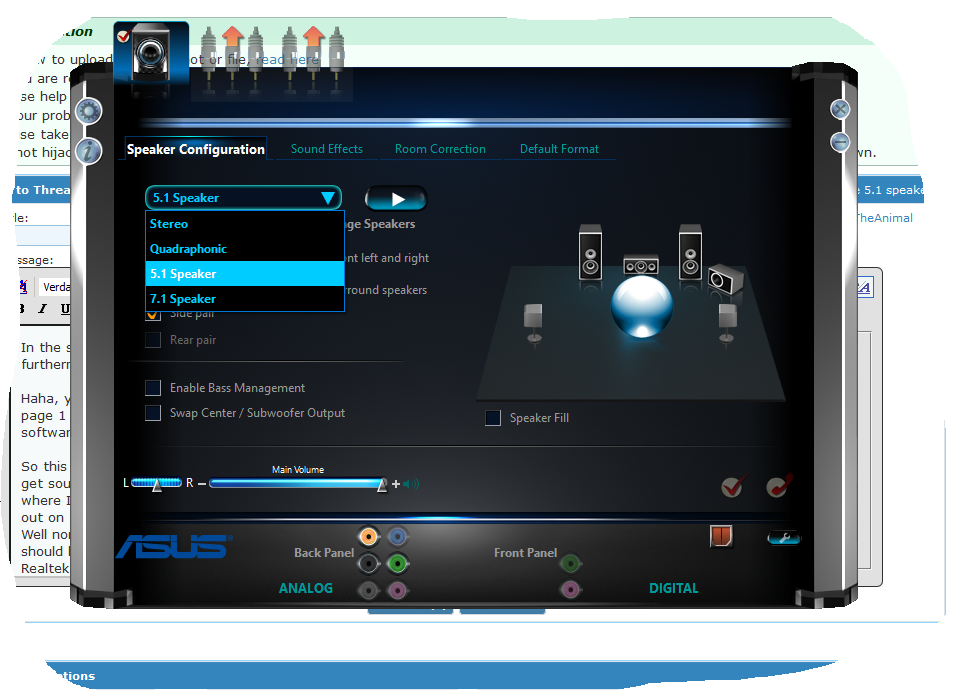
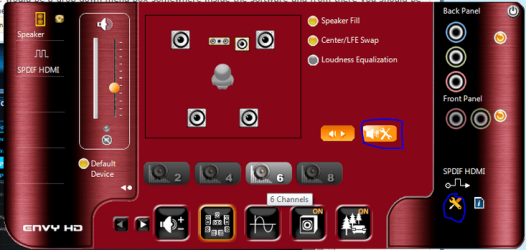
But what is the program that you are using for the speakers, still the VIA HD Audio Deck?But what does it say in the Realtek window? I mean it should indicate that you have something plugged into the audio ports at the back, at least it says that for me whenever I unplug or plug something.Still the same, a total mystery!
And what happened to the Realtek installer that I linked to you, unfortunately I couldn't test it so I don't know but it might happen that it only installed like drivers and I guess you would need to install Realtek HD Audio Manager unless you have it installed.
When I unplug the back speakers it greys out on the Audio Manager, when I plug back in it asks me to confirm which speakers they are. The installer unzipped files onto my hard drive, so I ran the setup.exe then rebooted, no change!
My Computer
At a glance
Windows 7 Home Premiumi5-3570k16 GB DDR3 G Skill SniperGIGABYTE GeForce GTX 970 GV-N970WF3OC-4GD
- Computer type
- PC/Desktop
- Computer Manufacturer/Model Number
- Custom build
- OS
- Windows 7 Home Premium
- CPU
- i5-3570k
- Motherboard
- ASUS Sabertooth z77
- Memory
- 16 GB DDR3 G Skill Sniper
- Graphics Card(s)
- GIGABYTE GeForce GTX 970 GV-N970WF3OC-4GD
- Monitor(s) Displays
- ASUS ROG PG278Q
- Screen Resolution
- 2560x1440@60Hz/120Hz/144Hz
- Hard Drives
- 56GB KINGSTON SVP200S37A60G
512GB Crucial MX100
1863GB Seagate ST2000DM001-1CH164
2795GB Seagate ST3000DM001-9YN166
- PSU
- Corsair GS800
- Case
- Storm Trooper Stryker White
- Keyboard
- Logitech G910 Orion Spark
- Mouse
- Logitech G502
- Antivirus
- MSE
- Browser
- Firefox/Chrome
- Other Info
- Logitech G633
Logitech Mouse Matt