Vista fails to log off, install updates.

Scanned with WD's tool:

Extended Scan: No errors found (error/status code: 0000)
Full Media Scan: No errors found (error/status code: 0000)

I'm going to scan the Hitachi drive with Hitachi's DFT (Drive Fitness Test), if it also gives me no errors, I'm going to return the WD Drive.

Quick test: Corrupted sector. Ran repair, operation completed successfully. (Disposition Code = 0x00)
Advanced test: Operation completed successfully (Disposition Code = 0x00)

I'm going to try a clean boot with the original Hitachi hard drive.
 

My Computer My Computer

At a glance

Snow Leopard
OS
Snow Leopard
Clean reboot with the original Hitachi hard drive... and it shuts down! Now I'm afraid to install any drivers.

I'll make a restore point now, and then reboot after every driver.


Ralink 802.11n Wireless LAN Card install, rebooted ok.
02Micro Integrated MMC/SD controller installed, rebooted ok.
ATI Radeon HD 3200 Graphics installed (though Windows Update), rebooted ok.
Marvell Yukon 88E8040 PCI-E Fast Ethernet Controller installed (though Windows Update), rebooted OK!


While installing the SD controller, I got a Windows Update message that new updates are available, so that's working now. :D
 
Last edited:

My Computer My Computer

At a glance

Snow Leopard
OS
Snow Leopard
Did you start existing WIN7 on the Hitachi, or are you saying you Clean Reinstalled?

If you haven't Clean Reinstalled then you can given enough time between every step, driver, program and group of Updates to see when the problem arises, then System REstore to narrow it down to the actual bad apple.

However if it happens right off the bat before anything is added it's still likely a hardware issue. I keep wondering about stress testing the CPU - Stress Test with Prime95 - Windows 7 Forums.
 
Did you start existing WIN7 on the Hitachi, or are you saying you Clean Reinstalled?

However if it happens right off the bat before anything is added it's still likely a hardware issue. I keep wondering about stress testing the CPU - Stress Test with Prime95 - Windows 7 Forums.
Clean reinstall, not reboot. As soon as it booted for the first time after the installer, I shut it down. It shut down immediately. If I would have done that with the Western Digital hard drive it would have froze, even with no drivers installed.

(I'm keeping my driver progress in the previous post.)
 

My Computer My Computer

At a glance

Snow Leopard
OS
Snow Leopard
Good progress. Keep us posted.

It may well have been the HD but you'll do best to continue testing after each install/group with Restore Point to roll it back if necessary.
 
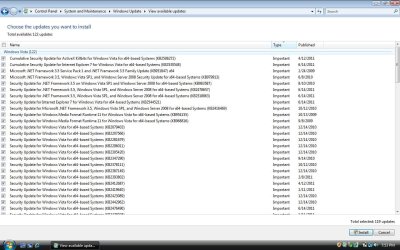
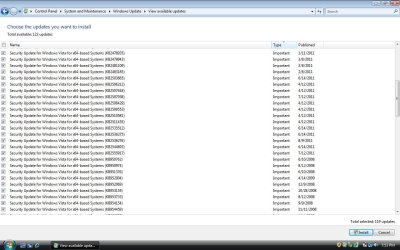
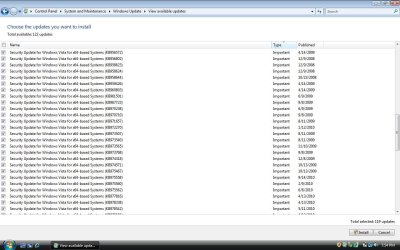
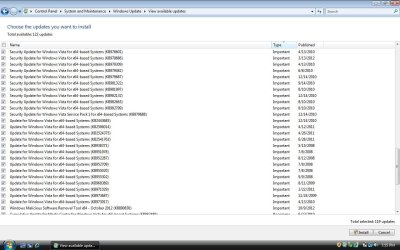
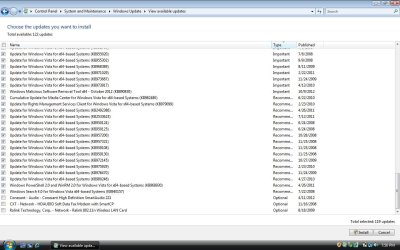
Okay, Windows Update works. All drivers installed successfully (two from Windows Update!). Restarts now without any hesitation. I now have 122 updates: Which ones are safe to install? (attached photos)

edit: Installed iTunes, works perfectly.
 

Attachments

  • winupdates1.jpg
    winupdates1.jpg
    144.1 KB · Views: 3
  • winupdates2.jpg
    winupdates2.jpg
    126.8 KB · Views: 3
  • winupdates3.jpg
    winupdates3.jpg
    124.7 KB · Views: 3
  • winupdates4.jpg
    winupdates4.jpg
    123.5 KB · Views: 3
  • winupdates5.jpg
    winupdates5.jpg
    127.5 KB · Views: 3

My Computer My Computer

At a glance

Snow Leopard
OS
Snow Leopard
You need all of those especially the drivers at end which are currently not ticked.

I think I'd install the drivers first alone and then test it for awhile.

Then install the Updates in small groups and test after each. Same with Programs.

Or if you never had this problem as the result of Updates before, then you could install them all at once and rely on the REstore Point or even a Win7 backup image if problems arise. It's up to you to decide.
 
I'm pretty confident that the system is fixed. Either I had a bad restore disk, or some incompatibility with the Western Digital HDD.

I'm going to install the drivers first, test for a few, then install the rest at once. This looks like it'll take a while, but I'll post the result when it's done.
 

My Computer My Computer

At a glance

Snow Leopard
OS
Snow Leopard
Good work Greg.

DRPCs, glad that you found the cause.
 

My Computer My Computer

At a glance

Windows 7 Ult x64 - SP1/ Windows 8 Pro x64Intel Core i5-3570K 4.6GHz8GB (2X4GB) DDR3 1600 Corsair Vengeance CL8 1.5vSapphire HD 7770 Vapor-X OC 1GB DDR5
Computer type
PC/Desktop
Computer Manufacturer/Model Number
76~2.0
OS
Windows 7 Ult x64 - SP1/ Windows 8 Pro x64
CPU
Intel Core i5-3570K 4.6GHz
Motherboard
Gigabyte GA-Z77X UD3H, f18
Memory
8GB (2X4GB) DDR3 1600 Corsair Vengeance CL8 1.5v
Graphics Card(s)
Sapphire HD 7770 Vapor-X OC 1GB DDR5
Sound Card
Onboard VIA VT2021
Monitor(s) Displays
22" LCD Dell
Screen Resolution
1680x1050
Hard Drives
Samsung 840Pro 128GB SSD,
Seagate Barracuda 500GB SATA2 7200rpm 32MB cache, Seagate Barracuda 1TB SATA2 7200rpm 32MB cache,
PSU
Corsair HX650W
Case
Cooler Master Storm Scout
Cooling
Corsair H80 2x12cm Noctua NF P12 , 2x14cm case fans
Keyboard
Logitech Wave
Mouse
CM Sentinel
Internet Speed
Dismal
Antivirus
Avast
Browser
Opera Next
Other Info
Haswell laptop: HP Envy 17t-j, i7-4700MQ, GeForce 740M 2GB DDR3, 17.3" Full HD 1920x1080, 16GB RAM, Samsung 840 Pro 128GB, 1TB Hitachi 7200 HDD,
Desktop: eSATA ports,
External eSATA Seagate 500GB SATA2 7200rpm,
External WD USB 500GB
Mkay, all but one passed: Microsoft .NET Framework 3.5 SP1 and .NET Framework 3.5 Family Update.


edit: restarting problems, ugh. I'll system restore before the updates then manually update them...
 

My Computer My Computer

At a glance

Snow Leopard
OS
Snow Leopard
Bleh, the system restore didn't work. I'm going to test the hard drive again and see if any sectors are corrupted. I'm wondering if I could use DBAN to completely wipe the HDD, then start with a fresh installation. For whatever reason I think I may be reinstalling over something corrupted and I just got lucky last time.
 

My Computer My Computer

At a glance

Snow Leopard
OS
Snow Leopard
I assumed you had wiped the HD with Diskpart Clean Command as suggested in Post #52 and repeated when you again reinstalled.

What could affect it here is conflicting code remaining in the boot sector which can block a HD or even a PC from booting and cause other bad effects.
 
I assumed you had wiped the HD with Diskpart Clean Command as suggested in Post #52 and repeated when you again reinstalled.

What could affect it here is conflicting code remaining in the boot sector which can block a HD or even a PC from booting and cause other bad effects.

I believe so, yes. Since the computer doesn't shut down now, should I try diskpart again and try reinstalling?
 

My Computer My Computer

At a glance

Snow Leopard
OS
Snow Leopard
I'm doing diskpart now, then going to try a clean reinstall first. If that fails, then I'll try System Restore again. I'm going out of town today, so I'll pick up again around 9-10PM.
 

My Computer My Computer

At a glance

Snow Leopard
OS
Snow Leopard
You'll have nothing on the HD to Sys Restore if you clean it.

Oh. Whoops.

I followed the exact steps before when I got a successful install, but nothing. I'm trying a disk check now.
 

My Computer My Computer

At a glance

Snow Leopard
OS
Snow Leopard
Nothing found with disk check, oh well. I have to return the laptop tomorrow, so I'm pretty much done with it. I installed all the correct drivers yet it is still not shutting down correctly. Right now, it boots up and accesses the internet. I guess she'll have to use it as a Facebook machine. It's just a shame it worked yesterday and something had to go and ruin the fun. :(

Thanks for your help all of you guys!
-Dustin
 

My Computer My Computer

At a glance

Snow Leopard
OS
Snow Leopard
Back
Top