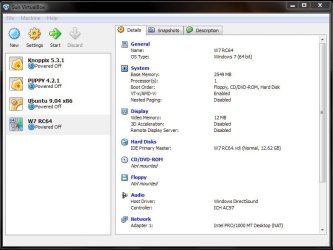
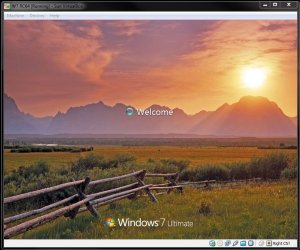
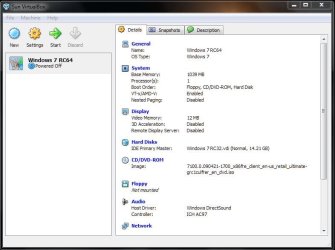
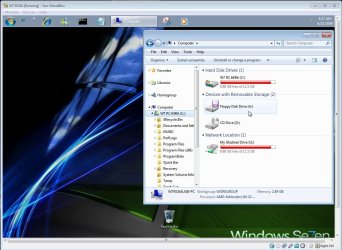
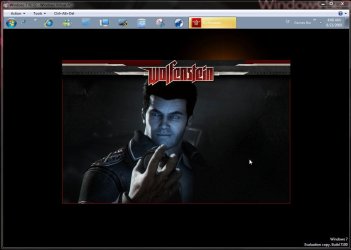
From use here you can see more done since you have full access to drives even a usb flash drive while the typical VM is limited to the vhd itself! I had to grab a 3rd party program called Grabinet in order to upload and then download files onto the vhs through WLM in order to get things on there!
The XP mode is full while VMs while the VBox may offer a few options like rasing things like video memory from 12mb to 128mb and two options for sound you are cut off from drectly installing programs from disk! The XP mode now offers printer support as well as direct access to drives and usb devices like a printeer.
Hi there
In a typical vm you can have direct access to ALL the Hosts drives if you enable at least "Host only Networking" and if you activate either "Bridged" or "NAT" networking your VM should be able to acess ANY allowed drive on your network.
You don't need the XP mode just for that functionality.
The basic idea of XP mode was great - any user could basically just run an application from the main (host) menu screen without having to bother starting a Virtual machine or having to install something like vmware workstation or Virtual box first.
However currently IMO the "seamless" integration isn't quite as seamless as it should be and compared with running a VM under vmware or even Virtual box then the performance is quite HORRIFIC.
I don't think XP mode is quite ready for "Prime time" yet but I hope MS continue with it and considerably improve its performance as it could be fine for people in a small office environment without separate IT support who want to upgrade to W7 and still run legacy applications.
At the moment typical office users will find the program just too slow to be anything other than frustrating and there will be a huge rush back to any native XP machine still running the old apps when they need those.
Incidentally for the best "Free" performance for your vm's run them on something like VMWARE server - its free but a bit of a dog to get working - especially if you are not installing it on a server class OS such as Windows 2008 server or W2003 server.
I'd go for installing vmware server on say a W2008 R2 server and enable either a W2003 server virtual machine or a number of XP virtual machines
Once you've got the vm's running you could then enable the W2003 server virtual machine on to be acessible by the users to access their legacy windows XP applications or depending on the nature of the applications and number of concurrent users fire up individual XP virtual machines on the W2008 server machine which could be individually accessed.
The W2003 server will run the XP legacy apps quite nicely and is quite an efficient (even now) OS.
Setting up however requires a bit of expertise here which might not be readily available in a small office.
The problem here with the vmware server (V2) is that often the Console interface is a Web gui which needs to be run from a separate machine - and that if you are already running an IIS server on something like W7 you cant have 2 concurrent instances running (I.e 2 web sites up and running at the same time) so you need to shut down the default one so you can manage your VM's.
If you CAN get it working then a huge advantage for a lot of people is that you can set the Virtual Machines to start / shut down automatically when the Host starts / shuts down.
This is important if you have a set of "production" vm's - otherwise if the host re-boots for example after applying updates your VM's are not acessible until someone has logged on to the host and powered on the Virtual machines.
Cheers
jimbo



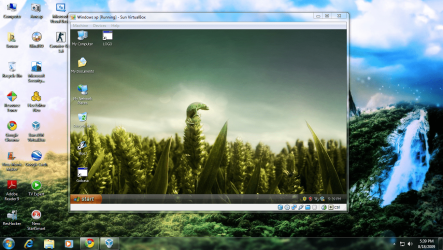

 )
)