chamlin
New member
- Local time
- 6:19 AM
- Messages
- 97
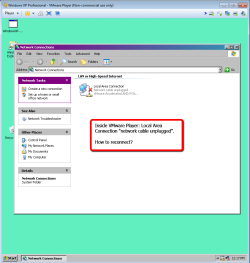
Not sure when it happened as I don't use VMware player too often.
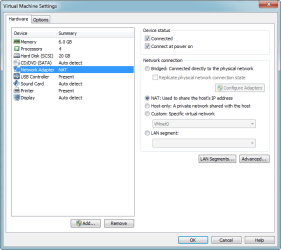
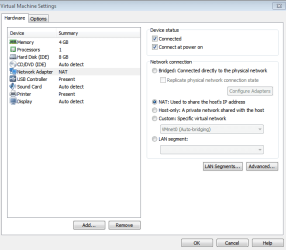
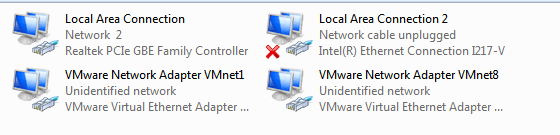
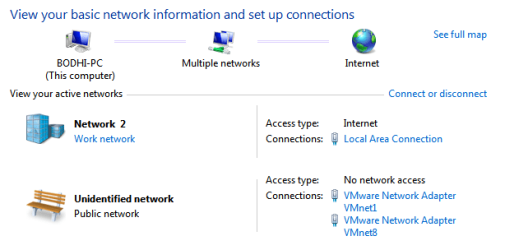
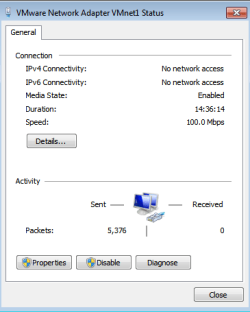
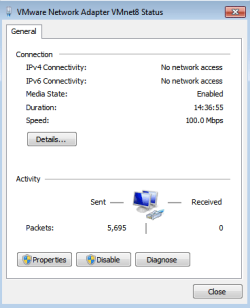
Here are some images of the Network settings on the Win 7 system.
Appreciate any help you can give on reestablishing the connection.
Thanks,
Chamlin
- My main desktop is Win 7 Pro.
- VMware Player: 6.0.2 build - 1744117
- In the player, is XP Pro.
Here are some images of the Network settings on the Win 7 system.
Appreciate any help you can give on reestablishing the connection.
Thanks,
Chamlin
Attachments
My Computer
At a glance
Windows 7 Professional 64-bitIntel Core i5-4670K Haswell 3.4GHz Quad-Core ...16GB (2 x 8GB) Kingston DDR3 1600FANLESS ASUS Radeon HD 6450 1GB
- Computer type
- PC/Desktop
- Computer Manufacturer/Model Number
- Custom Build
- OS
- Windows 7 Professional 64-bit
- CPU
- Intel Core i5-4670K Haswell 3.4GHz Quad-Core 84w CPU
- Motherboard
- ASUS Z87 Deluxe 1150 Intel Z87 Motherboard
- Memory
- 16GB (2 x 8GB) Kingston DDR3 1600
- Graphics Card(s)
- FANLESS ASUS Radeon HD 6450 1GB
- Hard Drives
- c: SSD Intel 520 Series 180GB SATA III (for OS/programs)
e: WD 2TB Green (general data)
f: WD 600 GB Velociraptor (audio recording data)
g: WD 150 GB Velociraptor (open)
- Antivirus
- Emsisoft Internet Security (AV/Firewall)
- Browser
- Firefox