WD external drive connecter fell off, connecting It via sata

Sargeii

New member
Local time
8:13 AM
Messages
2
Hello, My WS external hard drive mini usb connector fell off.

Iv'e tried to weld It back to the usb adaptar on the external hard drive, but without succssess.
thus Iv'e totly dissconnected the usb adaptar from the hard drive and tried to connect It directly to the pcs motherboard via a SATA connection.
The Drive shows up on my computer as D: and seems to be empty...
From what Iv'e read from the web, WD drives could It be the encrypted, In that case how do I deal with It?
If you know somthing that might help, It'll be great.

Please help the info on this drive Is very important
 

My Computer My Computer

At a glance

64 bitIntel(R) Core(TM) i5-4460 CPU @ 3.20GHzNVIDIA GeForce GT 730
Computer type
PC/Desktop
Computer Manufacturer/Model Number
custom build
OS
64 bit
CPU
Intel(R) Core(TM) i5-4460 CPU @ 3.20GHz
Graphics Card(s)
NVIDIA GeForce GT 730
Antivirus
Eset Nod 32
Browser
Chrome
Welcome to Seven Forums.

Just WD external drive. No model name, number.

Anyway, if it is other than "Elements" , it is hardware encrypted. You cannot take the drive out, direct connect and get the data.

Take it to a nearby computer shop professional and check whether they can fix the connector for you and get the data out..

Else, you need to contact the WD Data Recovery partners in your region. Only they have the decrypt key to recover the data. You can contact over the phone and obtain a quote. Needless to say it is going to cost heavy. https://support.wdc.com/Warranty/dataRecovery.aspx?lang=en
 

My Computer My Computer

At a glance

Windows 7 Home Premium 32 bit
OS
Windows 7 Home Premium 32 bit
Thank you jumanji for the tip, Earlier today with much struggle Iv'e managed to hold still the usb connector on the It's belonging place on the chip using a Laundry hook for enought time to reopen the hard drive encrypted contact and restore It's info using EaseEA Data Recovery software.

Needless to say that the WD external hardrive is useless now without the connecter holding tigth on It :(
 

My Computer My Computer

At a glance

64 bitIntel(R) Core(TM) i5-4460 CPU @ 3.20GHzNVIDIA GeForce GT 730
Computer type
PC/Desktop
Computer Manufacturer/Model Number
custom build
OS
64 bit
CPU
Intel(R) Core(TM) i5-4460 CPU @ 3.20GHz
Graphics Card(s)
NVIDIA GeForce GT 730
Antivirus
Eset Nod 32
Browser
Chrome
hmmm.... looks like you have seen the many youtube videos I saw, holding it with a clip. :)


I thought you can't do it or better you don't do it under tension and that is why I was driving you to the computer shop but you did it. Congrats.

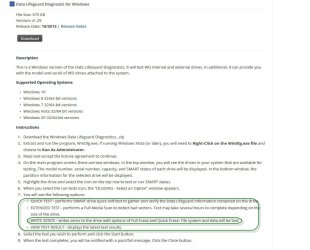
You can now use that HDD as an internal HDD. Just do a cleanwipe ( write zeros) using WD DataLifeguard Diagnostic for Windows and then format it. Software and Firmware Downloads | WD Support (Exercise caution in selecting the correct drive to wipe and do a full erase.)

You may also check the drive's health. If everything is OK, you have an internal drive now.(The encryption/decryption chip is actually in the broken PCB which you will throw away now.)

A17-09-2016 22-50-14.jpg
 

My Computer My Computer

At a glance

Windows 7 Home Premium 32 bit
OS
Windows 7 Home Premium 32 bit
Thank you jumanji for the tip, Earlier today with much struggle Iv'e managed to hold still the usb connector on the It's belonging place on the chip using a Laundry hook for enought time to reopen the hard drive encrypted contact and restore It's info using EaseEA Data Recovery software.

Needless to say that the WD external hardrive is useless now without the connecter holding tigth on It :(

I have several WD drives laying around here, that I use as 'scratch' drives. They all came out of WD External, USB drives that failed, one way or another. (and were given to me by my customers, as worthless). So much for WD quality. That's one brand I have not bought for over 25 years now.

So if you can get the drive out of the case, put it into a new case and go on from there. Those external drive cases are cheap and easy to find on the net. It's not worth loosing any sleep over.

Good Luck,
TechnoMage :cool:
 

My Computer My Computer

At a glance

Win 7 Pro, SP1, x86, Win-11/Pro/64AMD8GB CrucialVarious
Computer type
PC/Desktop
Computer Manufacturer/Model Number
Various
OS
Win 7 Pro, SP1, x86, Win-11/Pro/64
CPU
AMD
Motherboard
Various
Memory
8GB Crucial
Graphics Card(s)
Various
Sound Card
OnBoard
Monitor(s) Displays
Acer 21.5"
Hard Drives
Crucial SSD, 500 GB
PSU
OEM
Case
SFF Slim Line Case
Cooling
OEM
Keyboard
eMachines
Mouse
Logitech Wireless
Internet Speed
varies
Antivirus
Windows Defender/Super Anti-Spyware
Browser
Firefox
Back
Top