I wanna thank you,
I too have this problem above only mine is with IE 11, I would click on the icon to load my homepage google.com only to have it load for about 3 secs and then go to a different address google.com/?gws_rd=ssl being a white page with a loading icon spinning next to google as if it was trying to load, same thing happened if I did it with msn.com or any other web address, so I looked all over the web only to find out I wasn't alone as others had the same problem, I followed one persons ideal to try to reset the IE 11, didn't work, then another person said maybe it might be a problem with extensions and had me hit f12 and I was lost on what he said to do as I am not a master at PC programing at all, Then I seen a ideal about loading IE 11 without addons, I tried it and this is what happened, the browser came up as "can not load page because all IE addons, activex and such was disabled, but here is the funny part if I left the browser that said "can not load" open, all other browsers would load right up without a problem but if I closed it I would be back to stage one, so I kept searching and then I seen this forum with the ideal of uninstalling IE 11 tried it didn't work, but however the ideal above about the msconfig clean boot proved great results!:shock:, I took screenshots of both startup and services, then I did stage one of the clean boot and as soon as my computer loaded IE 11 work with no problems and that's where I am at right now....., by the way the Ideal above was very well explained thanks for that!



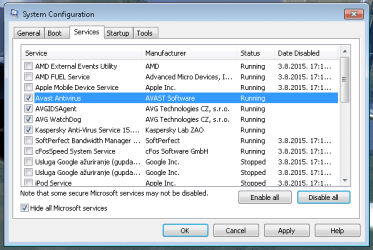

 but since I don't know what that is, I don't allow it to run,:shock: