Weird Virus or system problem... Help :S

FallbackRoflhax

New member
Local time
2:21 PM
Messages
5
You seem like you guys know what your doing, so. Anyways, I'm pretty sure I have a virus on my computer (either that or hardware malfunctions), But a few weeks ago I turned on my computer and all my music was gone. Itunes wouldn't open because "the required folder could not be found." I had a copy of all my music files in my "Libraries," but when I opened that, there was nothing there. I tried to restore default libraries but nothing happened.
Along with a lot of other weird shit, like I'm not able to change my desktop background because of an internal problem, and can't get certain programs to stop running, most things are normal.
Also, if it is a virus, Norton internet security doesn't consider it one, or can't detect it, and my other antivirus program won't open.
Can someone tell me if it really is a virus or if it's just a system problem? Thank you in advance.
 

My Computer

OS
Windows 7 Premium 64 bit
Hi,

Please try the following in this order:

1. Go to a folder where you thought your music was stored. Right-click on the folder, and check to see if the Hidden attribute is checked. If it is, uncheck it and see if your music is still there.

2. Boot in Safe Mode with networking, and then download, install, update and run a FULL scan with Malwarebytes. Post the results here.

3. Download the F-Secure bootable ISO image, and burn it to a CD/DVD at 4x speed. Don't run it yet - lets first see what Malware bytes coughs up.

Also give us some more information about your system (eg. desktop, laptop, OEM OS, retail OS etc.). You mentioned another anti-virus software - which one is it?

Regards,
Golden
 

My Computer

Computer type
PC/Desktop
Computer Manufacturer/Model Number
Golden Mk. I.4
OS
Windows 10 Pro x64 ; Xubuntu x64
CPU
Intel i7 860 @ 2.80 GHz O/C'ed to 4.0GHz
Motherboard
Gigabyte P55A-UD3R Rev.1. Award BIOS F13
Memory
16GB Corsair Vengance DDR3 @ 661 MHz Dual Channel (9-9-9-24)
Graphics Card(s)
EVGA NVidia GTX 560 1024MB
Sound Card
Realtek Integrated
Monitor(s) Displays
Dual Samsung SyncMaster 2494HS
Screen Resolution
1920*1080 and 1920*1080
Hard Drives
1*Samsung 840 EVO 120GB SSD;
1*OCZ Vertex 2 60GB SSD;
2*Samsung F3 SpinPoint 1TB in RAID0;
1*Samsung F1 SpinPoint 1TB;
2*Western Digital 1TB External USB 3.0
1*Western Digital 500GB External USB 3.0
1*Seagate 500GB External USB 2.0
PSU
Thermaltake ToughPower QFan 750W
Case
Thermaltake Element S VK60001W2Z
Cooling
Corsair H60 Water Cooling, 2*230mm and 2*80mm case fans
Keyboard
Logitech G110
Mouse
Logitech MX518
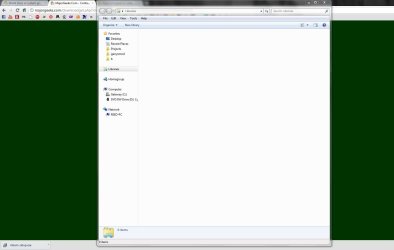
First off, when I open up libraries, its not like the folders are there and empty, but the folders are not there. I'll try and boot in safe mode and try step 2 now.
i'm running a desktop computer, Gateway (don't know the model), quad core processor, windows 7, and I've had it for a year and a few months. Don't know if any of that info helps but if you want specifics I can find out.
 

Attachments

  • no libraries.JPG
    no libraries.JPG
    60 KB · Views: 12

My Computer

OS
Windows 7 Premium 64 bit
Hi,

OK. Most of this looks like adware, but Trojan.Spyeye is also present and is more of a risk as it may steal confidential information.

Code:
c:\usxxxxxxxx.exe\config.bin (Trojan.SpyEye) -> No action taken.
Re-run Malwarebytes, and this time select the option to quarantine/delete the infected items. Post the log back here again after doing that.

Is your Windows 7 an OEM version, or a separate retail copy of Windows 7?

Regards,
Golden
 

My Computer

Computer type
PC/Desktop
Computer Manufacturer/Model Number
Golden Mk. I.4
OS
Windows 10 Pro x64 ; Xubuntu x64
CPU
Intel i7 860 @ 2.80 GHz O/C'ed to 4.0GHz
Motherboard
Gigabyte P55A-UD3R Rev.1. Award BIOS F13
Memory
16GB Corsair Vengance DDR3 @ 661 MHz Dual Channel (9-9-9-24)
Graphics Card(s)
EVGA NVidia GTX 560 1024MB
Sound Card
Realtek Integrated
Monitor(s) Displays
Dual Samsung SyncMaster 2494HS
Screen Resolution
1920*1080 and 1920*1080
Hard Drives
1*Samsung 840 EVO 120GB SSD;
1*OCZ Vertex 2 60GB SSD;
2*Samsung F3 SpinPoint 1TB in RAID0;
1*Samsung F1 SpinPoint 1TB;
2*Western Digital 1TB External USB 3.0
1*Western Digital 500GB External USB 3.0
1*Seagate 500GB External USB 2.0
PSU
Thermaltake ToughPower QFan 750W
Case
Thermaltake Element S VK60001W2Z
Cooling
Corsair H60 Water Cooling, 2*230mm and 2*80mm case fans
Keyboard
Logitech G110
Mouse
Logitech MX518
I'm ran it again to be safe, but I already deleted the trojan. Some more viruses were found because last time I had to stop it before it finished completely. However, even though I'm glad those are off my computer, it still hasn't fixed any problems listed before. Do you know if this is hardware issues?
 

Attachments

My Computer

OS
Windows 7 Premium 64 bit
Hi,

We first need to make sure your system is clean before tackling any hardware issues.

You need to do a FULL Scan, not a QUICK scan. Also boot into Safe Mode to do these scans. Redo a FULL scan in Safe Mode, and quarantine/delete any items it finds, and post the logs again please.

You also need to tell me:
1. What other anti-virus you are using on your system - you mentioned two of them?
2. Is your Windows 7 an OEM, or retail version?

Regards,
Golden
 

My Computer

Computer type
PC/Desktop
Computer Manufacturer/Model Number
Golden Mk. I.4
OS
Windows 10 Pro x64 ; Xubuntu x64
CPU
Intel i7 860 @ 2.80 GHz O/C'ed to 4.0GHz
Motherboard
Gigabyte P55A-UD3R Rev.1. Award BIOS F13
Memory
16GB Corsair Vengance DDR3 @ 661 MHz Dual Channel (9-9-9-24)
Graphics Card(s)
EVGA NVidia GTX 560 1024MB
Sound Card
Realtek Integrated
Monitor(s) Displays
Dual Samsung SyncMaster 2494HS
Screen Resolution
1920*1080 and 1920*1080
Hard Drives
1*Samsung 840 EVO 120GB SSD;
1*OCZ Vertex 2 60GB SSD;
2*Samsung F3 SpinPoint 1TB in RAID0;
1*Samsung F1 SpinPoint 1TB;
2*Western Digital 1TB External USB 3.0
1*Western Digital 500GB External USB 3.0
1*Seagate 500GB External USB 2.0
PSU
Thermaltake ToughPower QFan 750W
Case
Thermaltake Element S VK60001W2Z
Cooling
Corsair H60 Water Cooling, 2*230mm and 2*80mm case fans
Keyboard
Logitech G110
Mouse
Logitech MX518
I'll do the other scans in the morning, but Windows 7 came with the computer. Didn't put it on myself. And the other antivirus was just microsoft security essentials.
 

My Computer

OS
Windows 7 Premium 64 bit
Back
Top