weird virus. Some help

Exlans

New member
Local time
8:11 AM
Messages
25
Location
Egypt , Cairo
Hello Guys,
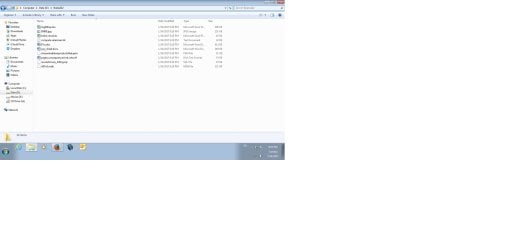
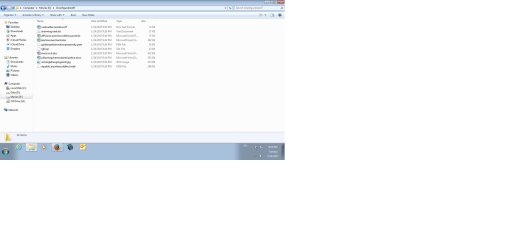
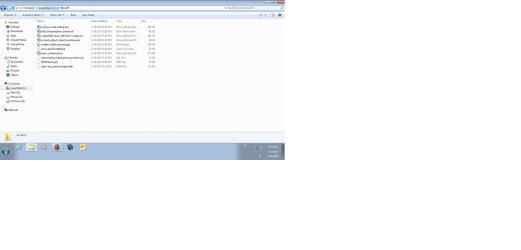
in the beginning, i am running windows 7 64bit, Well, i was shutting down my pc, i turned it on and then i turned my modem one, i have noticed after while a mapped driver, which is weird in my home desktop, so i automatically disconnect the network, i open then network mapped drives, it's accessible, i had AVG, FortiClient, and Cyber ransomware and Malwarebytes, and i have my firewall on and my modem firewall on, i closed all active network, so connect the network again, the mapped disappear but in each driver i got two hidden folders, each time i delete them, they ack again, i scan the whole disk with AVG, Kasper, Hitman Pro, nothing found, I don't know what those folders and what's going on, does anyone have perfect explain for me, how to remove them ? or how to clean my pc .
 

Attachments
  • 1.jpg
    1.jpg
    71.3 KB · Views: 23
  • 3.jpg
    3.jpg
    68 KB · Views: 14
  • 5.jpg
    5.jpg
    71.4 KB · Views: 14

My Computer

Computer type
PC/Desktop
Computer Manufacturer/Model Number
Custom Build
OS
Windows 7 Enterprise 64-Bit
Hello exlans mate for starters is this a company computer and do you have admin rights ? Plus can you pleas e follow this as we cannot advise if we do not know what is in your system
System Info - See Your System Specs

Now if you suspect a virus then please run these
SUPERAntiSpyware | Remove Malware | Remove Spyware - AntiMalware, AntiSpyware, AntiAdware!
Malwarebytes | Malwarebytes Premium
AdwCleaner Download
ADW download from bleeping computer delete any rubbish found with the malware scans
(NB If you are running Kaspersky as the main AV then it might need disabling it when trying ADW because it does not like it at times)

Personally I think AVG is not a terribly good AV and I have not used it for many years so I would not be surprised to see that it picked up nothing. There are better alternatives but it is your choice of course.
 

My Computer

Computer type
PC/Desktop
Computer Manufacturer/Model Number
Own build (new) Desk1 / Asus ROG Win 7 / Desk2 1st build
OS
Desk1 7 Home Prem / Desk2 10 Pro / Main lap Asus ROG 10 Pro 2 laptop Toshiba 7 Pro Asus P2520 7 & 10
CPU
Desk1 i5 3750K / Laptop i7 GTX 860M / Desk2 i5 2500
Motherboard
Desk1 Asus P877-V / Desk2 Gigabyte H67 UD3H / Laptop ?
Memory
Desk1 8GB (1866) / Desk2 16GB (1333) / Laptop 8Gb DDR3
Graphics Card(s)
Desk 1& 2NVidia GTX 650 & Laptops on board Intel
Sound Card
Desk 1 & 2 -XONAR DG Realtek High Def audio Laptop
Monitor(s) Displays
Desk 1 Benq HD 2450 / Desk2 Philips 24" / Laptop 17.5"
Screen Resolution
1920x1080 D1 & D2 & Laptop 1
Hard Drives
Desk1 Samsung 120GB 830 SSD
Asus ROG 256GB 850 Pro SSD
Desk2 Samsung 840 256 SSD
Toshiba 120GB EVO
PSU
Desk 1 Corsair HX 1050/ Laptop ? / Desk 2 Corsair HX 650
Case
Desk 1 Cooler HAF XM ? Toshiba laptop / Desk2 Coolermaster
Cooling
Fans on all Desk1 -2 Desk2 - all Coolermasters 5 Laptop ?
Keyboard
Desk 1 MS Sidewinder X6 Desk 2 MS Sidewinder X 4
Mouse
Desk 1&2 - Gigabyte MS 900 gamer - laptop - Logitec wireless
Internet Speed
ADSL2+
Other Info
One other Desktop (tester) and spare Toshba laptop both with SSD's
Running Kaspersky 2016 ISS on all machines config'd identically
Logitec audio stereo systems on each machine (x3)
Canon MG5250MFC
Router/modem TP-Link running WPA2SK
I tried many many anti-malware and anti-spyware, nothing discover the hidden folders as viurse or whatever, i removed AVG and installed Kaspersky, still got the same resulte, I already have Malwarebytes installed when this happened, So I don't know how to remove those damn hidden folders....

My System Info:

Windows 7 Ultimate 64Bit SP1
2 G Ram DRR3
Processor core2due 3.6 M
Motherboard Gigabyte
VGA: AIT Radeon 5450
3 H.D.Ds 500 GB, 1T, 320 GB holding the os,
Network Lan Intel 10/100
Anything Eslo?
 

My Computer

Computer type
PC/Desktop
Computer Manufacturer/Model Number
Custom Build
OS
Windows 7 Enterprise 64-Bit
It's my home desktop, i am the owner and i have all the rights and permission..
 

My Computer

Computer type
PC/Desktop
Computer Manufacturer/Model Number
Custom Build
OS
Windows 7 Enterprise 64-Bit
Ok exlans mate there are some more options and one is use one or more of the bootable rescue disks they run in a different environment than Windows and will go through the whole system from the start that is to say before the system even boots - BIOS registry RAM etc etc.

Now before that I would try this Kaspersky TDSSKiller | Gizmo's Freeware and if you are confident enough this one GMER | Gizmo's Freeware this one is a little more intensive and is sometimes difficult to see what exactly it has found and what to do with it so again only if you are confident enough.

Now the rescue disks are in this
Comprehensive List of 26 Bootable Antivirus Rescue CDs for Offline Scanning • Raymond.CC
Personally I would run only the Kaspersky, Bitdefender, ESET, FSecure, Dr Web, Panda, Windows Defender offline, and HitmanPro the others I have either never used or would never use. The choice is yours of course but I would start using them in that order and you do not have to use them all usually the Kaspersky one is suffice I have only linked some others in case you would like to run another brand disk.
Again these will all run before the machine actually powers up and will check the devices as mentioned above.
Let us know how you go.
 

My Computer

Computer type
PC/Desktop
Computer Manufacturer/Model Number
Own build (new) Desk1 / Asus ROG Win 7 / Desk2 1st build
OS
Desk1 7 Home Prem / Desk2 10 Pro / Main lap Asus ROG 10 Pro 2 laptop Toshiba 7 Pro Asus P2520 7 & 10
CPU
Desk1 i5 3750K / Laptop i7 GTX 860M / Desk2 i5 2500
Motherboard
Desk1 Asus P877-V / Desk2 Gigabyte H67 UD3H / Laptop ?
Memory
Desk1 8GB (1866) / Desk2 16GB (1333) / Laptop 8Gb DDR3
Graphics Card(s)
Desk 1& 2NVidia GTX 650 & Laptops on board Intel
Sound Card
Desk 1 & 2 -XONAR DG Realtek High Def audio Laptop
Monitor(s) Displays
Desk 1 Benq HD 2450 / Desk2 Philips 24" / Laptop 17.5"
Screen Resolution
1920x1080 D1 & D2 & Laptop 1
Hard Drives
Desk1 Samsung 120GB 830 SSD
Asus ROG 256GB 850 Pro SSD
Desk2 Samsung 840 256 SSD
Toshiba 120GB EVO
PSU
Desk 1 Corsair HX 1050/ Laptop ? / Desk 2 Corsair HX 650
Case
Desk 1 Cooler HAF XM ? Toshiba laptop / Desk2 Coolermaster
Cooling
Fans on all Desk1 -2 Desk2 - all Coolermasters 5 Laptop ?
Keyboard
Desk 1 MS Sidewinder X6 Desk 2 MS Sidewinder X 4
Mouse
Desk 1&2 - Gigabyte MS 900 gamer - laptop - Logitec wireless
Internet Speed
ADSL2+
Other Info
One other Desktop (tester) and spare Toshba laptop both with SSD's
Running Kaspersky 2016 ISS on all machines config'd identically
Logitec audio stereo systems on each machine (x3)
Canon MG5250MFC
Router/modem TP-Link running WPA2SK
You also need to delete the document from Word.

Roy
 

My Computer

Computer type
PC/Desktop
Computer Manufacturer/Model Number
medionl/Aspire 6930G/acer x55a
OS
W7 home premium 32bit/W7HP 64bit/w10 tp insider ring
CPU
E5300 dual core
Motherboard
medion MS7366
Memory
3gb
Graphics Card(s)
Nvidia Geforce 7100 Nforce 630i
Monitor(s) Displays
avixc
Internet Speed
n (isp resticted to 72)
Antivirus
mse/pands
Browser
palemoon
Other Info
Belkin Fd7050 n USB using Railink RT2870 drivers, more upto date
coz thats were its from, shows in your first screenshots, if you leave it there it will come back.

Roy
 

My Computer

Computer type
PC/Desktop
Computer Manufacturer/Model Number
medionl/Aspire 6930G/acer x55a
OS
W7 home premium 32bit/W7HP 64bit/w10 tp insider ring
CPU
E5300 dual core
Motherboard
medion MS7366
Memory
3gb
Graphics Card(s)
Nvidia Geforce 7100 Nforce 630i
Monitor(s) Displays
avixc
Internet Speed
n (isp resticted to 72)
Antivirus
mse/pands
Browser
palemoon
Other Info
Belkin Fd7050 n USB using Railink RT2870 drivers, more upto date
Back
Top