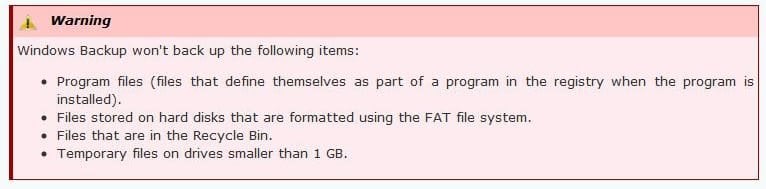
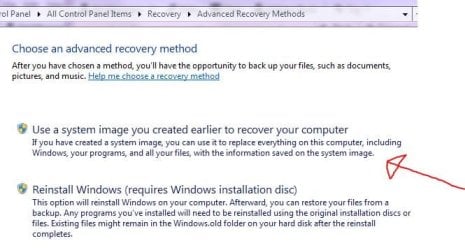
Stevekir, I certainly can't give you an unqualified and trustworthy answer, but I think the primary distinction is between creating a system image, and "backing up". A simple "backup" by default only backs up a select subset of "user data" files, although you can override the default and select specific directories so that you cover everything on your C: drive. A system image is supposed to be "complete", though there is still the question of whether it will actually back up the first two invisible partitions. If you ask it to restore, you can select particular files or folders and by navigating through those folders, you can see what Windows claims to have backed up. Although I told it to back up everything, it backed up Program Files and Program Files (x86), but not Windows, Boot or various other system-type files. (That is, it did / did not judging from whether the relevant files and folders were available to restore, but I did not verify that it would successfully restore by doing so with an installed program). A possible test would be to download some program, install it, back it up, then uninstall it. However, I think that won't work, because programs often store junk in the register, and I believe the register is a set of don't-touch files buried under Windows -- which is not backed up.
For some programs, you can just restore the files and when you run it, it fixes whatever quandries it encounters regarding the register, but with for example Photoshop, you can't just copy from machine to machine. So I conclude that a "backup" is not particularly useful, and you have to go with system images. I inspected my recent System Image folder (having figured out how to parse the content on my drive) and there are three .VHD files that, judging from file size, could well correspond to the three partitions on my drive. However, someone is telling stories, because while Windows Explorer reports the size of the biggest VHD file to be 202 GB (the size of the used part of C), MMC tells me that that virtual disk is 286 GB (the total size of C). If one knew a way to meaningfully inspect the content of the VHD files, one might have a shot at verifying what was actually backed up via the system image option. Or... buy extra computers and drives, and perform the test.