mesteele101
New member
- Local time
- 7:44 AM
- Messages
- 27
The three things that would be lost by trying to remove and recover the 100MB partition is;
1) Screws the drive alignment
Note: Use Paragon Alignment Tool or ArgusMonitor to check alignment.
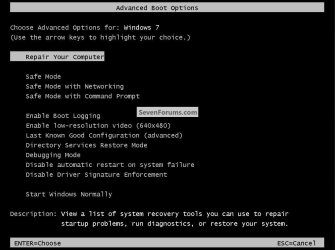
2) Recovery Console at bootup
3) Bitlocker support (if you really need it)
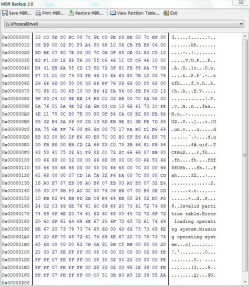
The MBR is not a problem, just run recovery console from the Windows 7 DVD
Once you remove the partition it can NEVER be rectreated. The only way to restore it from scratch is to reinstall Windows 7.
1) Screws the drive alignment
Note: Use Paragon Alignment Tool or ArgusMonitor to check alignment.
2) Recovery Console at bootup
3) Bitlocker support (if you really need it)
The MBR is not a problem, just run recovery console from the Windows 7 DVD
Once you remove the partition it can NEVER be rectreated. The only way to restore it from scratch is to reinstall Windows 7.
My Computer
At a glance
Windows 7 Ultimate 64bitQuadCore Intel Core 2 Quad Q9650G Skill: 8192 MB (DDR2-800 DDR2 SDRAM)Radeon HD 4830
- Computer Manufacturer/Model Number
- Home Grown
- OS
- Windows 7 Ultimate 64bit
- CPU
- QuadCore Intel Core 2 Quad Q9650
- Motherboard
- Asus P5Q-E
- Memory
- G Skill: 8192 MB (DDR2-800 DDR2 SDRAM)
- Graphics Card(s)
- Radeon HD 4830
- Sound Card
- SoundMax Int. HD
- Monitor(s) Displays
- Dell 2407WFP-HC
- Screen Resolution
- 1920x1200
- Hard Drives
- Drive #1 - INTEL SSDSA2M080G2GC (74 GB)
Drive #2 - WDC WD1002FAEX-00Z3A (931 GB)
Drive #3 - SAMSUNG HD203WI (1863 GB)
- PSU
- 500 Watt
- Case
- LIAN LI
- Cooling
- AIR
- Keyboard
- Logitech Illuminated Keyboard
- Mouse
- Logitech Performance MX
- Internet Speed
- 6Meg



 In a guide like that you would want to introduce more then one option.