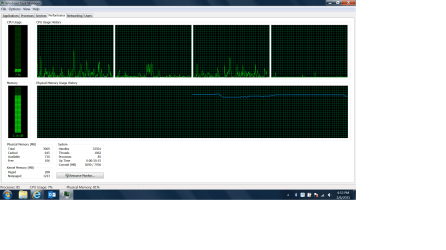
I installed a Samsung 850 Evo SSD over the weekend and as expected, my Dell E5530 is generally much more responsive. But in checking my performance numbers, however, I seem to be using much more of my 4GB of RAM than I was last time I looked. In fact, with several windows open, I'm at about 90% usage. Looking at the running processes listed, iexplore is always the biggest user, but the individual usages never add up to anywhere close to the 3+GB being used. I've read other similar posts and tried things like disabling add-ons, but that does very little.
As you can see from the attached screenshot, I'm using 75% of my RAM with only Explorer open and a couple of tabs running in that program.
Any ideas? Could it possibly have anything to do with the settings for the solid state drive?
Thanks
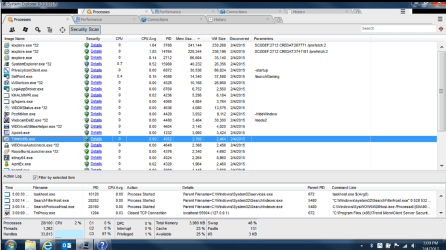
As you can see from the attached screenshot, I'm using 75% of my RAM with only Explorer open and a couple of tabs running in that program.
Any ideas? Could it possibly have anything to do with the settings for the solid state drive?
Thanks
My Computer
- Computer type
- PC/Desktop
- Computer Manufacturer/Model Number
- Dell E5530 Latitude
- OS
- 64 bit Windows 7
- CPU
- I5
- Memory
- 4GB
- Graphics Card(s)
- Intel 4000
- Hard Drives
- Samsung 850 Evo SSD 256G
- Antivirus
- MS Defender
- Browser
- IE11