sagebrushfire
Banned
I'm just curious.
For some reason I've always put my task bar at the very top. I've never really even used Macs very much but I just like the task bar at the top.
Unfortunately Windows and software developers do NOT accommodate me. In XP I constantly had issues with programs starting up and their top halfs being BEHIND the task bar so I had to Space+Alt to get them down. If the task bar is at the bottom the programs don't start in the highest part of the screen so I can only assume they did it on purpose. Another problem was that when I close a file in Photoshop the top menu bar gets jacked up and I see a ghost of it until I open a new file.
I haven't noticed any issues with Windows 7 yet but I've only used iTunes and Firefox thus far.
For some reason I've always put my task bar at the very top. I've never really even used Macs very much but I just like the task bar at the top.
Unfortunately Windows and software developers do NOT accommodate me. In XP I constantly had issues with programs starting up and their top halfs being BEHIND the task bar so I had to Space+Alt to get them down. If the task bar is at the bottom the programs don't start in the highest part of the screen so I can only assume they did it on purpose. Another problem was that when I close a file in Photoshop the top menu bar gets jacked up and I see a ghost of it until I open a new file.
I haven't noticed any issues with Windows 7 yet but I've only used iTunes and Firefox thus far.
My Computer
- Computer Manufacturer/Model Number
- HP Workstation Xw4100
- OS
- Windows 7 Ultimate/XP SP3
- CPU
- Pentium 4 HT 3.0 Ghz
- Memory
- 2048MB DDR ECC RAM @ 200Mhz (4x512mb)
- Graphics Card(s)
- Nvidia Quadro FX 1100
- Sound Card
- Max Blaster
- Monitor(s) Displays
- 17" MAG
- Screen Resolution
- 1280*1024
- Hard Drives
- 160GB IDE (WinXP Installation)
13GB IDE
250GB SATA (Win 7 installation & Storage)
- PSU
- 280w


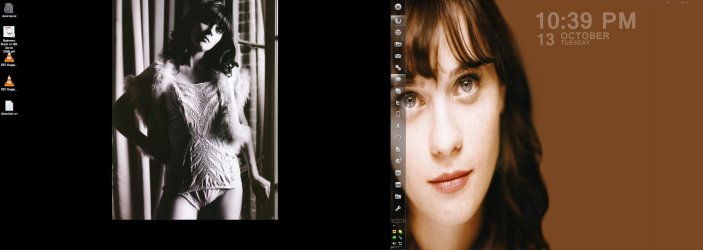


 Mostly on top though.