
khonesavanh
New member
I just started my new computer, HP h9-1180. I also have my old computer, HP s5310f, as well as a laptop (all running Win 7 and IE9) and wireless printer.
I have a wireless network which was set-up by my ISP using UBEE router. Everything works fine on my network. I'm able access the internet with all computers as well as my printer.
I'm trying to set-up a homegroup and have searched far and wide on how to's as well as video tutorials from MS. I have followed the instructions to a "T".
I created a homegroup with my new computer and allowed access to all items (documents, photos, videos, etc). I also have enabled all items under Advanced Sharing options on both computers.
Here's my problem. On my old computer, when I go to Computer and Homegroup, my new computer is there and I can access the Libararies but nothing else.
On my new computer, when I go to Computer, Homegroup, it tells me there are no other computers (see two atchs).
Can anyone tell me what I might have done wrong. I consider myself somewhat knowledgeable in these things, but I'm at a loss on this one as I've been trying for two days to figure it out.
Hopefully, someone can "bruise my ego" and tell me what I need to do.
Thanks for any responses.
Jack
I have a wireless network which was set-up by my ISP using UBEE router. Everything works fine on my network. I'm able access the internet with all computers as well as my printer.
I'm trying to set-up a homegroup and have searched far and wide on how to's as well as video tutorials from MS. I have followed the instructions to a "T".
I created a homegroup with my new computer and allowed access to all items (documents, photos, videos, etc). I also have enabled all items under Advanced Sharing options on both computers.
Here's my problem. On my old computer, when I go to Computer and Homegroup, my new computer is there and I can access the Libararies but nothing else.
On my new computer, when I go to Computer, Homegroup, it tells me there are no other computers (see two atchs).
Can anyone tell me what I might have done wrong. I consider myself somewhat knowledgeable in these things, but I'm at a loss on this one as I've been trying for two days to figure it out.
Hopefully, someone can "bruise my ego" and tell me what I need to do.
Thanks for any responses.
Jack
Attachments
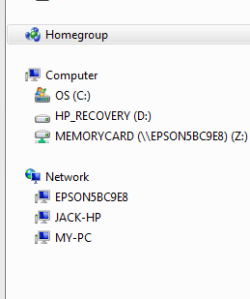
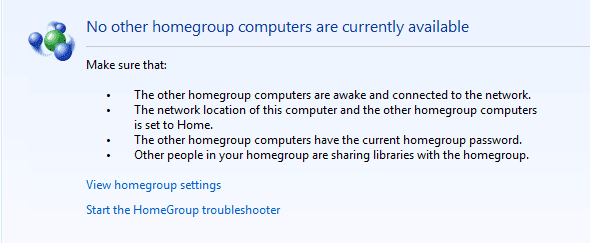
Last edited:
My Computer
At a glance
Win 7 64bitIntel i7-377010gbAMD Radeon HDS 7770
- Computer Manufacturer/Model Number
- HP H9-1180 Phoenix
- OS
- Win 7 64bit
- CPU
- Intel i7-3770
- Memory
- 10gb
- Graphics Card(s)
- AMD Radeon HDS 7770
- Hard Drives
- 2 TB


