Hello, I dont if this is a problem or not, but that small flag on the notification icons tab beside the clock where it shows the PC issues and asks you to solve them. Keeps giving the same issues to solve every time I start the PC. It will ask you to run system maintenance each time and ask to change settings for windows update, even though I change it every time. Its getting very annoying. And each time I run the system maintenance it will show the same problem that I have disk volume errors.
If it's stating you have volume errors then that's more than likely an issue with your hard drive. You need to check the HDD with diagnostic tools to check whether there is an issue with it.
Screenshots will go a long way here but I believe its the solutions your are referring to, if so you can archive them to keep them from showing constantly.
My Computer
At a glance
Windows 10 ProAMD Ryzen 5 2400G Processor with Radeon RX Ve...G.SKILL Ripjaws V Series 16GB (2 x 8GB) 288-P...2047MB NVIDIA GeForce GTX 1060 6GB (EVGA)
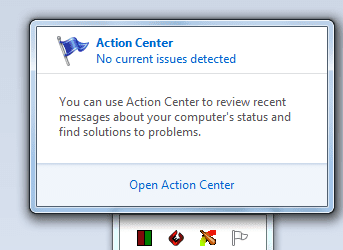
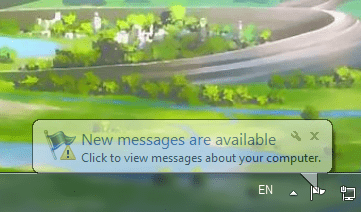
After disk checking and disk scanning for errors, the disk maintenance suggestion from the action center notification icon disappeared instead of that, it gives the new messages available message as shown on the screenshot and then when I click to view the message then it shows, no current issues detected. It did not show this before the disk checking error messages.
That is what I thought. Click open action center. Under the maintenance tab you should see some issues marked there. Like solve a problem with a driver as an example. If the solution is already applied, or everything is working fine, you can choose to archive the message. Also in action center on the left hand side look at the archived messages and you can also clear them out.
A screenshot of your action center open would help as well.
My Computer
At a glance
Windows 10 ProAMD Ryzen 5 2400G Processor with Radeon RX Ve...G.SKILL Ripjaws V Series 16GB (2 x 8GB) 288-P...2047MB NVIDIA GeForce GTX 1060 6GB (EVGA)