- Local time
- 1:09 PM
- Messages
- 203
Hi Folks,
Today's third puzzle from me (and this is driving me insane).
Cutting a long story very short, some scans from a WiFi AiO printer wound up on my wife's laptop rather than my own. I duly went upstairs, plugged a USB memory stick in and moved the scans to the memory stick using cut and paste - then back downstairs to my lappy.
Plug the USB stick in - no files.
Re-scan the documents (again appear on Wife's laptop). Again upstairs to her laptop with memory stick and transfer the scans again using cut and paste. Close the explorer window and re-open from My computer and the transferred files still showing on the USB stick. Back downstairs to my lappy again.
Plug USB stick in - again no files (arrrggghhh).
Back upstairs, re-scan documents, appear on wife's laptop (this alone is driving me nuts). Plug USB stick into laptop - COPY and paste this time, close window, re-open to verify they are there, eject memory stick and back downstairs again for third time!
Plug USB stick in - no files again. So I resort to emailing them to myself via gmail - success!
Any idea what is going on?
Scans in question were in PDF format and they would open in Acrobat on my wife's laptop!
Any help gratefully received - this is driving me bonkers
Zaph
Today's third puzzle from me (and this is driving me insane).
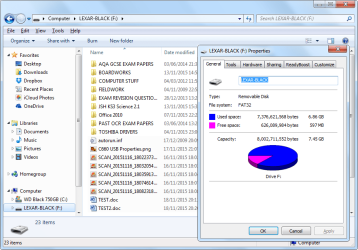
Cutting a long story very short, some scans from a WiFi AiO printer wound up on my wife's laptop rather than my own. I duly went upstairs, plugged a USB memory stick in and moved the scans to the memory stick using cut and paste - then back downstairs to my lappy.
Plug the USB stick in - no files.
Re-scan the documents (again appear on Wife's laptop). Again upstairs to her laptop with memory stick and transfer the scans again using cut and paste. Close the explorer window and re-open from My computer and the transferred files still showing on the USB stick. Back downstairs to my lappy again.
Plug USB stick in - again no files (arrrggghhh).
Back upstairs, re-scan documents, appear on wife's laptop (this alone is driving me nuts). Plug USB stick into laptop - COPY and paste this time, close window, re-open to verify they are there, eject memory stick and back downstairs again for third time!
Plug USB stick in - no files again. So I resort to emailing them to myself via gmail - success!
Any idea what is going on?
Scans in question were in PDF format and they would open in Acrobat on my wife's laptop!
Any help gratefully received - this is driving me bonkers
Zaph
My Computer
At a glance
Windows 7 Home Premium SP1 64-bit (now lookin...Core2 Duo T5750 2GHz/Core2 Duo T5800 2GHz/Cor...4Gb / 4Gb / 8GbIntel 965 Express/ATi Mob Radeon HD 3400/AMD ...
- Computer type
- Laptop
- Computer Manufacturer/Model Number
- DELL Inspiron 1525 / Sony VAIO VGN FW21L / Zoostorm 7877-0095
- OS
- Windows 7 Home Premium SP1 64-bit (now looking at Linux Mint!)
- CPU
- Core2 Duo T5750 2GHz/Core2 Duo T5800 2GHz/Core i5 3300 3.1GH
- Motherboard
- DELL 0U990C / "SONY Corp VAIO" (??) / GA-H61M-DS2 DVI
- Memory
- 4Gb / 4Gb / 8Gb
- Graphics Card(s)
- Intel 965 Express/ATi Mob Radeon HD 3400/AMD Radeon R7 200
- Hard Drives
- WD 750Gb Black (WD7500BPKT) - DELL
WD 1Tb Black (WD10JPLX) - SONY
ST 2Tb Barracuda (2000DM001) - Zoostorm
- Internet Speed
- VM Fibre 100 Mbps
- Antivirus
- Kaspersky IS 2019 / Kaspersky IS 2019 / Kaspersky IS 2019
- Browser
- Chrome 76.0.3809 / Chrome 79.0.3945 / Chrome 76.0.3809