- Local time
- 12:32 PM
- Messages
- 50,634
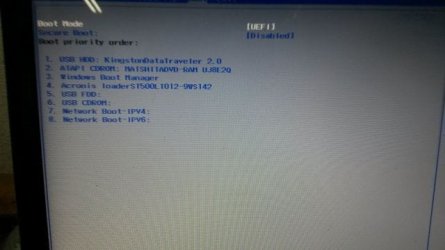
As the Boot Mode is set to UEFI then you must format the stick using only Option One of UEFI Bootable USB Flash Drive - Create in Windows. If it was correctly formatted exactly as shown in the pictures in Option One then it would show up as a UEFI SanDisk Cruzer in the BIOS Boot Priority order and also in the BIOS Boot menu. If this does not happen after several attempts then try another stick or use a DVD.
Then boot the stick as a UEFI flash stick from the BIOS Boot menu key at boot. Once again, do not use the BIOS Boot Priority menu to boot a flash stick as it will then autostart the install again during the install reboots. Set the Windows Boot Manager first to boot in BIOS Boot Priority order.
Then boot the stick as a UEFI flash stick from the BIOS Boot menu key at boot. Once again, do not use the BIOS Boot Priority menu to boot a flash stick as it will then autostart the install again during the install reboots. Set the Windows Boot Manager first to boot in BIOS Boot Priority order.