Win 7 not recognizing USB data cards

Megalomando

New member
Local time
4:30 PM
Messages
31
Win 7 Ultimate SP1 - All updates current to this date.
Asus P8Z68 Deluxe Gen3 Motherboard
16GB ram

Something has recently happened where I am unable to reliably view card contents. I noticed this when I tried to read the MicroSD card in my Samsung Cell phone. The card shows up as "removable disk" but when I click on it in I get a window saying "Please insert a disk into removable disk (F:)."

I do everything correctly with the phone including setting to debugging mode and turning on the USB storage. If I do exactly the same with my backup computer, all works as expected and I see the contents of the card in the phone. It's isolated to this computer.

I have a Rosewill USB 3.0 card reader for various card sizes and I discovered it no longer works as it used to in this computer but it works fine in the other computer. The only way I can get a card to be read with it in this machine is to insert the disk into the reader and then plug the reader into the computer. when I do this I see the used/free amount on the card and all looks fine. If I withdraw the card and re-insert it I get the error message above saying to insert a disk into it.

When I put a card in I see the icon for the data blacken at the end. If I remove the card or turn off mass storage on the phone the end becomes gray like the rest of the icon.

The phone is new and my inability to access the data on the microSD was I thought, related to the phone not being compatible with the OS but when I tried the Rosewell Card reader which used to work beautifully and now find it not functioning as expected, again I have to look to the OS.

Any idea what I can do to get the card reader functionality back? Although I can use the other computer, it's the files on this computer I need to get access to & transfer.

Thanks!
 

My Computer

OS
windows 7
Dear Megalomando,
Is it only the USB Datacard not readable or is it happening to other USB devices,like your external HDD,etc!

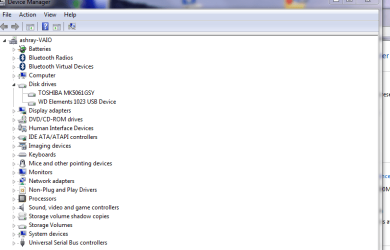
I am taking copyright from another post here! Go to Device Manager. 2) Click on View. 3) In the drop down menu select Show Hidden Devices. Now check there.

If your device is not listed, you will have to follow the tutorial below:
http://www.sevenforums.com/tutorials/165554-usb-driver-general-fix-problems.html#post1417126

Regards,
sreedhav:)
 

Attachments

  • System_2012-02-22_11-40-42.png
    System_2012-02-22_11-40-42.png
    20.5 KB · Views: 168

My Computer

Computer Manufacturer/Model Number
Sony Vaio C series VPCCB35FN laptop
OS
MS Windows 7 Home Premium 64-bit SP1
CPU
IntelCore [email protected]; Sandy Bridge 32nm Tech.
Motherboard
Sony Vaio Version:C609NJYJ
Memory
4096Mb RAM; Single ChannelDDR3@665MHz; DRAM Freq:662MHz
Graphics Card(s)
AMD Radeon HD 6630M; GPU:Whistler;BIOS Core&mem Clock:123.36
Sound Card
REALTEK High Definition Audio Device; INTEL Display Card
Monitor(s) Displays
Generic PnP Intel HD;Resolution:1920*1040 Pixels; BPP:32bits
Screen Resolution
Current Resolution:1920*1080 Pixels; Monitor Frequency:60Hz
Hard Drives
Internal HD:TOSHIBA MK5061GSY; Real Size:488 GB;NTFS; 3 Partitions; SATA; HEADS:16

External HDD: WD Elements 1023 PORTABLE; Estimated Size: 1TB; NTFS; 3 Partitions
Cooling
Lateral Exhaust with a Cooling Pad Placed Beneath.
Keyboard
Logitech Bluetooth+ Generic Integrated K-B
Mouse
Logitech Bluetooth
Internet Speed
2MBPS
Other Info
1)Trend Micro Titanium Maximum Security Suite Version:3
2)SAS-PRO

3)MBAM--PRO


4)WATERFOX+IE9 +WOT+LINKEXTEND+ DRWEBCUREIT LINK CHECKER

5)SPYWAREBLASTER

6) WINPATROL PLUS

7) SANDBOXIE and
8) A BIT OF COMMON SENSE.
Dear Megalomando,
Is it only the USB Datacard not readable or is it happening to other USB devices,like your external HDD,etc!

I am taking copyright from another post here! Go to Device Manager. 2) Click on View. 3) In the drop down menu select Show Hidden Devices. Now check there.

If your device is not listed, you will have to follow the tutorial below:
http://www.sevenforums.com/tutorials/165554-usb-driver-general-fix-problems.html#post1417126

Regards,
sreedhav:)

Thanks for the reply. It only seems to be with data cards that this happens. The device holding them is identified and it shows up in the device manager (which says everything is working properly). My USB hard drive works fine as does the USB wireless adapter. It's just the cards that won't show in whatever adapter I have used (& they all used to be fine in this computer and all the cards show properly on the XP computer)

I just reloaded the Samsung drivers and when I told the phone to switch to mass storage, it showed the card as it should with volume available & used, just as it does on the XP computer. I switched off the mass storage and the volume info disappeared as I expected & when I switched the phone back to mass storage the data did not return; worked once and then back to not working again.

Meg
 

My Computer

OS
windows 7
This probably isnt the case, but is the usb hub is plugged into the mother board inside the case of the computer?
 

My Computer

Computer Manufacturer/Model Number
HP
OS
Window 7 Ultimate x64
Cooling
U know I'm cool
Mouse
RAT 5
No, there are 12 external USB ports on the motherboard including two on the front. four of them are USB 3.0. It's a really nice board & everything else related to USB works great; I'm using a wireless USB dongle, USB 1.5TB USB Goflex drive & more so the USB ports are working, they just don't display or write to any SD cards unless the adapter is inserted with the card already in it.

If I insert the USB adapter with the card in it, it will display the card contents but if I insert the SD card after the adapter plugged in it will not. With the cell phone I have to wait till it is connected to the computer via USB cable and only then can I switch it to storage mode and that is to allow communication with the computer. Simply plugging the phone is as if to charge shows up as a removable disk. Switching to mass storage in the phone changes the removable disk icon so it shows a black end on the "removable disk". It does not show the bar with how many gigs are free & total GB on the card.

On the XP computer it immediately shows the cards & its contents as if it were an active drive.

Frustrating...
 

My Computer

OS
windows 7
Dear Megalomando,
Is it only the USB Datacard not readable or is it happening to other USB devices,like your external HDD,etc!

I am taking copyright from another post here! Go to Device Manager. 2) Click on View. 3) In the drop down menu select Show Hidden Devices. Now check there.

If your device is not listed, you will have to follow the tutorial below:
http://www.sevenforums.com/tutorials/165554-usb-driver-general-fix-problems.html#post1417126

Regards,
sreedhav:)

@ sreed

I'm still at it. My phone does show up under portable devices. It properly ID's it as a Samsung but the driver details show Microsoft driver even though I installed the Samsung drivers for it.

When I try to get it to use the Samsung Drivers and point to the Samsung USB drivers folder I have the search to include subfolders. When I tell it to update it by clicking "next" Windows says the best driver is already installed and that is the WPD filesystem volume driver.

I don't want to uninstall this driver from Windows 7 but I would like to get it to use the Samsung driver. Even if I could get it to use the Samsung driver, there's still the issue of the card readers that used to work and no longer do. Such a bugger that the XP computer sees everything perfectly & it's a 10-12 year old computer with a Slot type P-II processor.

I did discover when the phone is connected to the computer as in a charging mode it shows as having the Samsung drivers associated with it. When I tell the phone to switch to the USB storage" mode (used to transfer to/from the Micro SD card) the driver now shows as the Microsoft driver I mentioned above.

Something is mucked up.

Ideas?
 
Last edited:

My Computer

OS
windows 7
Win 7 Ultimate SP1 - All updates current to this date.
Asus P8Z68 Deluxe Gen3 Motherboard
16GB ram

Something has recently happened where I am unable to reliably view card contents. I noticed this when I tried to read the MicroSD card in my Samsung Cell phone. The card shows up as "removable disk" but when I click on it in I get a window saying "Please insert a disk into removable disk (F:)."

I do everything correctly with the phone including setting to debugging mode and turning on the USB storage. If I do exactly the same with my backup computer, all works as expected and I see the contents of the card in the phone. It's isolated to this computer.

I have a Rosewill USB 3.0 card reader for various card sizes and I discovered it no longer works as it used to in this computer but it works fine in the other computer. The only way I can get a card to be read with it in this machine is to insert the disk into the reader and then plug the reader into the computer. when I do this I see the used/free amount on the card and all looks fine. If I withdraw the card and re-insert it I get the error message above saying to insert a disk into it.

When I put a card in I see the icon for the data blacken at the end. If I remove the card or turn off mass storage on the phone the end becomes gray like the rest of the icon.

The phone is new and my inability to access the data on the microSD was I thought, related to the phone not being compatible with the OS but when I tried the Rosewell Card reader which used to work beautifully and now find it not functioning as expected, again I have to look to the OS.

Any idea what I can do to get the card reader functionality back? Although I can use the other computer, it's the files on this computer I need to get access to & transfer.

Thanks!

Dear Megalomando,
The problem is with the Rosewill Card Reader. This happens,for reasons not fully explainable with 3rd party card readers.

Regards,
sreedhav
 

My Computer

Computer Manufacturer/Model Number
Sony Vaio C series VPCCB35FN laptop
OS
MS Windows 7 Home Premium 64-bit SP1
CPU
IntelCore [email protected]; Sandy Bridge 32nm Tech.
Motherboard
Sony Vaio Version:C609NJYJ
Memory
4096Mb RAM; Single ChannelDDR3@665MHz; DRAM Freq:662MHz
Graphics Card(s)
AMD Radeon HD 6630M; GPU:Whistler;BIOS Core&mem Clock:123.36
Sound Card
REALTEK High Definition Audio Device; INTEL Display Card
Monitor(s) Displays
Generic PnP Intel HD;Resolution:1920*1040 Pixels; BPP:32bits
Screen Resolution
Current Resolution:1920*1080 Pixels; Monitor Frequency:60Hz
Hard Drives
Internal HD:TOSHIBA MK5061GSY; Real Size:488 GB;NTFS; 3 Partitions; SATA; HEADS:16

External HDD: WD Elements 1023 PORTABLE; Estimated Size: 1TB; NTFS; 3 Partitions
Cooling
Lateral Exhaust with a Cooling Pad Placed Beneath.
Keyboard
Logitech Bluetooth+ Generic Integrated K-B
Mouse
Logitech Bluetooth
Internet Speed
2MBPS
Other Info
1)Trend Micro Titanium Maximum Security Suite Version:3
2)SAS-PRO

3)MBAM--PRO


4)WATERFOX+IE9 +WOT+LINKEXTEND+ DRWEBCUREIT LINK CHECKER

5)SPYWAREBLASTER

6) WINPATROL PLUS

7) SANDBOXIE and
8) A BIT OF COMMON SENSE.
Dear Megalomando,
The problem is with the Rosewill Card Reader. This happens,for reasons not fully explainable with 3rd party card readers.

Regards,
sreedhav

Hi, the problem was first noticed when win 7 would not allow me to read the SD card in my Samsung Admire Smart phone. It was then I discovered the card reader has the same problem. This win 7 does not allow me to do what I can with that XP machine.

I can remove the SD card and then use the card as I mentioned, if I put the card in the reader and then plug the reader to the USB port. I didn't have to do that before. I just bought the cell phone a week ago and discovered this problem. In fact, I can read the card properly on my girlfriend's XP computer too. I just had to download the Samgsung drivers and it worked properly there as well.
 

My Computer

OS
windows 7
I'm not at a computer right now so I can not post a link.....but I had this issue before....Look up "Computer will not read mass storage devices" its a thread I started, you might be able to fix the same way. Good Luck!
 

My Computer

Computer type
PC/Desktop
Computer Manufacturer/Model Number
Jeepmann/Custom Built
OS
Windows 7 Ultimate 64bit
CPU
Intel Core i7-2600K Sandy Bridge 3.4GHz (@[email protected])
Motherboard
Asus Maximus IV Extreme LGA 1155 Intel P67
Memory
G.SKILL Ripjaws X Series 16GB 1600Mhz (4 x 4GB) (Stock)
Graphics Card(s)
x2 EVGA GeForce GTX 760's w/ACXCoolers in SLI Surround
Sound Card
On-Board
Monitor(s) Displays
3x Acer 24" HDMI Widescreen LCD Monitor
Screen Resolution
3@ 1920x1080 (5760x1080 In Surround)
Hard Drives
Samsung 830 128gb ssd
Western Digital Caviar Black 640GB 7200 RPM
Western Digital Caviar Black 500GB 7200 RPM
Seagate 2tb 7200 RPM
PSU
COOLER MASTER Silent Pro 1000W
Case
COOLER MASTER HAF X Black
Cooling
CORSAIR Hydro H70
Keyboard
Logitech G510
Mouse
Zalman M300
Internet Speed
100mbps-ish Down & 5mbps-ish Up
Other Info
I installed the stock 140mm case fan outside of case then installed the H70+ 1 of its 120mm fans inside case. Used the 2nd 120mm from the H70 to go in the Gpu tunnel.
230mm Front,200mm side,200mm top,120mm Gpu tunnel,120mm&140mm on H70.
Dear Megalomando,
The problem is with the Rosewill Card Reader. This happens,for reasons not fully explainable with 3rd party card readers.

Regards,
sreedhav

Hi, the problem was first noticed when win 7 would not allow me to read the SD card in my Samsung Admire Smart phone. It was then I discovered the card reader has the same problem. This win 7 does not allow me to do what I can with that XP machine.

I can remove the SD card and then use the card as I mentioned, if I put the card in the reader and then plug the reader to the USB port. I didn't have to do that before. I just bought the cell phone a week ago and discovered this problem. In fact, I can read the card properly on my girlfriend's XP computer too. I just had to download the Samgsung drivers and it worked properly there as well.

Then i suggest you really to visit the Windows 7 Compatibility center!
sreedhav
 

My Computer

Computer Manufacturer/Model Number
Sony Vaio C series VPCCB35FN laptop
OS
MS Windows 7 Home Premium 64-bit SP1
CPU
IntelCore [email protected]; Sandy Bridge 32nm Tech.
Motherboard
Sony Vaio Version:C609NJYJ
Memory
4096Mb RAM; Single ChannelDDR3@665MHz; DRAM Freq:662MHz
Graphics Card(s)
AMD Radeon HD 6630M; GPU:Whistler;BIOS Core&mem Clock:123.36
Sound Card
REALTEK High Definition Audio Device; INTEL Display Card
Monitor(s) Displays
Generic PnP Intel HD;Resolution:1920*1040 Pixels; BPP:32bits
Screen Resolution
Current Resolution:1920*1080 Pixels; Monitor Frequency:60Hz
Hard Drives
Internal HD:TOSHIBA MK5061GSY; Real Size:488 GB;NTFS; 3 Partitions; SATA; HEADS:16

External HDD: WD Elements 1023 PORTABLE; Estimated Size: 1TB; NTFS; 3 Partitions
Cooling
Lateral Exhaust with a Cooling Pad Placed Beneath.
Keyboard
Logitech Bluetooth+ Generic Integrated K-B
Mouse
Logitech Bluetooth
Internet Speed
2MBPS
Other Info
1)Trend Micro Titanium Maximum Security Suite Version:3
2)SAS-PRO

3)MBAM--PRO


4)WATERFOX+IE9 +WOT+LINKEXTEND+ DRWEBCUREIT LINK CHECKER

5)SPYWAREBLASTER

6) WINPATROL PLUS

7) SANDBOXIE and
8) A BIT OF COMMON SENSE.
@ Jeep

Thanks. I found your thread http://www.sevenforums.com/hardware-devices/193593-computer-not-reading-mass-storage-devices.html and followed it exactly but it didn't work. Something is severely screwy in Win 7 because I did get it to work, sort of... I had removed the SD card and put it into a card reader & then plugged it into the USB & copied everything in the disk to a folder.

I then went to the disk management and changed the drive letter back (to G) and Win 7 was seeing the card as "raw data" with 1.87GB on it. When I made the switch a window popped up saying it had needed to be formatted to be used so I told windows to format it & it did in FAT 32. Lo & behold what appeared in my computer showed the drive as it should. I transferred the archived contents back to the card while it was in the phone and all was running perfectly.

Untill I shut off the mass storage within the phone so it could be used in the phone. & as expected it just showed the icon as a removable drive. I then switched back to the the mass storage setting so the computer & SD card could connect like they just had & nope... back to step one, no change in the icon except the end turned black as before when I went to the mass storage mode.

So windows XP has no issue with this, others running win 7 can do it but I can't. For windows to see it and then permanently stop seeing it, I'm simply dumbfounded.

I'll keep following this thread and maybe someone will have an idea what's going on but for now I'll just have to remove the card and insert it in a reader & then insert that in the USB port. I hate to do that because there's always a chance of a static discharge affecting the SD card but I can't see any other choice. Most inconvenient too.

Rats...

Thanks all for trying.
 

My Computer

OS
windows 7
Back
Top