urbecrisch
New member
- Local time
- 12:28 PM
- Messages
- 6
**RESOLVED** Win7 missing vb6stkit.dll file - Need help
I purchased a cheap CPU for my arcade cabinet with the following specs:
1 x Dell Optiplex 390 MT Desktop Intel Core i3 @ 3.30GHz 4GB RAM 500GB HDD Windows 7
Operating System: Windows 7 ProfessionalCPU Type: Intel Core i3 2nd GenCPU Speed: 2120 (3.30 GHz)Memory Capacity: 4 GB DDR3HDD: 500 GB
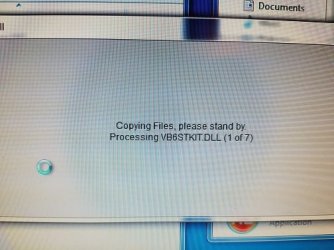
So far all programs have been installing fine but I needed to register a few missing DLL files but just today there is an important program I need to install but it gets caught up at the first file to check which is vb6stkit.dll. The program was successfully installed on my previous XP computer and my Win7 professional work computer so it should work on this one.
I know this is a MS Visual Basic 6 file but as far as I can tell MS does not support VB6 anymore. What are my options to get this missing file? I am afraid there might be more missing files in the OS so I would like to know my options.
I have the WIN7 registration# on the top of the tower so is there a fix for this kind of issue?
Any help would be greatly appreciated.
I purchased a cheap CPU for my arcade cabinet with the following specs:
1 x Dell Optiplex 390 MT Desktop Intel Core i3 @ 3.30GHz 4GB RAM 500GB HDD Windows 7
Operating System: Windows 7 ProfessionalCPU Type: Intel Core i3 2nd GenCPU Speed: 2120 (3.30 GHz)Memory Capacity: 4 GB DDR3HDD: 500 GB
So far all programs have been installing fine but I needed to register a few missing DLL files but just today there is an important program I need to install but it gets caught up at the first file to check which is vb6stkit.dll. The program was successfully installed on my previous XP computer and my Win7 professional work computer so it should work on this one.
I know this is a MS Visual Basic 6 file but as far as I can tell MS does not support VB6 anymore. What are my options to get this missing file? I am afraid there might be more missing files in the OS so I would like to know my options.
I have the WIN7 registration# on the top of the tower so is there a fix for this kind of issue?
Any help would be greatly appreciated.
Last edited:
My Computer
At a glance
WI
- Computer type
- PC/Desktop
- OS
- WI