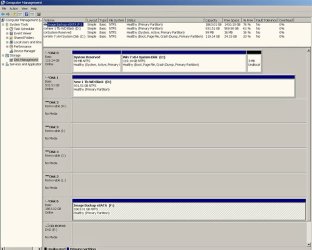
1, Do not worry about the hatched drive. When you open Windows Disk Management the first drive in the Disk list is always selected and will appear hatched in the Disk Map.. In your case it is the Image Backup eSATA (F: ) 2TB drive. You can see it highlighted. It is normal and is of no consequence. If you click on the empty space below the Disk List or Disk Map it will get deselected and the hatch will disappear.
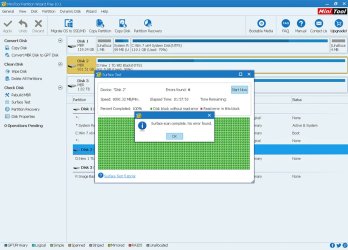
2. Whenever there is a problem in the disk and the disk turns RAW, we really do not know what has happened to the Disk or what exactly is happening to the Disk. If the Disk has developed bad sectors and is dying, it can fail totally at anytime. So my first effort is always to recover whatever data can be recovered.
You must understand, if your disk has indeed developed bad sectors, the data in the bad sectors is already lost. You can recover only the data that is still good in the good sectors. Between the time you made a TestDisk recovery and now, if more bad sectors had developed, you would have lost more data.Further in my writeup
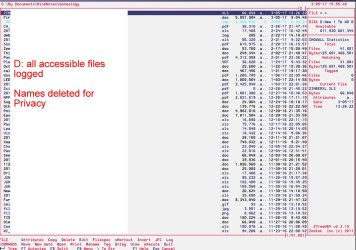
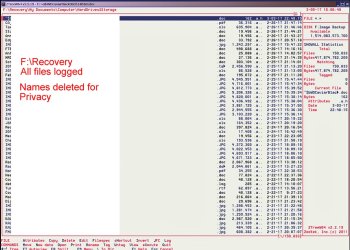
Copying files listed by TestDisk during Recovery in screen 5, you will notice that TestDisk will show even deleted files in RED ( the files that you had deleted in the D drive that still have not been overwritten by new data). If you had not pressed h to hide those deleted files and you had selected all files to copy, even those deleted files will be recovered. If you see your D drive, you won't see those files since you had deleted those in it earlier.Only these two factors can explain why you are not seeing as many as the recovered files in your problem drive .
3. Once recovery is over, we can always try to restore the drive.Even if some mishap occurs during this process, we still have the recovered files.
4. Without our making any effort to recover the disk as a whole, if your Disk has recovered on its own and has become alright showing NTFS file system, then I would think your Disk has become temperamental. Only sector 0 which contains the MBR +partition Table and sector 2048 which contains the volume boot record can do that. Those are readable sometimes and becomes unreadable sometimes. Your disk may be just gasping for breath.
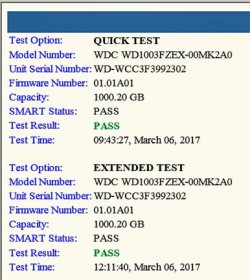
You have to check the disk with manufacturer's diagnostic/repair utility. In your case WD
Data Lifeguard Diagnostic for Windows Software and Firmware Downloads | WD Support
Install it and run the Quick and Extended Tests. Testing a drive for problems using Data Lifeguard Diagnostics for Windows
Testing a drive for problems using Data Lifeguard Diagnostics for Windows | WD Support
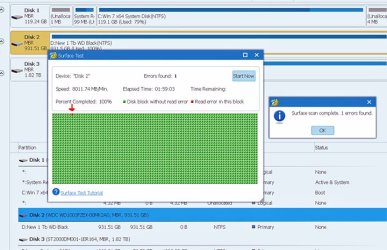
If the tests fail, you have to discard the drive. Once bad sectors are detected it is only a question of time. It may be a slow death or a sudden death.Unpredictable and cannot be relied upon.



 ) and don't comeback here again requesting data recovery
  .
.