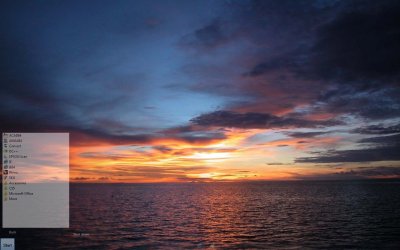
WIN7 start button glitch

evo1087

New member
Local time
7:23 PM
Messages
20
so i resource hacked my Aero.msstyle to make my start button 0% opacity (invisisble) every so offten it does this

fail start button.jpg

strange i dont get it. im not running any 3rd part UI apps except glass 2k
 

My Computer

OS
win7 64
Windows has a habit of reasserting itself by many various and circuitous routes. This aids stability (ie. if one route fails another keeps things going) but can make it near impossible to trace every possibility. So the bad news is that there's obviously some vestigial start button somewhere that you've not edited and the really bad news is that you'll probably never find it. I very much doubt that MS planned for the eventuality that someone would want a permanently invisible start button!
 

My Computer

OS
Windows 7
Easiest way to handle an invisible start button is to find the Start Button Changer and edit one of the included orbs to full transparency. Run the program, use that orb, and the start button is gone. I've never seen it at any of the times after I've had it applied. And plus, it's easy to add and remove :p
 

My Computer

Computer type
PC/Desktop
Computer Manufacturer/Model Number
Custom built
OS
Windows 8 Pro 64-bit
CPU
Intel Core i7 950 @4.4GHz
Motherboard
EVGA 131-GT-E767
Memory
12GB DDR3 1333MHz @1400 (9-9-9-24)
Graphics Card(s)
2x AMD Radeon HD 6770
Sound Card
Sound Blaster Audigy
Monitor(s) Displays
Acer S231HL + Acer E19T5W
Screen Resolution
1920x1080 + 1440x900
Hard Drives
128GB Samsung 840 Pro
1TB Seagate Barracuda 7200RPM 64mb
500GB Seagate Barracuda 7200RPM 16mb
PSU
Corsair GS800
Case
Custom-made
Cooling
CM Hyper212+, lots of fans
Keyboard
NMB RT8255C+
Mouse
Func MS-3
Internet Speed
30/1.5
Antivirus
Microsoft Security Essentials/Spybot SD/Malwarebytes
Browser
Google Chrome
Other Info
Onkyo TX-27 receiver & two Realistic Optimus T100s.
i forgot to mention that i used the start orb changer. Most of the time my start button is nice and invisble but sometimes it does this. I agree with dunfiddlin that this is WIN7 reasserting itself. o well guess i just have to live with it
 
Last edited:

My Computer

OS
win7 64
There are many small apps that turn off the start button,startkiller is one by tordex.com.U have to install this one,but there are others that do it on the fly.Of course u will need to deactivate ur sfc so windows doesn't put it back after a restart,but startkiller program might deal with that since u install it.
I haven't tried this one by the way,but it says it works on win7.I just googled "turn off start button windows 7" and this was one of the first few that came up.I'm sure if u look about more there might be a reg entry or something easy u can do.I've done my bit anyway.

 

My Computer

Computer Manufacturer/Model Number
Si setup
OS
windows 7 Premium
CPU
AMD phenom quad 9550
Motherboard
asus M3A78 Pro
Memory
4gb 1066
Graphics Card(s)
HD 6850 1GB
Sound Card
Realtek
Monitor(s) Displays
acer 19" flat
Screen Resolution
1440x900
Hard Drives
1 x sataII 1TB samsung F3
Corsair Force GT (55 GB)
PSU
500w
Cooling
3 fans
Keyboard
Microsoft 600
Mouse
Laser Logitech MX 518
Internet Speed
30mb / 3mb
Back
Top