Win7 Ultimate not communicating with home network

Derek5272

New member
Local time
3:36 PM
Messages
20
I have a Windows 7 Ultimate PC that I have been running as a media server, accessing it from XBox 360's and PS3's through their media players, MacBooks through smb, Ubuntu with XBMC, and my Android smartphone through remote desktop.

Recently, all of my devices have stopped being able to reach the server with 2 exceptions: remote desktop still works, only if I use my public IP address and use port forwarding to direct it to the server, and if I ping a MacBook from the server it will suddenly become accessible to said MacBook. Though I have HomeGroup set up on the server, if I bring another Windows 7 PC into the network, it will say there are no HomeGroups available, and the same happens if I set up a HomeGroup on the other machine and attempt to join from the server.

I have made multiple attempts at disabling and re-enabling media streaming and file sharing, as this has helped in the past when a single console has been unable to access the server. I have also attempted using 3rd party software (PS3 Media Server) in the hopes that would show up on one of the consoles, but have had no luck. Pinging a console or Android gets me "Reply from 192.168.1.106: Destination host unreachable." (.106 being the server's local IP)

I have made no significant software changes (I have installed Starcraft II), and no hardware changes since the last working configuration a month ago. All devices are on the same wireless network using WPA2 security, except for one XBox which is wired to the router. Other Windows 7 machines brought on to the network are accessible to the other devices, however my server is the only one permanently here.

This is something of a recurring problem for me, as every time I have attempted networking a Windows PC since XP, there has been a point when it suddenly stopped working. In the past, the only solution has been to use a fresh installation, but I would like to find a proper fix. Any help figuring this out would be appreciated.

System specs:

Windows 7 Ultimate x64
ASUS P8Z68-V LE
Intel i7 2700k
ATI Radeon HD 5750
AMD Memory PC3-12800 (2x4GB)
ASUS PCE-N15 WLAN
90GB SSD (SATA III, system drive), 1TB HDD (SATA II, media storage), 500GB HDD (SATA III), all Seagate
 

My Computer My Computer

Computer type
PC/Desktop
Computer Manufacturer/Model Number
N/A
OS
Windows 7 Ultimate 64bit
CPU
Intel i7 2770k
Motherboard
ASUS P8Z68-V LE
Memory
AMD Memory PC3-12600 8GB (2x4GB) DDR3
Graphics Card(s)
Radeon HD 5750
Sound Card
Onboard
PSU
Corsair 650W
Case
Antec Eleven Hundred
Because the Homegroup is involved there is the possibility of a common problem that has been plaguing Homegroups since day one.

After some extensive testing on my own network, this problem relates mostly to wireless machines. The symptoms are that you either can't leave the Homegroup or that you can't join the Homegroup with a message saying that a Homegroup can't be set up on this machine. The can't join problem with wireless machines I recently discovered after some serious testing sessions.

Go to the location in the picture below, delete all files below the black line, your machines will probably show a longer list than mine. Do this for all Homegroup machines in your network, reboot all machines then test to see if you can connect to your Homegroup with the new machine.

If that fails then you should leave the Homegroup on all machines and delete those same files on all machines, create a new Homegroup then rejoin from all machines. :)
 

Attachments

  • Peer Networking Delete white pages to fix Homegroup 1.jpg
    Peer Networking Delete white pages to fix Homegroup 1.jpg
    95.6 KB · Views: 6

My Computer My Computer

Computer type
PC/Desktop
Computer Manufacturer/Model Number
Home built
OS
Windows 7 Ult, Windows 8.1 Pro,
CPU
Q9650-4.275GHz, E8600 4.5GHz, E6750-3.8GHz
Motherboard
Evga 780i FTW
Memory
G.Skill PC2 9600 1200Mhz 5 5 5 15 2T
Graphics Card(s)
GTX480
Sound Card
Asus Xonar D2
Monitor(s) Displays
HannsG
Screen Resolution
1680X1050
Hard Drives
GSkill Phoenix Pro 120GB SSD
PSU
ThermalTake Toughpower 1000Watt modular
Case
ThermalTake XaserV
Cooling
Xigmatek S1283
Keyboard
Logitech G15
Mouse
Logitech G9
Internet Speed
T1
I only had 4 files below the line, deleted and rebooted with no change. The media server is currently the only PC on the HomeGroup. I only noticed that other computers could not see the HomeGroup when I was working on a friend's computer, before that I only knew of the media sharing and remote desktop problems.
 

My Computer My Computer

Computer type
PC/Desktop
Computer Manufacturer/Model Number
N/A
OS
Windows 7 Ultimate 64bit
CPU
Intel i7 2770k
Motherboard
ASUS P8Z68-V LE
Memory
AMD Memory PC3-12600 8GB (2x4GB) DDR3
Graphics Card(s)
Radeon HD 5750
Sound Card
Onboard
PSU
Corsair 650W
Case
Antec Eleven Hundred
I only had 4 files below the line, deleted and rebooted with no change. The media server is currently the only PC on the HomeGroup. I only noticed that other computers could not see the HomeGroup when I was working on a friend's computer, before that I only knew of the media sharing and remote desktop problems.

Why would you have a single machine in a Homegroup? I'm not sure why your other machines can't see the Homegroup on this Win7 server machine. I assume this is just a regular Win7 machine and not a Windows server like server 08.

With this one machine in a Homegroup this will prevent other users from gaining access to that machines shares unless they are shared out to "Everyone" using the Homegroup style sharing options.

If you want to free up the shares on your server you should remove it from the Homegroup.

Most other Homegroup problems can be fixed by going through the link below. :)

http://helpdeskgeek.com/windows-7/windows-7-cannot-connect-to-homegroup/
 

My Computer My Computer

Computer type
PC/Desktop
Computer Manufacturer/Model Number
Home built
OS
Windows 7 Ult, Windows 8.1 Pro,
CPU
Q9650-4.275GHz, E8600 4.5GHz, E6750-3.8GHz
Motherboard
Evga 780i FTW
Memory
G.Skill PC2 9600 1200Mhz 5 5 5 15 2T
Graphics Card(s)
GTX480
Sound Card
Asus Xonar D2
Monitor(s) Displays
HannsG
Screen Resolution
1680X1050
Hard Drives
GSkill Phoenix Pro 120GB SSD
PSU
ThermalTake Toughpower 1000Watt modular
Case
ThermalTake XaserV
Cooling
Xigmatek S1283
Keyboard
Logitech G15
Mouse
Logitech G9
Internet Speed
T1
There used to be 2 in the Homegroup, however the other machine was having a lot of issues running Windows so I put Ubuntu on there in January. The media server remained on the Homegroup and had no issues sharing with the consoles until late February.

Removed from the Homegroup and shared libraries with "Everyone," no change.
 

My Computer My Computer

Computer type
PC/Desktop
Computer Manufacturer/Model Number
N/A
OS
Windows 7 Ultimate 64bit
CPU
Intel i7 2770k
Motherboard
ASUS P8Z68-V LE
Memory
AMD Memory PC3-12600 8GB (2x4GB) DDR3
Graphics Card(s)
Radeon HD 5750
Sound Card
Onboard
PSU
Corsair 650W
Case
Antec Eleven Hundred
There used to be 2 in the Homegroup, however the other machine was having a lot of issues running Windows so I put Ubuntu on there in January. The media server remained on the Homegroup and had no issues sharing with the consoles until late February.

Removed from the Homegroup and shared libraries with "Everyone," no change.


You don't really need to use the "Everyone" share unless you are in a Homegroup and need to share with machines which are in the Workgroup but not part of the Homegroup.

Is there a third party anti virus software or firewall involved in this network?
 

My Computer My Computer

Computer type
PC/Desktop
Computer Manufacturer/Model Number
Home built
OS
Windows 7 Ult, Windows 8.1 Pro,
CPU
Q9650-4.275GHz, E8600 4.5GHz, E6750-3.8GHz
Motherboard
Evga 780i FTW
Memory
G.Skill PC2 9600 1200Mhz 5 5 5 15 2T
Graphics Card(s)
GTX480
Sound Card
Asus Xonar D2
Monitor(s) Displays
HannsG
Screen Resolution
1680X1050
Hard Drives
GSkill Phoenix Pro 120GB SSD
PSU
ThermalTake Toughpower 1000Watt modular
Case
ThermalTake XaserV
Cooling
Xigmatek S1283
Keyboard
Logitech G15
Mouse
Logitech G9
Internet Speed
T1
I have AVG installed, disabling and even exiting changes nothing with shares. There is no other third party security software installed.
 

My Computer My Computer

Computer type
PC/Desktop
Computer Manufacturer/Model Number
N/A
OS
Windows 7 Ultimate 64bit
CPU
Intel i7 2770k
Motherboard
ASUS P8Z68-V LE
Memory
AMD Memory PC3-12600 8GB (2x4GB) DDR3
Graphics Card(s)
Radeon HD 5750
Sound Card
Onboard
PSU
Corsair 650W
Case
Antec Eleven Hundred
I have AVG installed, disabling and even exiting changes nothing with shares. There is no other third party security software installed.

AVG causes countless problems, have you tried uninstalling AVG using it's special uninstall tool?
 

My Computer My Computer

Computer type
PC/Desktop
Computer Manufacturer/Model Number
Home built
OS
Windows 7 Ult, Windows 8.1 Pro,
CPU
Q9650-4.275GHz, E8600 4.5GHz, E6750-3.8GHz
Motherboard
Evga 780i FTW
Memory
G.Skill PC2 9600 1200Mhz 5 5 5 15 2T
Graphics Card(s)
GTX480
Sound Card
Asus Xonar D2
Monitor(s) Displays
HannsG
Screen Resolution
1680X1050
Hard Drives
GSkill Phoenix Pro 120GB SSD
PSU
ThermalTake Toughpower 1000Watt modular
Case
ThermalTake XaserV
Cooling
Xigmatek S1283
Keyboard
Logitech G15
Mouse
Logitech G9
Internet Speed
T1
Uninstalled AVG using AVG Remover and there is no change to sharing. If AVG can be problematic, what antivirus software would you recommend?
 

My Computer My Computer

Computer type
PC/Desktop
Computer Manufacturer/Model Number
N/A
OS
Windows 7 Ultimate 64bit
CPU
Intel i7 2770k
Motherboard
ASUS P8Z68-V LE
Memory
AMD Memory PC3-12600 8GB (2x4GB) DDR3
Graphics Card(s)
Radeon HD 5750
Sound Card
Onboard
PSU
Corsair 650W
Case
Antec Eleven Hundred
Uninstalled AVG using AVG Remover and there is no change to sharing. If AVG can be problematic, what antivirus software would you recommend?

Around here we use Msoft security essentials.

Try rebooting machines then check for connectivity.

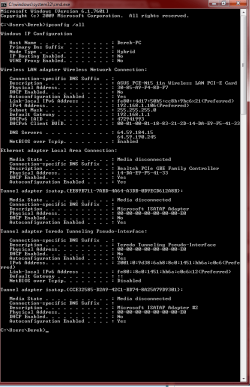
Can you post a screen shot of the ipconfig/all from this problem machine?
 

My Computer My Computer

Computer type
PC/Desktop
Computer Manufacturer/Model Number
Home built
OS
Windows 7 Ult, Windows 8.1 Pro,
CPU
Q9650-4.275GHz, E8600 4.5GHz, E6750-3.8GHz
Motherboard
Evga 780i FTW
Memory
G.Skill PC2 9600 1200Mhz 5 5 5 15 2T
Graphics Card(s)
GTX480
Sound Card
Asus Xonar D2
Monitor(s) Displays
HannsG
Screen Resolution
1680X1050
Hard Drives
GSkill Phoenix Pro 120GB SSD
PSU
ThermalTake Toughpower 1000Watt modular
Case
ThermalTake XaserV
Cooling
Xigmatek S1283
Keyboard
Logitech G15
Mouse
Logitech G9
Internet Speed
T1
Still no luck after reboot.

ipconfigscreen.png
 

My Computer My Computer

Computer type
PC/Desktop
Computer Manufacturer/Model Number
N/A
OS
Windows 7 Ultimate 64bit
CPU
Intel i7 2770k
Motherboard
ASUS P8Z68-V LE
Memory
AMD Memory PC3-12600 8GB (2x4GB) DDR3
Graphics Card(s)
Radeon HD 5750
Sound Card
Onboard
PSU
Corsair 650W
Case
Antec Eleven Hundred
It looks like you are using a static IP here, have you tried going into the IPv4 properties for this connection and changing to using DHCP? Maybe something is off with the static IP.
 

My Computer My Computer

Computer type
PC/Desktop
Computer Manufacturer/Model Number
Home built
OS
Windows 7 Ult, Windows 8.1 Pro,
CPU
Q9650-4.275GHz, E8600 4.5GHz, E6750-3.8GHz
Motherboard
Evga 780i FTW
Memory
G.Skill PC2 9600 1200Mhz 5 5 5 15 2T
Graphics Card(s)
GTX480
Sound Card
Asus Xonar D2
Monitor(s) Displays
HannsG
Screen Resolution
1680X1050
Hard Drives
GSkill Phoenix Pro 120GB SSD
PSU
ThermalTake Toughpower 1000Watt modular
Case
ThermalTake XaserV
Cooling
Xigmatek S1283
Keyboard
Logitech G15
Mouse
Logitech G9
Internet Speed
T1
Yes, it's set to static for port forwarding (remote desktop and FTP). Switching to DHCP and rebooting changed nothing.
 

My Computer My Computer

Computer type
PC/Desktop
Computer Manufacturer/Model Number
N/A
OS
Windows 7 Ultimate 64bit
CPU
Intel i7 2770k
Motherboard
ASUS P8Z68-V LE
Memory
AMD Memory PC3-12600 8GB (2x4GB) DDR3
Graphics Card(s)
Radeon HD 5750
Sound Card
Onboard
PSU
Corsair 650W
Case
Antec Eleven Hundred
Yes, it's set to static for port forwarding (remote desktop and FTP). Switching to DHCP and rebooting changed nothing.

Have you tried running the sfc/scannow command to see if there are any file integrity problems?

Have you check in Windows Services to make sure the networking services are up and running?
 

My Computer My Computer

Computer type
PC/Desktop
Computer Manufacturer/Model Number
Home built
OS
Windows 7 Ult, Windows 8.1 Pro,
CPU
Q9650-4.275GHz, E8600 4.5GHz, E6750-3.8GHz
Motherboard
Evga 780i FTW
Memory
G.Skill PC2 9600 1200Mhz 5 5 5 15 2T
Graphics Card(s)
GTX480
Sound Card
Asus Xonar D2
Monitor(s) Displays
HannsG
Screen Resolution
1680X1050
Hard Drives
GSkill Phoenix Pro 120GB SSD
PSU
ThermalTake Toughpower 1000Watt modular
Case
ThermalTake XaserV
Cooling
Xigmatek S1283
Keyboard
Logitech G15
Mouse
Logitech G9
Internet Speed
T1
Running sfc/scannow (that's a new one for me). Anything in particular I should be looking for in Windows Services?
 

My Computer My Computer

Computer type
PC/Desktop
Computer Manufacturer/Model Number
N/A
OS
Windows 7 Ultimate 64bit
CPU
Intel i7 2770k
Motherboard
ASUS P8Z68-V LE
Memory
AMD Memory PC3-12600 8GB (2x4GB) DDR3
Graphics Card(s)
Radeon HD 5750
Sound Card
Onboard
PSU
Corsair 650W
Case
Antec Eleven Hundred
Running sfc/scannow (that's a new one for me). Anything in particular I should be looking for in Windows Services?

The sfc/scannow command is standard for checking file problems, we use it all the time. Takes a few minutes to complete the scan. Use an elevated command prompt. :)


Check that all your network services are Started:
  • COM+ Event System (for WZC issues)
  • Computer Browser
  • DHCP Client
  • DNS Client
  • Network Connections
  • Network Location Awareness
  • Remote Procedure Call (RPC)
  • Server
  • TCP/IP Netbios helper
  • Wireless Zero Configuration ( XP wireless configurations only)
  • WLAN AutoConfig ( Vista wireless configurations only)
  • Workstation
To cover the basic's, you should make sure that all the advanced network settings are enabled at the Network and Sharing center, network discovery etc. need to make sure those are turned on.
 

My Computer My Computer

Computer type
PC/Desktop
Computer Manufacturer/Model Number
Home built
OS
Windows 7 Ult, Windows 8.1 Pro,
CPU
Q9650-4.275GHz, E8600 4.5GHz, E6750-3.8GHz
Motherboard
Evga 780i FTW
Memory
G.Skill PC2 9600 1200Mhz 5 5 5 15 2T
Graphics Card(s)
GTX480
Sound Card
Asus Xonar D2
Monitor(s) Displays
HannsG
Screen Resolution
1680X1050
Hard Drives
GSkill Phoenix Pro 120GB SSD
PSU
ThermalTake Toughpower 1000Watt modular
Case
ThermalTake XaserV
Cooling
Xigmatek S1283
Keyboard
Logitech G15
Mouse
Logitech G9
Internet Speed
T1
sfc/scannow found and repaired errors. Log sections pertaining to repairs will follow. All of the listed services are started, and advanced settings mentioned are enabled.

Code:
POQ 131 ends.
2013-03-29 10:54:57, Info                  CSI    0000031d [SR] Verify complete
2013-03-29 10:54:57, Info                  CSI    0000031e [SR] Repairing 7 components
2013-03-29 10:54:57, Info                  CSI    0000031f [SR] Beginning Verify and Repair transaction
2013-03-29 10:54:57, Info                  CSI    00000320 Hashes for file member \??\C:\windows\System32\systemcpl.dll do not match actual file [l:26{13}]"systemcpl.dll" :
  Found: {l:32 b:5Nq5uQa/wy7FoOb7upUNHh5RysegjkGkG7IKc+9v+34=} Expected: {l:32 b:4HIIIEuWFgJ+UUTi8+8bqBFoNlt9KnYSELD7xluXhx4=}
2013-03-29 10:54:57, Info                  CSI    00000321 [SR] Repairing corrupted file [ml:520{260},l:46{23}]"\??\C:\windows\System32"\[l:26{13}]"systemcpl.dll" from store
2013-03-29 10:54:57, Info                  CSI    00000322 [SR] Repairing corrupted file [ml:48{24},l:46{23}]"\??\C:\windows\SysWOW64"\[l:18{9}]"slmgr.vbs" from store
2013-03-29 10:54:57, Info                  CSI    00000323 [SR] Repairing corrupted file [ml:520{260},l:46{23}]"\??\C:\windows\System32"\[l:18{9}]"slmgr.vbs" from store
2013-03-29 10:54:57, Info                  CSI    00000324 Hashes for file member \??\C:\windows\System32\user32.dll do not match actual file [l:20{10}]"user32.dll" :
  Found: {l:32 b:ZLnKXvzCeJQfnM8qtM3XmGY1jYwM8cxflW5e6iGsyt4=} Expected: {l:32 b:99IZ11A3vJj2xpFDsAq2AAox+LXiEeCvUU9PS2gVIqA=}
2013-03-29 10:54:57, Info                  CSI    00000325 [SR] Repairing corrupted file [ml:520{260},l:46{23}]"\??\C:\windows\System32"\[l:20{10}]"user32.dll" from store
2013-03-29 10:54:57, Info                  CSI    00000326 Hashes for file member \??\C:\windows\SysWOW64\user32.dll do not match actual file [l:20{10}]"user32.dll" :
  Found: {l:32 b:/ca44IriNPpDArZVKjk1cUdV/lHRG43T48JEFeHthzE=} Expected: {l:32 b:AeuV+jlDzzxrGiHkc6XDy5/LzkaROxXJbKwU5PBAdbQ=}
2013-03-29 10:54:57, Info                  CSI    00000327 [SR] Repairing corrupted file [ml:48{24},l:46{23}]"\??\C:\windows\SysWOW64"\[l:20{10}]"user32.dll" from store
2013-03-29 10:54:57, Info                  CSI    00000328 Hashes for file member \??\C:\windows\SysWOW64\slwga.dll do not match actual file [l:18{9}]"slwga.dll" :
  Found: {l:32 b:TqkEGJp8yWsgRSW0EuvVyfbJc7Kg9TcMYciUZGENmGw=} Expected: {l:32 b:2lTNiBG8cfr90NCxK5AXR9p1L0lQftzHQMu8wqw6NA8=}
2013-03-29 10:54:57, Info                  CSI    00000329 [SR] Repairing corrupted file [ml:48{24},l:46{23}]"\??\C:\windows\SysWOW64"\[l:18{9}]"slwga.dll" from store
2013-03-29 10:54:57, Info                  CSI    0000032a Hashes for file member \??\C:\windows\System32\slwga.dll do not match actual file [l:18{9}]"slwga.dll" :
  Found: {l:32 b:425h2+oRlwrloGRxlLfDv+kHDkuZECiH1olZNMapuPA=} Expected: {l:32 b:JzwFyFBMoFD+bFC1DRXzIGTsZnKuhc3gOJdgJ8pLFNM=}
2013-03-29 10:54:57, Info                  CSI    0000032b [SR] Repairing corrupted file [ml:520{260},l:46{23}]"\??\C:\windows\System32"\[l:18{9}]"slwga.dll" from store
2013-03-29 10:54:57, Info                  CSI    0000032c Repair results created:
POQ 132 starts:
     0: Move File: Source = [l:192{96}]"\SystemRoot\WinSxS\Temp\PendingRenames\f6b6e1249e2cce01933a00001012241a._0000000000000000.cdf-ms", Destination = [l:104{52}]"\SystemRoot\WinSxS\FileMaps\_0000000000000000.cdf-ms"
    1: Move File: Source = [l:162{81}]"\SystemRoot\WinSxS\Temp\PendingRenames\f6b6e1249e2cce01943a00001012241a.$$.cdf-ms", Destination = [l:74{37}]"\SystemRoot\WinSxS\FileMaps\$$.cdf-ms"
    2: Move File: Source = [l:214{107}]"\SystemRoot\WinSxS\Temp\PendingRenames\ae1fe8249e2cce01953a00001012241a.$$_system32_21f9a9c4a2f8b514.cdf-ms", Destination = [l:126{63}]"\SystemRoot\WinSxS\FileMaps\$$_system32_21f9a9c4a2f8b514.cdf-ms"
    3: Hard Link File: Source = [l:240{120}]"\SystemRoot\WinSxS\amd64_microsoft-windows-systemcpl_31bf3856ad364e35_6.1.7601.17514_none_3efb79f374ae4d85\systemcpl.dll", Destination = [l:74{37}]"\??\C:\windows\System32\systemcpl.dll"
    4: Move File: Source = [l:214{107}]"\SystemRoot\WinSxS\Temp\PendingRenames\443aee249e2cce01963a00001012241a.$$_syswow64_21ffbdd2a2dd92e0.cdf-ms", Destination = [l:126{63}]"\SystemRoot\WinSxS\FileMaps\$$_syswow64_21ffbdd2a2dd92e0.cdf-ms"
    5: Hard Link File: Source = [l:246{123}]"\SystemRoot\WinSxS\x86_microsoft-windows-security-spp-tools_31bf3856ad364e35_6.1.7600.16385_none_456f9c422073f3b7\slmgr.vbs", Destination = [l:66{33}]"\??\C:\windows\SysWOW64\slmgr.vbs"
    6: Hard Link File: Source = [l:250{125}]"\SystemRoot\WinSxS\amd64_microsoft-windows-security-spp-tools_31bf3856ad364e35_6.1.7600.16385_none_a18e37c5d8d164ed\slmgr.vbs", Destination = [l:66{33}]"\??\C:\windows\System32\slmgr.vbs"
    7: Hard Link File: Source = [l:228{114}]"\SystemRoot\WinSxS\amd64_microsoft-windows-user32_31bf3856ad364e35_6.1.7601.17514_none_2b5e71b083fc0973\user32.dll", Destination = [l:68{34}]"\??\C:\windows\System32\user32.dll"
    8: Hard Link File: Source = [l:228{114}]"\SystemRoot\WinSxS\wow64_microsoft-windows-user32_31bf3856ad364e35_6.1.7601.17514_none_35b31c02b85ccb6e\user32.dll", Destination = [l:68{
2013-03-29 10:54:57, Info                  CSI    34}]"\??\C:\windows\SysWOW64\user32.dll"
    9: Hard Link File: Source = [l:242{121}]"\SystemRoot\WinSxS\x86_microsoft-windows-security-spp-wga_31bf3856ad364e35_6.1.7601.17514_none_0158f3ee01978c1f\slwga.dll", Destination = [l:66{33}]"\??\C:\windows\SysWOW64\slwga.dll"
    10: Hard Link File: Source = [l:246{123}]"\SystemRoot\WinSxS\amd64_microsoft-windows-security-spp-wga_31bf3856ad364e35_6.1.7601.17514_none_5d778f71b9f4fd55\slwga.dll", Destination = [l:66{33}]"\??\C:\windows\System32\slwga.dll"

POQ 132 ends.
2013-03-29 10:54:57, Info                  CSI    0000032d [SR] Repair complete
2013-03-29 10:54:57, Info                  CSI    0000032e [SR] Committing transaction
2013-03-29 10:54:57, Info                  CSI    0000032f Creating NT transaction (seq 2), objectname [6]"(null)"
2013-03-29 10:54:57, Info                  CSI    00000330 Created NT transaction (seq 2) result 0x00000000, handle @0x6d8
2013-03-29 10:54:57, Error                 CSI    00000331 (F) STATUS_CANNOT_DELETE #6509292# from RtlRunPrimitiveOperationsFromCallbacksAgainstSil(...)[gle=0xd0000121]
2013-03-29 10:54:57, Info                  CSI    00000332 [SR] Unable to complete Verify and Repair transaction because some of the files that need to be repaired are in use. A reboot is required to complete this operation.
2013-03-29 10:54:57, Info                  CSI    00000333 [SR] Repairing 7 components
2013-03-29 10:54:57, Info                  CSI    00000334 [SR] Beginning Verify and Repair transaction
2013-03-29 10:54:57, Info                  CSI    00000335 Hashes for file member \??\C:\windows\System32\systemcpl.dll do not match actual file [l:26{13}]"systemcpl.dll" :
  Found: {l:32 b:5Nq5uQa/wy7FoOb7upUNHh5RysegjkGkG7IKc+9v+34=} Expected: {l:32 b:4HIIIEuWFgJ+UUTi8+8bqBFoNlt9KnYSELD7xluXhx4=}
2013-03-29 10:54:57, Info                  CSI    00000336 [SR] Repairing corrupted file [ml:520{260},l:46{23}]"\??\C:\windows\System32"\[l:26{13}]"systemcpl.dll" from store
2013-03-29 10:54:57, Info                  CSI    00000337 [SR] Repairing corrupted file [ml:48{24},l:46{23}]"\??\C:\windows\SysWOW64"\[l:18{9}]"slmgr.vbs" from store
2013-03-29 10:54:58, Info                  CSI    00000338 [SR] Repairing corrupted file [ml:520{260},l:46{23}]"\??\C:\windows\System32"\[l:18{9}]"slmgr.vbs" from store
2013-03-29 10:54:58, Info                  CSI    00000339 Hashes for file member \??\C:\windows\System32\user32.dll do not match actual file [l:20{10}]"user32.dll" :
  Found: {l:32 b:ZLnKXvzCeJQfnM8qtM3XmGY1jYwM8cxflW5e6iGsyt4=} Expected: {l:32 b:99IZ11A3vJj2xpFDsAq2AAox+LXiEeCvUU9PS2gVIqA=}
2013-03-29 10:54:58, Info                  CSI    0000033a [SR] Repairing corrupted file [ml:520{260},l:46{23}]"\??\C:\windows\System32"\[l:20{10}]"user32.dll" from store
2013-03-29 10:54:58, Info                  CSI    0000033b Hashes for file member \??\C:\windows\SysWOW64\user32.dll do not match actual file [l:20{10}]"user32.dll" :
  Found: {l:32 b:/ca44IriNPpDArZVKjk1cUdV/lHRG43T48JEFeHthzE=} Expected: {l:32 b:AeuV+jlDzzxrGiHkc6XDy5/LzkaROxXJbKwU5PBAdbQ=}
2013-03-29 10:54:58, Info                  CSI    0000033c [SR] Repairing corrupted file [ml:48{24},l:46{23}]"\??\C:\windows\SysWOW64"\[l:20{10}]"user32.dll" from store
2013-03-29 10:54:58, Info                  CSI    0000033d Hashes for file member \??\C:\windows\SysWOW64\slwga.dll do not match actual file [l:18{9}]"slwga.dll" :
  Found: {l:32 b:TqkEGJp8yWsgRSW0EuvVyfbJc7Kg9TcMYciUZGENmGw=} Expected: {l:32 b:2lTNiBG8cfr90NCxK5AXR9p1L0lQftzHQMu8wqw6NA8=}
2013-03-29 10:54:58, Info                  CSI    0000033e [SR] Repairing corrupted file [ml:48{24},l:46{23}]"\??\C:\windows\SysWOW64"\[l:18{9}]"slwga.dll" from store
2013-03-29 10:54:58, Info                  CSI    0000033f Hashes for file member \??\C:\windows\System32\slwga.dll do not match actual file [l:18{9}]"slwga.dll" :
  Found: {l:32 b:425h2+oRlwrloGRxlLfDv+kHDkuZECiH1olZNMapuPA=} Expected: {l:32 b:JzwFyFBMoFD+bFC1DRXzIGTsZnKuhc3gOJdgJ8pLFNM=}
2013-03-29 10:54:58, Info                  CSI    00000340 [SR] Repairing corrupted file [ml:520{260},l:46{23}]"\??\C:\windows\System32"\[l:18{9}]"slwga.dll" from store
2013-03-29 10:54:58, Info                  CSI    00000341 Repair results created:
POQ 133 starts:
     0: Move File: Source = [l:192{96}]"\SystemRoot\WinSxS\Temp\PendingRenames\7e8c1b259e2cce01983a00001012241a._0000000000000000.cdf-ms", Destination = [l:104{52}]"\SystemRoot\WinSxS\FileMaps\_0000000000000000.cdf-ms"
    1: Move File: Source = [l:162{81}]"\SystemRoot\WinSxS\Temp\PendingRenames\8fb31b259e2cce01993a00001012241a.$$.cdf-ms", Destination = [l:74{37}]"\SystemRoot\WinSxS\FileMaps\$$.cdf-ms"
    2: Move File: Source = [l:214{107}]"\SystemRoot\WinSxS\Temp\PendingRenames\d30a21259e2cce019a3a00001012241a.$$_system32_21f9a9c4a2f8b514.cdf-ms", Destination = [l:126{63}]"\SystemRoot\WinSxS\FileMaps\$$_system32_21f9a9c4a2f8b514.cdf-ms"
    3: Hard Link File: Source = [l:240{120}]"\SystemRoot\WinSxS\amd64_microsoft-windows-systemcpl_31bf3856ad364e35_6.1.7601.17514_none_3efb79f374ae4d85\systemcpl.dll", Destination = [l:74{37}]"\??\C:\windows\System32\systemcpl.dll"
    4: Move File: Source = [l:214{107}]"\SystemRoot\WinSxS\Temp\PendingRenames\288926259e2cce019b3a00001012241a.$$_syswow64_21ffbdd2a2dd92e0.cdf-ms", Destination = [l:126{63}]"\SystemRoot\WinSxS\FileMaps\$$_syswow64_21ffbdd2a2dd92e0.cdf-ms"
    5: Hard Link File: Source = [l:246{123}]"\SystemRoot\WinSxS\x86_microsoft-windows-security-spp-tools_31bf3856ad364e35_6.1.7600.16385_none_456f9c422073f3b7\slmgr.vbs", Destination = [l:66{33}]"\??\C:\windows\SysWOW64\slmgr.vbs"
    6: Hard Link File: Source = [l:250{125}]"\SystemRoot\WinSxS\amd64_microsoft-windows-security-spp-tools_31bf3856ad364e35_6.1.7600.16385_none_a18e37c5d8d164ed\slmgr.vbs", Destination = [l:66{33}]"\??\C:\windows\System32\slmgr.vbs"
    7: Hard Link File: Source = [l:228{114}]"\SystemRoot\WinSxS\amd64_microsoft-windows-user32_31bf3856ad364e35_6.1.7601.17514_none_2b5e71b083fc0973\user32.dll", Destination = [l:68{34}]"\??\C:\windows\System32\user32.dll"
    8: Hard Link File: Source = [l:228{114}]"\SystemRoot\WinSxS\wow64_microsoft-windows-user32_31bf3856ad364e35_6.1.7601.17514_none_35b31c02b85ccb6e\user32.dll", Destination = [l:68{
2013-03-29 10:54:58, Info                  CSI    34}]"\??\C:\windows\SysWOW64\user32.dll"
    9: Hard Link File: Source = [l:242{121}]"\SystemRoot\WinSxS\x86_microsoft-windows-security-spp-wga_31bf3856ad364e35_6.1.7601.17514_none_0158f3ee01978c1f\slwga.dll", Destination = [l:66{33}]"\??\C:\windows\SysWOW64\slwga.dll"
    10: Hard Link File: Source = [l:246{123}]"\SystemRoot\WinSxS\amd64_microsoft-windows-security-spp-wga_31bf3856ad364e35_6.1.7601.17514_none_5d778f71b9f4fd55\slwga.dll", Destination = [l:66{33}]"\??\C:\windows\System32\slwga.dll"

POQ 133 ends.
2013-03-29 10:54:58, Info                  CSI    00000342 [SR] Repair complete
2013-03-29 10:54:58, Info                  CSI    00000343 Creating NT transaction (seq 3), objectname [6]"(null)"
2013-03-29 10:54:58, Info                  CSI    00000344 Created NT transaction (seq 3) result 0x00000000, handle @0xd20
2013-03-29 10:54:58, Info                  CSI    00000345@2013/3/29:16:54:58.250 CSI perf trace:
CSIPERF:TXCOMMIT;24097
2013-03-29 10:54:58, Info                  CBS    Reboot mark refs incremented to: 1

EDIT: And yeah, rebooting now so that can finish.
 

My Computer My Computer

Computer type
PC/Desktop
Computer Manufacturer/Model Number
N/A
OS
Windows 7 Ultimate 64bit
CPU
Intel i7 2770k
Motherboard
ASUS P8Z68-V LE
Memory
AMD Memory PC3-12600 8GB (2x4GB) DDR3
Graphics Card(s)
Radeon HD 5750
Sound Card
Onboard
PSU
Corsair 650W
Case
Antec Eleven Hundred
Holy cow that's a lot of problems. This could also be the source of the problem, after restarting try running the scan again.
 

My Computer My Computer

Computer type
PC/Desktop
Computer Manufacturer/Model Number
Home built
OS
Windows 7 Ult, Windows 8.1 Pro,
CPU
Q9650-4.275GHz, E8600 4.5GHz, E6750-3.8GHz
Motherboard
Evga 780i FTW
Memory
G.Skill PC2 9600 1200Mhz 5 5 5 15 2T
Graphics Card(s)
GTX480
Sound Card
Asus Xonar D2
Monitor(s) Displays
HannsG
Screen Resolution
1680X1050
Hard Drives
GSkill Phoenix Pro 120GB SSD
PSU
ThermalTake Toughpower 1000Watt modular
Case
ThermalTake XaserV
Cooling
Xigmatek S1283
Keyboard
Logitech G15
Mouse
Logitech G9
Internet Speed
T1
Yeah it looked like a lot. Still not working, scan is running again.

EDIT: "Windows Resource Protection did not find any integrity violations."

EDIT2: I've run out of time at the moment to try out any new suggestions right away. Thanks for trying so far chev65 :-)
 

My Computer My Computer

Computer type
PC/Desktop
Computer Manufacturer/Model Number
N/A
OS
Windows 7 Ultimate 64bit
CPU
Intel i7 2770k
Motherboard
ASUS P8Z68-V LE
Memory
AMD Memory PC3-12600 8GB (2x4GB) DDR3
Graphics Card(s)
Radeon HD 5750
Sound Card
Onboard
PSU
Corsair 650W
Case
Antec Eleven Hundred
Yeah it looked like a lot. Still not working, scan is running again.

EDIT: "Windows Resource Protection did not find any integrity violations."

EDIT2: I've run out of time at the moment to try out any new suggestions right away. Thanks for trying so far chev65 :-)

I was going to suggest that you create a new Homegroup on the server machine then see if you can join the Homegroup from the other machines.
 

My Computer My Computer

Computer type
PC/Desktop
Computer Manufacturer/Model Number
Home built
OS
Windows 7 Ult, Windows 8.1 Pro,
CPU
Q9650-4.275GHz, E8600 4.5GHz, E6750-3.8GHz
Motherboard
Evga 780i FTW
Memory
G.Skill PC2 9600 1200Mhz 5 5 5 15 2T
Graphics Card(s)
GTX480
Sound Card
Asus Xonar D2
Monitor(s) Displays
HannsG
Screen Resolution
1680X1050
Hard Drives
GSkill Phoenix Pro 120GB SSD
PSU
ThermalTake Toughpower 1000Watt modular
Case
ThermalTake XaserV
Cooling
Xigmatek S1283
Keyboard
Logitech G15
Mouse
Logitech G9
Internet Speed
T1
Back
Top