Hi everyone, I've been struggling with this, and none of the threads I've found on the internet so far have helped me.
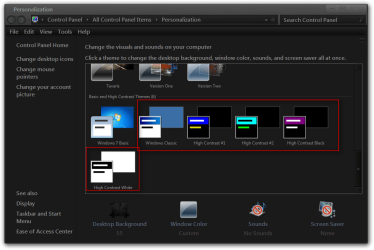
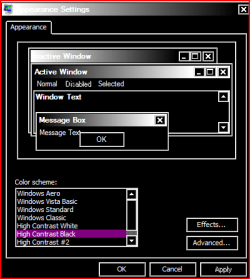
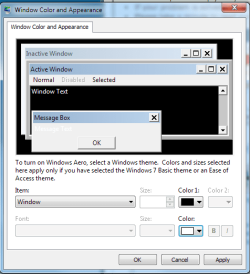
I'm trying to make it so that the background color of my windows in Windows is black (with a white font for the text). So like in the folders, computer, windows explorer, etc. I went into Personalization, Window Color and Appearance, and opened the Advanced appearance settings. As you can see below, I've set the window color to black, and the font color to white.
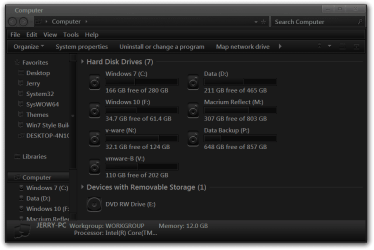
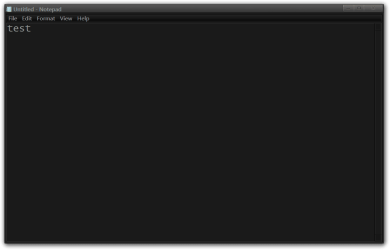
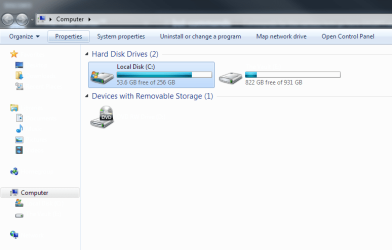
After applying this, only the font option took effect. As you can see below again, the font color does change to white, but the background also remains white (the text becomes readable once it's highlighted.)
I've read all about this Aero stuff, and I'm pretty sure it's applied. Does anybody have an idea why only one of the color change options applies while the other doesn't? And how can I make it work so that my background color does actually change? Thanks in advance.
I'm trying to make it so that the background color of my windows in Windows is black (with a white font for the text). So like in the folders, computer, windows explorer, etc. I went into Personalization, Window Color and Appearance, and opened the Advanced appearance settings. As you can see below, I've set the window color to black, and the font color to white.
After applying this, only the font option took effect. As you can see below again, the font color does change to white, but the background also remains white (the text becomes readable once it's highlighted.)
I've read all about this Aero stuff, and I'm pretty sure it's applied. Does anybody have an idea why only one of the color change options applies while the other doesn't? And how can I make it work so that my background color does actually change? Thanks in advance.
My Computer
At a glance
Windows 7 Professional 64 bitAMD Athlon X4 860K Quad Core 3.70GHz8.00 GBRadeon RX 460
- Computer type
- PC/Desktop
- Computer Manufacturer/Model Number
- Custom Build
- OS
- Windows 7 Professional 64 bit
- CPU
- AMD Athlon X4 860K Quad Core 3.70GHz
- Memory
- 8.00 GB
- Graphics Card(s)
- Radeon RX 460
- Hard Drives
- 256 GB SSD
1TB GB HDD