

hmazuji
Banned
1. how do i change the "windows explorer" background color from white, the left pane, and the right pane
2. how do i change notepad's background color from white
3. how do i change the "start" menu color, left pane, and right pane
4. please do not post how to change the "desktop" color; like, 'duh', i am not that slow
5. i have installed windows 7 on a ryzen 7 2700, evopro m.2, fatality b450 itx ac, evga 750ti desktop, and it runs like greased lightening. i would like to write a walkthrough on sevenforums, but have found that more times than not, my volunteer hours are taken for granted. is there a way to write such a thing, is there collaboration on this site ?
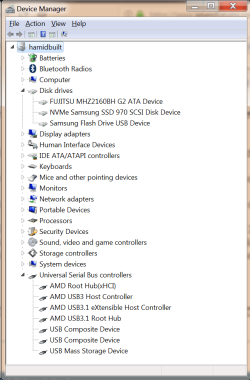
afterthoughts:
1. i'm not sure how you can tell from this screenshot that it's win 7; maybe the win 10 device manager looks just like this; i don't know.
2. looks like there is some old hardware on here, but yes, i even used a honeywell keyboard with an xt interface to build this thing (you will only need a wired keyboard). the mechanical hdd was an integral part of the install process. and finally, i ported my 750ti from my old desktop because you can't beat that card for performance v.s. tdw. and the other thing i ported was my kingwin power supply. it's going on right now, and you want me to share, i'd be happy to do so
2. how do i change notepad's background color from white
3. how do i change the "start" menu color, left pane, and right pane
4. please do not post how to change the "desktop" color; like, 'duh', i am not that slow
5. i have installed windows 7 on a ryzen 7 2700, evopro m.2, fatality b450 itx ac, evga 750ti desktop, and it runs like greased lightening. i would like to write a walkthrough on sevenforums, but have found that more times than not, my volunteer hours are taken for granted. is there a way to write such a thing, is there collaboration on this site ?
afterthoughts:
1. i'm not sure how you can tell from this screenshot that it's win 7; maybe the win 10 device manager looks just like this; i don't know.
2. looks like there is some old hardware on here, but yes, i even used a honeywell keyboard with an xt interface to build this thing (you will only need a wired keyboard). the mechanical hdd was an integral part of the install process. and finally, i ported my 750ti from my old desktop because you can't beat that card for performance v.s. tdw. and the other thing i ported was my kingwin power supply. it's going on right now, and you want me to share, i'd be happy to do so
My Computer
At a glance
debian, mint, mx, 7ryzen 7 2700g.skill ddr4 3200evga gtx 750 ti
- Computer type
- PC/Desktop
- Computer Manufacturer/Model Number
- hamidbuilt
- OS
- debian, mint, mx, 7
- CPU
- ryzen 7 2700
- Motherboard
- asrock b450 itx ac
- Memory
- g.skill ddr4 3200
- Graphics Card(s)
- evga gtx 750 ti
- Monitor(s) Displays
- aoc gsync
- Screen Resolution
- 1920x1080
- Hard Drives
- evoplus m.2
- PSU
- stryker fanless (kingwin)
- Case
- fractal design nano s window
- Keyboard
- logitech
- Mouse
- logitech trackball
- Internet Speed
- dsl, one step above analog modem
- Antivirus
- me. i am the antivirus. i remove mcafee and norton
- Browser
- pale moon, sea monkey, vivaldi, firefox
- Other Info
- i started programming with punch cards on fortran


