Windows 7 blocking my music files

defective

New member
Local time
11:32 PM
Messages
3
I store my music on an external drive. When I try to play the music in iTunes, some of the tracks won't play. I can solve this by going to the individual song, unchecking "read-only" and adding myself to the permissions. The problem is that I have 11,000 songs, and so doing this for every song is impractical.

I have tried the following:
1. Take ownership. It was successful, but it doesn't change any subfolders or solve the problem.
2. I have selected the higher-level folder and unchecked "read only", applying it to all subfolders, but nothing changes.
3. I have added permissions to the folders and subfolders, but Windows 7 deletes these permissions and reverts the folders and files back to administrator.
4. I have shared the files and folders with myself, but this has no effect.

Please help. Thanks.

I want to add that this does not appear to be an iTunes issue. When I try to open the files in Media Player, I get this message:

"Windows Media Player cannot access the file. The file might be in use, you might not have access to the computer where the file is stored, or your proxy settings might not be correct."
 
Last edited by a moderator:

My Computer My Computer

OS
Windows 7 x64
I store my music on an external drive. When I try to play the music in iTunes, some of the tracks won't play. I can solve this by going to the individual song, unchecking "read-only" and adding myself to the permissions. The problem is that I have 11,000 songs, and so doing this for every song is impractical.

I have tried the following:
1. Take ownership. It was successful, but it doesn't change any subfolders or solve the problem.
2. I have selected the higher-level folder and unchecked "read only", applying it to all subfolders, but nothing changes.
3. I have added permissions to the folders and subfolders, but Windows 7 deletes these permissions and reverts the folders and files back to administrator.
4. I have shared the files and folders with myself, but this has no effect.

Please help. Thanks.

I want to add that this does not appear to be an iTunes issue. When I try to open the files in Media Player, I get this message:

"Windows Media Player cannot access the file. The file might be in use, you might not have access to the computer where the file is stored, or your proxy settings might not be correct."

have you authorised the audible account under advanced?
 

My Computer My Computer

Computer type
PC/Desktop
Computer Manufacturer/Model Number
Custom Build
OS
Windows 7 Ultimate x64 SP1
CPU
Intel Q6600 @ 2.6Ghz
Motherboard
Evga NF78-CK-132-A 3-Way SLI
Memory
4Gb DDR2 Corsair Dominator @ 800Mhz 5-5-5-15
Graphics Card(s)
EVGA 560 GTX SC FTW 1GB
Sound Card
Realtek HD 7.1 Audio, Plantronics GameCom780 7.1 Headset
Monitor(s) Displays
Dell S2409W
Screen Resolution
1920 x 1080
Hard Drives
SanDisk SDSSDHII-120G-G25 120GB SSD
Samsung 7200RPM 750Gb SATA
Samsung 850 EVO 120GB SSD
Western Digital Green 1TB 7200RPM
PSU
Xigmatek 750W Quad sli quad core 80% eff
Case
Antec 900 Gaming Case
Cooling
Zalman CNPS9700-NT NVIDIA Tritium
Keyboard
Logitech generic keyboard, MS wireless keyboard
Mouse
Razor Lachesis Banshee V2 Blue, 4000DPI, MS wireless mouse
Internet Speed
152Mb Virgin Media Fibre Optic
Antivirus
Microsoft Security Essentials
Browser
Google Chrome
Other Info
Wireless Gaming Receiver for Windows, Wireless Xbox 360 Pad
>>>>I want to add that this does not appear to be an iTunes issue. When I try to open the files in Media Player, I get this message:

"Windows Media Player cannot access the file. The file might be in use, you might not have access to the computer where the file is stored, or your proxy settings might not be correct."

Itunes is Apple product.
Windows Media Player is a Microsoft propgram.
Do you think Microsoft will be so gracious to accept Apple products into its own application ?

Windows does not support anything from itunes.

Install Real Player if you want to play itunes music.
OR,
Install VLC which plays any file formats.
VLC Media Player | Free Download

Adding ....
You might want to post your issue to Apple - itunes forums.
Here is one of them :
http://www.apple.com/support/itunes/
 

My Computer My Computer

Computer Manufacturer/Model Number
Acer Aspire 7741Z
OS
Windows 7 Home Premium 64-bit, SP1
CPU
Intel Pentium P6200, Cores 2, 2.13 GHz
Memory
4 GB
Graphics Card(s)
Intel HD
Sound Card
unknown
Monitor(s) Displays
17.3 inches
Screen Resolution
1600 x 900
Hard Drives
640 GB, 5400 PRM
Itunes should co-exists with MS players just fine.

I use Zune personally as a player/and digital purchases, but I do have 1 PC in the house that uses iTunes for a ipod & digital purchase.
File formats can be played across both PCs regardless which store they were purchased from.
Well, at least so far they have been sharing back and forth without issue.
My Zune player plays music from the itunes library, and vise-a versa.


This sounds like some form of file permission and/or sharing problem possibly, rather than the players.

On the External, how exactly do you have your music stored?

You may try Making a new folder, and move all the music into it.

Then, for share permissions, rather than sharing with individual users, try choosing and Adding "Everyone" from the drop down list.
Does this help?
 

My Computer My Computer

Computer Manufacturer/Model Number
Custom (Self Build)
OS
Windows 7 Home Premium 64bit
CPU
Intel Core i7 2700k
Motherboard
eVGA P67 SLI
Memory
8GB Mushkin Redline Ridgebacks @1866
Graphics Card(s)
EVGA GTX570 SC
Sound Card
XiFi Titanium HD
Monitor(s) Displays
LG W2453V
Screen Resolution
1920x1080
Hard Drives
Intel 320 80GB -- Intel X25-V 40GB --WD Black 1TB x2 -- WD Blue 640GB
PSU
Seasonic x750
Case
Corsair 600T SE White
Cooling
eVGA Superclocked CPU Cooler
Keyboard
Saitek Cyborg
Antivirus
Kaspersky
Browser
IE
Other Info
LG BD/DVD
In case it has been mis-interpreted...
I am saying Windows Media Player will not play music from itunes.

I am not saying one cannot install itunes in Windows based computer.

Excerpt from this link :
http://www.aimersoft.com/itunes-drm/play-itunes-music-video-on-windows-media-player.html

Why can't you play iPod iTunes music video movie on Windows Media Player

1. iTunes music video movie has DRM (Digital Rights Management) which attempts to control use of digital media by preventing access, copying or conversion by users to other formats or players. (Files with DRM restrictions are generally obtained from Subscription Services and must be updated periodically to have the License revalidated. Upon expiring, the files will prompt to "please sync to continue your music subscription" when selected on the MP3 player.)
2. iTunes iPod music, video, movie are in unique formats that can't be recognized by Windows Media Player. As you might know, iTunes iPod music is in AAC (DRM'ed .m4p and non-DRM .m4a) format, video and movie are in DRM-protected .m4v or .mov formats, while WMP plays .wma, .mp3 audio and .wmv, .avi ,.mp4 video.

There is a way to paly itunes in WMP, with a DRM Media converter. It will be explained in the link above.
 

My Computer My Computer

Computer Manufacturer/Model Number
Acer Aspire 7741Z
OS
Windows 7 Home Premium 64-bit, SP1
CPU
Intel Pentium P6200, Cores 2, 2.13 GHz
Memory
4 GB
Graphics Card(s)
Intel HD
Sound Card
unknown
Monitor(s) Displays
17.3 inches
Screen Resolution
1600 x 900
Hard Drives
640 GB, 5400 PRM
Well Im confused, and from what I read on that article it seems completely false.
But decided to double check on this.

By accessing the shared library and playing back music from that PCs iTunes library, my PC has no issue.
As I mentioned, Zune is my default player but I did try it with WMP and it played back the M4A files without issue.

I even tried playing a Music Video I know for 100% certain was purchased through iTunes and both Zune and WMP played it back without issue.

Out of pure curiosity, I transfered a couple of the music tracks, and a video to my own PC.
Nero was able to convert the Video to Nero Digital, as well as convert the music to MP3.
You can not do this if theres DRM embedded.

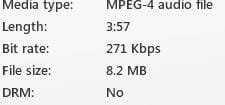
In fact, how Zune reports purchased iTunes music:
Capture.JPG


So I fail to understand what this about.
What exactly am I missing here? :confused:


The only issue I know of, in terms of DRM, comes from Zune.

Songs that have been purchased are fine no matter what you wish to do with them, as they are DRM free.
However, songs downloaded using the Zune Pass will only work on a Zune Device, or any of the 3 PCs that are registered. Also, you can not convert the file nor burn it to a disc.

The player itself does not seem to matter, only that the PC is registered.

Is there a iTunes version of the ZunePass?
If so, removing the DRM would be illegal. Otherwise, DRM should not be a factor for music you own. Such your CD rips, or music you purchase digitally.
 
Last edited:

My Computer My Computer

Computer Manufacturer/Model Number
Custom (Self Build)
OS
Windows 7 Home Premium 64bit
CPU
Intel Core i7 2700k
Motherboard
eVGA P67 SLI
Memory
8GB Mushkin Redline Ridgebacks @1866
Graphics Card(s)
EVGA GTX570 SC
Sound Card
XiFi Titanium HD
Monitor(s) Displays
LG W2453V
Screen Resolution
1920x1080
Hard Drives
Intel 320 80GB -- Intel X25-V 40GB --WD Black 1TB x2 -- WD Blue 640GB
PSU
Seasonic x750
Case
Corsair 600T SE White
Cooling
eVGA Superclocked CPU Cooler
Keyboard
Saitek Cyborg
Antivirus
Kaspersky
Browser
IE
Other Info
LG BD/DVD
All that I am saying is : WMP does not play itunes music without conversion.

Please get a music file downloaded from itunes, and without converting, try to play it in WMP.
Does it play ?
 

My Computer My Computer

Computer Manufacturer/Model Number
Acer Aspire 7741Z
OS
Windows 7 Home Premium 64-bit, SP1
CPU
Intel Pentium P6200, Cores 2, 2.13 GHz
Memory
4 GB
Graphics Card(s)
Intel HD
Sound Card
unknown
Monitor(s) Displays
17.3 inches
Screen Resolution
1600 x 900
Hard Drives
640 GB, 5400 PRM
Thanks everyone for the suggestions. I am fairly certain that it is a permission/access issue. I have added permissions for my wife and myself (both administrators), leave the folder, and upon my return find that those permissions have been deleted. But still, "administrators" has full authority, so, in theory, it should work. It doesn't.

I store my files under my music/itunes/music/[individual folders]. I have tried copying the files to a new folder, and that doesn't work either. I had the same setup under XP, and had no issues. After I upgraded to 7, I could no longer access the files (just like now). I figured that my external drive was incompatible, so I bought a new one and copied all the files to the new folder. That worked for a little while, but then the same issue cropped up with the new external drive.

I'm at a loss. I will go to one of the outer folders and unclick read-only. I will tell it to apply that change to all subfolders and files. It will take several minutes to make the changes, blurring through all the file names. However, when I go into the subfolders and files, nothing has changed. The ONLY thing that works is if I modify an individual file.

I suspect it is some intended security feature of Windows 7, but I have no idea how to bypass it.

Thanks again.
 

My Computer My Computer

OS
Windows 7 x64
All that I am saying is : WMP does not play itunes music without conversion.

Please get a music file downloaded from itunes, and without converting, try to play it in WMP.
Does it play ?

The ceratinly do in thier native format, without issue, and they have no DRM either according to Zune.


@Defective:
Did you try changing the permission on the Music folder to "Everyone" to see if the issue resolves itself?

I could be wrong on this, but I do not think you should change to folder itself to Read Only.
The host PC may need to have more access?? Not sure there.
But, you can set your sharing options to be read only. This way any PC sharing can only read, yet the host still has full rights.


Let me see if I can find someone more knowledgable than I with diagnosing Sharing/Permission problems to help you.
 

My Computer My Computer

Computer Manufacturer/Model Number
Custom (Self Build)
OS
Windows 7 Home Premium 64bit
CPU
Intel Core i7 2700k
Motherboard
eVGA P67 SLI
Memory
8GB Mushkin Redline Ridgebacks @1866
Graphics Card(s)
EVGA GTX570 SC
Sound Card
XiFi Titanium HD
Monitor(s) Displays
LG W2453V
Screen Resolution
1920x1080
Hard Drives
Intel 320 80GB -- Intel X25-V 40GB --WD Black 1TB x2 -- WD Blue 640GB
PSU
Seasonic x750
Case
Corsair 600T SE White
Cooling
eVGA Superclocked CPU Cooler
Keyboard
Saitek Cyborg
Antivirus
Kaspersky
Browser
IE
Other Info
LG BD/DVD
I just changed the permissions to include everyone. I now have changed the permissions to every level down to the folders holding the individual files (band name). There, no matter what I do, I can't make a lump change to the individual files. They are no longer read-only, but "administrator" is the only permission and they have a picture of a lock on each file. It says that administrators have access. But even though I am an administrator, it won't let me play the file and says it can't be accessed. This happens no matter the source of the file (amazon, itunes, emusic, daytrotter, etc.). The only thing that lets me play the file is to change the permission on the individual file. Very frustrating.

As ar as I know, I am not sharing the files with anyone. It's a single family computer.

Again - I appreciate the help.
 

My Computer My Computer

OS
Windows 7 x64
MP3 file permissions on Win7 cannot play files from old OS drives

I have the same problem, must be related to Win7, i have found that any files copied over from old hard drives (old OS) do not play and in properties i see the Unknown Account s12-151 or whatever it is, i have 2 accounts listed, i found out these are old user accounts from earlier operating systems. I have tried removing them but now i get a locked sign on the MP3 file and cannot play it at all! it tells me to add permissions, i get to the bit where i can tick boxes but it won't let me, i click them but they will not tick, this is after i have clicked on edit to get to the clickable bit, it's weird.
I find another screen which asks me to assign a new owner yet gives no clickable list to assign one, so u have to look in the help file which is a watse of time, i try to list my own username and it will not accept it or not recognize it i should say.

I'm now stuck with hundreds of mp3's i cannot play!!
Any ideas on how to fix this?? I also want to get rid of any old Unknown user accounts from ALL files on my PC in one foul swoop if possible.

I do not use itunes it's devil sporn!! it has deleted my gigantic music archive last year and i will never forgive them, after plugging in a ipod and signing up with itunes it deleted everything no warnings!! of course this is exactly what they want.... i only realized they had gone 6months later by which time recovery software was useless. I will never use itunes again and do not recommend to anyone.

If anyone knows how to fix the permissions prob and batch process all files please help! THANKS
 

My Computer My Computer

Computer type
PC/Desktop
Computer Manufacturer/Model Number
custom (gigabyte)
OS
win7 64 Ultimate
CPU
intel dual core
Memory
4gb
Graphics Card(s)
HD6850
Hard Drives
5x
Antivirus
avira
Browser
opera, firefox, IE
I found the answer to my own problem (by the way i noticed there was an advert placed in the bottom of my last post as a TIP with a link, I did not put this hear! and did not recommend that software, have no idea what it is....)

The fix for getting all your files to play again is here: (works fine on win7)
Context Menu - Take Ownership
 

My Computer My Computer

Computer type
PC/Desktop
Computer Manufacturer/Model Number
custom (gigabyte)
OS
win7 64 Ultimate
CPU
intel dual core
Memory
4gb
Graphics Card(s)
HD6850
Hard Drives
5x
Antivirus
avira
Browser
opera, firefox, IE
Back
Top