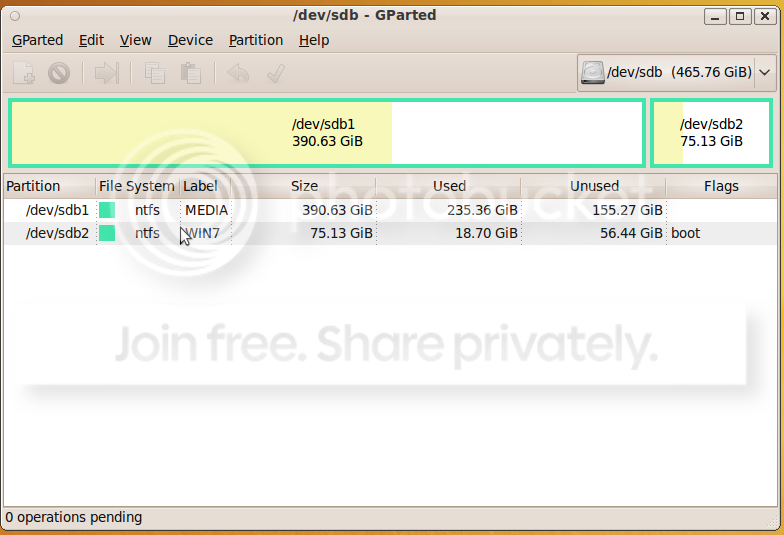
After dual booting Windows XP and Windows 7 for about a month, I decided that I was finished with my migration and that it was time to delete the XP partition and reclaim the space.
I booted a gparted live cd to format the partition and grow my windows 7 drive. After the operations completed with no errors I rebooted the machine. On start up the BIOS loads fine and I am greeted by a black screen with a blinking cursor that drops 3 carriage returns and allows no input.
When I load with windows 7 dvd and try to repair the OS, no os appears in the dialog that asks which installation I would like to repair. When I use the recovery console and run bootrec /ScanOs it finds my windows install on E:\ which is the second partition of 3 on a 1Tb drive.
I assume that there is an issue with the MBR. Also What steps do I take within the recovery console make my OS install bootable with reinstalling being an absolute last resort.
I booted a gparted live cd to format the partition and grow my windows 7 drive. After the operations completed with no errors I rebooted the machine. On start up the BIOS loads fine and I am greeted by a black screen with a blinking cursor that drops 3 carriage returns and allows no input.
When I load with windows 7 dvd and try to repair the OS, no os appears in the dialog that asks which installation I would like to repair. When I use the recovery console and run bootrec /ScanOs it finds my windows install on E:\ which is the second partition of 3 on a 1Tb drive.
I assume that there is an issue with the MBR. Also What steps do I take within the recovery console make my OS install bootable with reinstalling being an absolute last resort.
My Computer
- OS
- Windows 7