Hi
Ronargus,
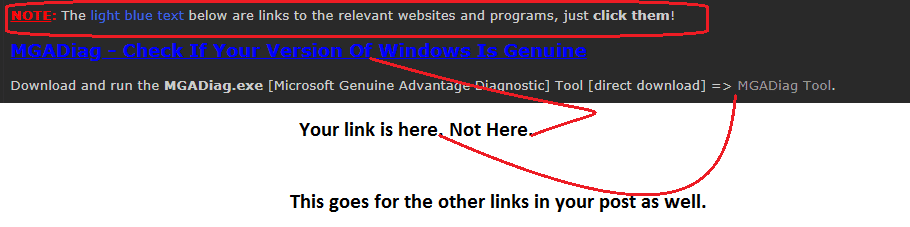
NOTE: The
light blue text below are links to the relevant websites and programs, just
click them!
MGADiag - Check If Your Version Of Windows Is Genuine
Download and run the
MGADiag.exe [Microsoft Genuine Advantage Diagnostic] Tool [direct download] =>
MGADiag Tool.
The MGADiag Tool provides detailed information about the Microsoft Genuine Advantage components and settings on your system. MGADiag.exe can be used to analyze and troubleshoot a
non-genuine notification issue you may be experiencing.
Simply
download the tool,
run the
MGADiag.exe, and click
Continue. It will immediately tell you if your version of Win 7 is
Genuine or not.
The M$ tool however, does
not automatically create a
log file. What you can do though, is click the
COPY button and then
PASTE it into notepad and
SAVE it. You then need to either paste the output into your post [preferable], or upload the saved log file [see below].
Additional and more detailed information on the
MGADiag [Microsoft Genuine Advantage Diagnostic Tool] can be found here =>
Check if your version of Windows is Genuine.
MGADiag Tool - Posting Instructions
Can you post the output from this tutorial [you need to read
Post #4 in the tutorial so you can post the log] =>
Windows Genuine and Activation Issue Posting Instructions. The output log will allow us to help you if you have a Windows non-genuine and/or activation issue.
I hope this helps!