Windows 7 build 7077 bugs

Where's the option for home basic, home premium, professional and ultimate version of build 7077 during installation?

You probably don't want to install them anyway, as you can't use any of the original beta keys to activate... AFAIK, I tried the Windows 7 pro version on 7057 and couldn't activate it... No keys for that are available..
 

My Computer

Computer type
PC/Desktop
Computer Manufacturer/Model Number
Generic Homebuilt
OS
Windows 7 Home Premium 64bit
CPU
Int i7 950 [3.06] O.C @3.36ghz Quad Core (HT) = 7.6 WEI
Motherboard
ATX LGA1366 DDR3 Asus Rampage III Formula
Memory
DDR3 6GB/Kit PC3-16000 Patriot @ 1733 mhz = 7.9 WEI
Graphics Card(s)
NVIDIA GTS450 1GB PCI-E Zotac = 7.2 WEI
Sound Card
X-Fi 2 Built-in 8-Channel High Definition
Monitor(s) Displays
LG-27"
Screen Resolution
1920 x1200
Hard Drives
Kingston 2.5" 120GB SATA 3.x MLC Int. SSD. = 7.9 WEI, 1TB WD SATA 3.x 64MB Blue.
PSU
600W Coolermaster eXtremePower Plus
Case
Coolermaster Centurion 590
Cooling
Zalman CNPS10X Extreme
Keyboard
Multimedia USB Logitech Wave
Mouse
Team Scorpion (Wired)
Other Info
Windows Experience Index = 7.2 overall
Vista and Win7 share the same driver base model thingamabob. You should be able to use Vista drivers for Win7 with no issue. XP drivers are built on an entirely different architecture, so you almost always want to avoid using those.

You can try to manually install them as well. Do not uninstall the drivers you have in place before doing this.

Uncompress the file you download from Intel.com to another folder. (Usually, when you run the install executable, it puts a copy of the uncompressed files somewhere on the harddrive. Clean out your temp folders. Run the executable. Check temp folders for a new folder listing all the drivers. Copy (don't move) this folder to somewhere else, like the desktop.)

Go to device manager. Right click the video adapter. Select Update Driver. When it gives options for what you want to do, select the bottom choice (manual or such). After that, continue selecting the bottom choice of the two options that continue popping up. Eventually, you'll get a dialog box that has a "Have Disk" button. Click that button, point to the folder you copied to the desktop.

At this point, it should automatically find the *.inf file that has the settings for your device. Select the one that best matches your device and follow through on the wizard.

Reboot and you should have things okay after this.


Well in the end i done clean install of 7077, then just manually added the unpacked intel vista graphics drivers. Set my display to dim in 1 min and the off in 2 mins. Left it off for several mins, then when i wake the display up it comes on dim with no mouse pointer, then after 10 seconds the display goes brighter and i get my mouse pointer back, but then have to wait for 20 seconds to get my taskbar back, as i have mine autohide.

So i'm not having much luck really, damm shame as i i've been using windows 7 since build 7000.

So not good :(
 

My Computer

OS
windows 7
Just a note to future peeps, try to do clean isntall or upgrade from vista, since MS said that many things may be broken when doing build to build upgrades as that is not what customers will ultimately experience, they will either be doing clean installs or upgrading from vista/XP
 

My Computer

Computer Manufacturer/Model Number
Compaq CQ50-107NR
OS
Windows 7 Build 7077 x64
CPU
AMD Athlon Dual Core QL-60 - 1.9Ghz
Memory
2GB
Graphics Card(s)
NVIDIA GeForce 8200 M G
Screen Resolution
1280 x 800
Hard Drives
120GB, Not sure of RPM but prolly 5400 or lower.
Ok... I'm not sure if this is the place to post this but it says ' Windows 7 build 7077 bugs ' ... so has anyone else had problems restarting after the computer has been on for about 10 hours straight? It was this way for me with 7068 as well, it goes to the logoff screen and just sits there... I have to kill it manually. I'm back on 7057, as it does the logoff just fine... Anyone?
 

My Computer

Computer type
PC/Desktop
Computer Manufacturer/Model Number
Generic Homebuilt
OS
Windows 7 Home Premium 64bit
CPU
Int i7 950 [3.06] O.C @3.36ghz Quad Core (HT) = 7.6 WEI
Motherboard
ATX LGA1366 DDR3 Asus Rampage III Formula
Memory
DDR3 6GB/Kit PC3-16000 Patriot @ 1733 mhz = 7.9 WEI
Graphics Card(s)
NVIDIA GTS450 1GB PCI-E Zotac = 7.2 WEI
Sound Card
X-Fi 2 Built-in 8-Channel High Definition
Monitor(s) Displays
LG-27"
Screen Resolution
1920 x1200
Hard Drives
Kingston 2.5" 120GB SATA 3.x MLC Int. SSD. = 7.9 WEI, 1TB WD SATA 3.x 64MB Blue.
PSU
600W Coolermaster eXtremePower Plus
Case
Coolermaster Centurion 590
Cooling
Zalman CNPS10X Extreme
Keyboard
Multimedia USB Logitech Wave
Mouse
Team Scorpion (Wired)
Other Info
Windows Experience Index = 7.2 overall
that happend to me too but in build 7057 for me.
 

My Computer

Computer Manufacturer/Model Number
Acer Aspire 8730-6951
OS
Windwos 7 Build 7077, Windows Vista build 6001
CPU
Intel Centrino 2 "Inside"
Memory
4 Gigabyte DDR2
Graphics Card(s)
Nividia GeForce 9600M GT 1GB
Screen Resolution
1680*945
Hard Drives
320 GB HDD
I'm seeing a few of the same folder bugs in 7077 that 7068 had. Renaming a file or creating a new folder doesn't always show up right away... sometimes you have to refresh the folder to see the change. Same goes from time to time when moving a file.
 

My Computer

OS
Windows 7 b7068
i ride 7068 build ....and i have the same problem ....whem my monitor go to sleep mode ..my video card can't wake him up .....i have gt8800 ...and i use standard drv from win7...i hope they fix this!!
 

My Computer

Computer Manufacturer/Model Number
my precious
OS
Windows 7 Ultimate 64bit
CPU
Intel Core2 Duo E8400 3.00GHz Wolfdale Box
Motherboard
MSI P35 NEO2-FR
Memory
A-DATA 2 GB DDR2 800+
Graphics Card(s)
Gigabyte GeForce 8800GT Zalman 512MB DDR3 256-bit
Hard Drives
Seagate 320 GB BARRACUDA SATA-II 7200.10
I'm not able to upgrade from # 7068 to # 7077 .
I get as far as installing hardware , and then I get the unable to nstall message , a reboot and then restoring previous windows . When that has finished restoring , the message about visiting MS and checking compatability .
I have not added any new hardware for the three builds that I've been using and have not had any problems doing the Upgrade until now .

Any help would be appreciated , thank you .
 

My Computer

Computer Manufacturer/Model Number
Apple
OS
Windows 7 Ultimate / Snow Leopard OS X 10.6.4
CPU
2.8 Ghz Intel Core i5 ( Quadcore
Memory
8 GB 1333 MHZ DDR3
Graphics Card(s)
ATI HD 5750
Monitor(s) Displays
imac 27"
Screen Resolution
2560x1440
Hard Drives
Seagate 1TB
Case
All in one
Keyboard
Logitech back lit
Mouse
Logitech MX Anywhere Mouse
Internet Speed
Cinergy Metronet Fiber Optic
http://www.sevenforums.com/news/6640-delivering-quality-upgrade-experience.html

Here’s what you can do to bypass the check for pre-release upgrade IF YOU REALLY REALLY NEED TO:

  1. Download the ISO as you did previously and burn the ISO to a DVD.
  2. Copy the whole image to a storage location you wish to run the upgrade from (a bootable flash drive or a directory on any partition on the machine running the pre-release build).
  3. Browse to the sources directory.
  4. Open the file cversion.ini in a text editor like Notepad.
  5. Modify the MinClient build number to a value lower than the down-level build. For example, change 7100 to 7000 (pictured below).
  6. Save the file in place with the same name.
  7. Run setup like you would normally from this modified copy of the image and the version check will be bypassed.


These same steps will be required as we transition from the RC milestone to the RTM milestone.

Again, we know many people (including tens of thousands at Microsoft) are relying on the pre-release builds of Windows 7 for mission critical and daily work, making this step less than convenient. We’re working hard to provide the highest quality release we can and so we’d like to make sure for this final phase of testing we’re supporting the most real world scenarios possible, which incremental build to build upgrades are not. At the same time everyone on the beta has been so great we wanted to make sure we at least offered an opportunity to make your own expert and informed choice about how to handle the upgrade.
 

My Computer

Computer Manufacturer/Model Number
Home Brew
OS
Windows 7 Ultimate Vista Ultimate x64
CPU
Core 2 Duo E8500 3.16Ghz @ 3.8Ghz
Motherboard
eVGA 750i FTW
Memory
2x2Gigs Patriot PC2-6400 LL
Graphics Card(s)
Inno3D GeForce GTX260 216 SP
Monitor(s) Displays
ASUS VW222U 22" 2ms Response time
Screen Resolution
1680x1050
Hard Drives
SATA 150GB
SATA II 250GB
USB IDE 750GB Ext.
PSU
HYTEC 600W & Thermaltake 650W Toughpower Power Exp
Case
Thermaltake Armor LCS (Liquid Cooling System)
Cooling
Liquid Cooling System
Keyboard
Logitech G15 Gaming Keyboard
Mouse
Logitech G9 Gaming Mouse
http://www.sevenforums.com/news/6640-delivering-quality-upgrade-experience.html

Here’s what you can do to bypass the check for pre-release upgrade IF YOU REALLY REALLY NEED TO:

  1. Download the ISO as you did previously and burn the ISO to a DVD.
  2. Copy the whole image to a storage location you wish to run the upgrade from (a bootable flash drive or a directory on any partition on the machine running the pre-release build).
  3. Browse to the sources directory.
  4. Open the file cversion.ini in a text editor like Notepad.
  5. Modify the MinClient build number to a value lower than the down-level build. For example, change 7100 to 7000 (pictured below).
  6. Save the file in place with the same name.
  7. Run setup like you would normally from this modified copy of the image and the version check will be bypassed.


These same steps will be required as we transition from the RC milestone to the RTM milestone.

Again, we know many people (including tens of thousands at Microsoft) are relying on the pre-release builds of Windows 7 for mission critical and daily work, making this step less than convenient. We’re working hard to provide the highest quality release we can and so we’d like to make sure for this final phase of testing we’re supporting the most real world scenarios possible, which incremental build to build upgrades are not. At the same time everyone on the beta has been so great we wanted to make sure we at least offered an opportunity to make your own expert and informed choice about how to handle the upgrade.


Thank you Sir . I was looking at that post just now . LOL

I'll give that a try and post back .

Again TY , MR. GRIM
 

My Computer

Computer Manufacturer/Model Number
Apple
OS
Windows 7 Ultimate / Snow Leopard OS X 10.6.4
CPU
2.8 Ghz Intel Core i5 ( Quadcore
Memory
8 GB 1333 MHZ DDR3
Graphics Card(s)
ATI HD 5750
Monitor(s) Displays
imac 27"
Screen Resolution
2560x1440
Hard Drives
Seagate 1TB
Case
All in one
Keyboard
Logitech back lit
Mouse
Logitech MX Anywhere Mouse
Internet Speed
Cinergy Metronet Fiber Optic
Okay , when installing system devices I'm still getting this " Windows cannot be configured on this machine " , then it restores back to build # 7068 .
I changed the cversion ini. file before I tried to upgrade this time .
My spec show the system I'm using and I have no clue what is going on .
 
Last edited:

My Computer

Computer Manufacturer/Model Number
Apple
OS
Windows 7 Ultimate / Snow Leopard OS X 10.6.4
CPU
2.8 Ghz Intel Core i5 ( Quadcore
Memory
8 GB 1333 MHZ DDR3
Graphics Card(s)
ATI HD 5750
Monitor(s) Displays
imac 27"
Screen Resolution
2560x1440
Hard Drives
Seagate 1TB
Case
All in one
Keyboard
Logitech back lit
Mouse
Logitech MX Anywhere Mouse
Internet Speed
Cinergy Metronet Fiber Optic
That sucks, maybe you could fool it into thinking it was a repair install by taking the install.wim out of the 7077 build ISO and putting it in the 7068 build, worth a try if no one else has any suggestions.

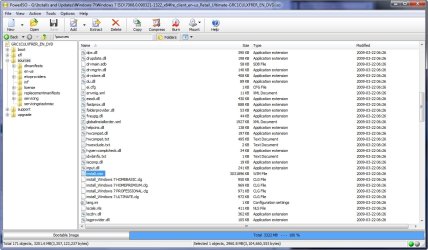
2009-04-11_021919.jpg
 

My Computer

Computer Manufacturer/Model Number
Home Brew
OS
Windows 7 Ultimate Vista Ultimate x64
CPU
Core 2 Duo E8500 3.16Ghz @ 3.8Ghz
Motherboard
eVGA 750i FTW
Memory
2x2Gigs Patriot PC2-6400 LL
Graphics Card(s)
Inno3D GeForce GTX260 216 SP
Monitor(s) Displays
ASUS VW222U 22" 2ms Response time
Screen Resolution
1680x1050
Hard Drives
SATA 150GB
SATA II 250GB
USB IDE 750GB Ext.
PSU
HYTEC 600W & Thermaltake 650W Toughpower Power Exp
Case
Thermaltake Armor LCS (Liquid Cooling System)
Cooling
Liquid Cooling System
Keyboard
Logitech G15 Gaming Keyboard
Mouse
Logitech G9 Gaming Mouse
Capture 2.JPG

Capture.JPG

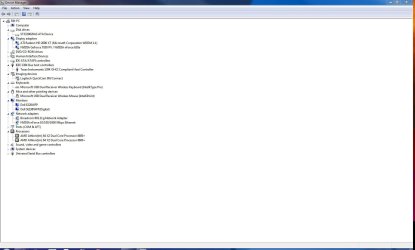
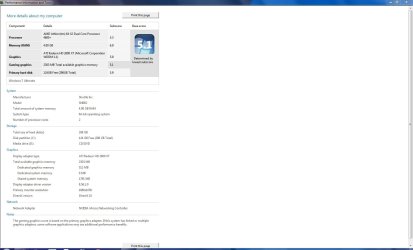
My system
 

My Computer

Computer Manufacturer/Model Number
Apple
OS
Windows 7 Ultimate / Snow Leopard OS X 10.6.4
CPU
2.8 Ghz Intel Core i5 ( Quadcore
Memory
8 GB 1333 MHZ DDR3
Graphics Card(s)
ATI HD 5750
Monitor(s) Displays
imac 27"
Screen Resolution
2560x1440
Hard Drives
Seagate 1TB
Case
All in one
Keyboard
Logitech back lit
Mouse
Logitech MX Anywhere Mouse
Internet Speed
Cinergy Metronet Fiber Optic
That sucks, maybe you could fool it into thinking it was a repair install by taking the install.wim out of the 7077 build ISO and putting it in the 7068 build, worth a try if no one else has any suggestions.

View attachment 7838


I'm game to try anything once , lol !

Thanks :D
 

My Computer

Computer Manufacturer/Model Number
Apple
OS
Windows 7 Ultimate / Snow Leopard OS X 10.6.4
CPU
2.8 Ghz Intel Core i5 ( Quadcore
Memory
8 GB 1333 MHZ DDR3
Graphics Card(s)
ATI HD 5750
Monitor(s) Displays
imac 27"
Screen Resolution
2560x1440
Hard Drives
Seagate 1TB
Case
All in one
Keyboard
Logitech back lit
Mouse
Logitech MX Anywhere Mouse
Internet Speed
Cinergy Metronet Fiber Optic
Mr GRIM....what's going on?

just woke up :)

is it worth to do a install to 7077 x64? now running 7068 or wait for RC...I'm confused
 

My Computer

Computer Manufacturer/Model Number
Water Cube
OS
Windows 7 Ultimate X64 RTM Build 7600
CPU
AMD Phenom II920 258X14=3.6Ghz @1.435V
Motherboard
Asus Crosshair II Formula BIOS 2203
Memory
Mushkin 996599 Kit XP2-8500 4GB DDR2 1033
Graphics Card(s)
EVGA Geforce 250GTS 1GB SLI X 2 Geforce PhysX ENABLED
Sound Card
SoundMax SupremeFX II
Monitor(s) Displays
BenQ E2200HD World 1st 21.5"W FULL HD 1080p LCD Monitor
Screen Resolution
1920 x 1080 - Full HD/HDCP/Senseye/AMA
Hard Drives
HITACHI Deskstar P7K500 HDP725050GLA360 (0A35415) 500GB 7200 RPM 16MB Cache SATA 3.0Gb/s
Seagate Barracuda 7200.11 ST3500320AS 500GB 7200 RPM 32MB Cache SATA 3.0Gb/s
SAMSUMG HD103UJ 1TB
PSU
Antec NeoPower 650 Watt Blue LED PSU
Case
Sunbeam UFO CUBE Acrylic Case
Cooling
Water Cooled
Keyboard
Microsoft Reclusa
Mouse
Razer Diamondback 3G Razer With eXactMat X speed
Internet Speed
Comcast HSI Extreme 50/10
Other Info
CPU Water Block: D-Tek FuZion V2
VGA Waterblock: Swiftech Stealth Extreme Duty G80 Rev 3
Pumps: Swiftech MCP350 Modded to MCP355 In-Line 12V DC Pump with XSPC top &
XSPC "Bay-Res" Pump/Reservoir Combo
SouthBridge Water Block: Enzotech SNBW Rev.A
Northbridge Waterblock:XSPC X2O Delta Chipset Waterblock-
Tube: Saint-Gobain Tygon R-3603 Clear Tubing 20' 3/8" ID -
Radiator for GPUs:Black Ice® G
Capture3.JPG
What directory is the install.wim in on my current windows install ? I'm not seeing it here .

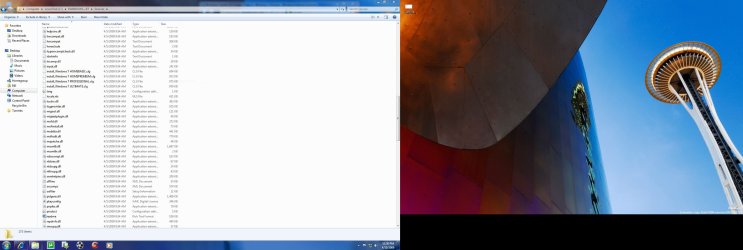
This is a screen shot of what I have in the sources dir. on my hd now , and there is no install.wim . Do I create one here ?
 

My Computer

Computer Manufacturer/Model Number
Apple
OS
Windows 7 Ultimate / Snow Leopard OS X 10.6.4
CPU
2.8 Ghz Intel Core i5 ( Quadcore
Memory
8 GB 1333 MHZ DDR3
Graphics Card(s)
ATI HD 5750
Monitor(s) Displays
imac 27"
Screen Resolution
2560x1440
Hard Drives
Seagate 1TB
Case
All in one
Keyboard
Logitech back lit
Mouse
Logitech MX Anywhere Mouse
Internet Speed
Cinergy Metronet Fiber Optic
It's in the previous screen shot in sources.
 

My Computer

Computer Manufacturer/Model Number
Home Brew
OS
Windows 7 Ultimate Vista Ultimate x64
CPU
Core 2 Duo E8500 3.16Ghz @ 3.8Ghz
Motherboard
eVGA 750i FTW
Memory
2x2Gigs Patriot PC2-6400 LL
Graphics Card(s)
Inno3D GeForce GTX260 216 SP
Monitor(s) Displays
ASUS VW222U 22" 2ms Response time
Screen Resolution
1680x1050
Hard Drives
SATA 150GB
SATA II 250GB
USB IDE 750GB Ext.
PSU
HYTEC 600W & Thermaltake 650W Toughpower Power Exp
Case
Thermaltake Armor LCS (Liquid Cooling System)
Cooling
Liquid Cooling System
Keyboard
Logitech G15 Gaming Keyboard
Mouse
Logitech G9 Gaming Mouse
It's in the previous screen shot in sources.


I found the one in the #7077 build , I posted a screen shot of the sources dir on my hard drive for build #7068 , you sugessted to swap the files and I'm asking do I make a install.wim file in my #7068 ?

:confused:
 

My Computer

Computer Manufacturer/Model Number
Apple
OS
Windows 7 Ultimate / Snow Leopard OS X 10.6.4
CPU
2.8 Ghz Intel Core i5 ( Quadcore
Memory
8 GB 1333 MHZ DDR3
Graphics Card(s)
ATI HD 5750
Monitor(s) Displays
imac 27"
Screen Resolution
2560x1440
Hard Drives
Seagate 1TB
Case
All in one
Keyboard
Logitech back lit
Mouse
Logitech MX Anywhere Mouse
Internet Speed
Cinergy Metronet Fiber Optic
Yes you just delete the one in build 7068 and replace it with the one from build 7077, sorry from the previous post I thought you were saying you could not find the install.wim.

Make sure you rename the ISO or save it in a different directory so it doesn't get overwritten.
 

My Computer

Computer Manufacturer/Model Number
Home Brew
OS
Windows 7 Ultimate Vista Ultimate x64
CPU
Core 2 Duo E8500 3.16Ghz @ 3.8Ghz
Motherboard
eVGA 750i FTW
Memory
2x2Gigs Patriot PC2-6400 LL
Graphics Card(s)
Inno3D GeForce GTX260 216 SP
Monitor(s) Displays
ASUS VW222U 22" 2ms Response time
Screen Resolution
1680x1050
Hard Drives
SATA 150GB
SATA II 250GB
USB IDE 750GB Ext.
PSU
HYTEC 600W & Thermaltake 650W Toughpower Power Exp
Case
Thermaltake Armor LCS (Liquid Cooling System)
Cooling
Liquid Cooling System
Keyboard
Logitech G15 Gaming Keyboard
Mouse
Logitech G9 Gaming Mouse
Back
Top