Solved Windows 7 Gif Viewer Works perfectly

Big thank you to Goofwear. Corgano, Win8h8r and others! Your instructions made it work! May I second Deviceless's question: Is there a way to use this without being asked for permission to use rundll32.exe every time?

Update: I may possibly have the answer- I went to both files in My Computer, unchecked "run as administrator" then went to the security tabs in both files and checked "full control" to anyone on the list. Click OK and exit. Now I'm no longer prompted for permission to run the program. Seems to be working just like XP! Thanks, everyone!
 
Last edited:

My Computer My Computer

At a glance

Windows 7 Home Premium 32bit.
Computer type
PC/Desktop
Computer Manufacturer/Model Number
hp
OS
Windows 7 Home Premium 32bit.
Antivirus
avast
Browser
chrome
Both my download links went bad, so I have now included the registry script as an attachment. I was hoping to avoid this since only registered users can download attachments, but I can't find a file host that is worth crap. Sorry for the inconvenience.

goku262002: These are the specific setup steps I took to get the GIF image viewer working:

- Download the Windows 7 Gif Viewer.exe installer from Index of ./downloads/

- Install, and ignore the box that might pop up saying "this program didn't install properly"

- Right click on C:\rundll32.exe and change the compatibility mode to Windows Vista, and also check the box "run as administrator"

- Run register_file_types.reg

This registry script should associate bmp, jpg, png, and tiff files with the viewer. It worked on my Windows 7 x64 system. Make sure to run it with admin privileges. You might have to "take ownership" of these registry keys:

HKEY_CLASSES_ROOT\GIFImage.Document
HKEY_CLASSES_ROOT\jpegfile
HKEY_CLASSES_ROOT\Paint.Picture
HKEY_CLASSES_ROOT\pngfile
HKEY_CLASSES_ROOT\TIFImage.Document

Note that the "GIF viewer" mentioned here is actually just a modified version of the original XP viewer, and should work exactly the same. The author simply changed the name, and I believe modified the code a little to make it work in Windows 7. I personally think he should have left the name alone to avoid confusion, because it will work with most other image types besides GIF.

I also attached the original unedited viewer dll from windows XP, but I don't know if it's possible to get it working. You could try pasting it over the shimgvw.dll that was created in C:\, but backup the original first!

alright I did what you instructed and while the GIF viewer is working, my computer is still not seperating the file types right I still got .gifs separated while everything else is a .tif even if its a .jpg or .png. I tried going to the regedit and taking ownership of those registry keys but those exact files don't exist.

Any ideas to get my computer to seperate the picture types again?
 

My Computer My Computer

At a glance

Windows 7
Computer type
PC/Desktop
OS
Windows 7
goku262002: sorry, but I'm not quite understanding the issue you are having. Do you mean those file types don't have any programs associated with them? Something might have corrupted your file extensions if none of the registry keys I mentioned exist on your system. You could try running the registry scripts from here to restore the default configurations for those file types:

http://www.sevenforums.com/tutorials/19449-default-file-type-associations-restore.html

Also, check the permissions for HKEY_CLASSES_ROOT and make sure it is set to 'full control' under administrators.

Good luck :)
 

My Computer My Computer

At a glance

Windows 7 Professional x64
Computer type
PC/Desktop
OS
Windows 7 Professional x64
Nono, its not the fact that the .jpg or .png file types are not showing up at the end of file names, its this:
N3l6WJN.png


You see how .PNG and .GIF are being separated by my computer but theres no .JPG? the computer thinks that .jpg are .tif files and are grouping them together, its been doing that ever since I first put in the GIF viewer. it was at first doing that with all the file types but after I got the GIF maker reinstalled it seperated .gifs and I have no clue how .png got separated but the computer fixed that issue. now I just need my PC to stop thinking .jpg are .tif files, how do I do that?
 

My Computer My Computer

At a glance

Windows 7
Computer type
PC/Desktop
OS
Windows 7
Note the 'scrolling windows' , Please

Pay no attention to the actual wording of the quoted post, just that it's readable by "scrolling".

That's all I want the XP Viewer for. It doesn't matter to me what is within the scrolls, text, gif's, jpg's, etc., I just want it to scroll so that a person can capture a long list of items like it did in XP.

It seems I've had a doozy of a time trying to explain why I'm interested in it & sure hope this is more of a help than a hindrance. I apologize if it just causes confusion.

Sooooo, IS this GIF Viewer something that will work for my purpose?

Thank you.


Your registry work is a little sloppy, as you place the files in the root of the C drive, and assume all computers are installed on C: (Mine is in fact D:). I've come up with a little fix:
Code:
Windows Registry Editor Version 5.00
 
[HKEY_CLASSES_ROOT\.GIF]
@="GIFImage.Document"
 
[HKEY_CLASSES_ROOT\.GIF]
@="GIFImage.Document"
 
[HKEY_CLASSES_ROOT\GIFImage.Document]
"EditFlags"=dword:00010000
"FriendlyTypeName"=hex(2):40,00,25,00,57,00,69,00,6e,00,44,00,69,00,72,00,25,\
  00,5c,00,67,00,69,00,66,00,5c,00,73,00,68,00,69,00,6d,00,67,00,76,00,77,00,\
  2e,00,64,00,6c,00,6c,00,2c,00,2d,00,33,00,30,00,36,00,00,00
"ImageOptionFlags"=dword:00000000
"BrowserFlags"=dword:00000008
@="GIF Image"
 
[HKEY_CLASSES_ROOT\GIFImage.Document\DefaultIcon]
@=hex(2):25,00,57,00,69,00,6e,00,44,00,69,00,72,00,25,00,5c,00,67,00,69,00,66,\
  00,5c,00,73,00,68,00,69,00,6d,00,67,00,76,00,77,00,2e,00,64,00,6c,00,6c,00,\
  2c,00,34,00,00,00
 
[HKEY_CLASSES_ROOT\GIFImage.Document\shell]
@=""
 
[HKEY_CLASSES_ROOT\GIFImage.Document\shell\open]
"MuiVerb"="@shimgvw.dll,-550"
 
[HKEY_CLASSES_ROOT\GIFImage.Document\shell\open\command]
@=hex(2):25,00,57,00,69,00,6e,00,44,00,69,00,72,00,25,00,5c,00,67,00,69,00,66,\
  00,5c,00,72,00,75,00,6e,00,64,00,6c,00,6c,00,33,00,32,00,2e,00,65,00,78,00,\
  65,00,20,00,25,00,57,00,69,00,6e,00,44,00,69,00,72,00,25,00,5c,00,67,00,69,\
  00,66,00,5c,00,73,00,68,00,69,00,6d,00,67,00,76,00,77,00,2e,00,64,00,6c,00,\
  6c,00,2c,00,49,00,6d,00,61,00,67,00,65,00,56,00,69,00,65,00,77,00,5f,00,46,\
  00,75,00,6c,00,6c,00,73,00,63,00,72,00,65,00,65,00,6e,00,20,00,25,00,31,00,\
  00,00
 
[HKEY_CLASSES_ROOT\GIFImage.Document\shell\open\DropTarget]
"Clsid"="{E84FDA7C-1D6A-45F6-B725-CB260C236066}"
 
[HKEY_CLASSES_ROOT\GIFImage.Document\shell\printto]
 
[HKEY_CLASSES_ROOT\GIFImage.Document\shell\printto\command]
@="C:\\rundll32.exe C:\\shimgvw.dll,ImageView_PrintTo /pt \"%1\" \"%2\" \"%3\" \"%4\""
"New Value #1"=hex(2):25,00,57,00,69,00,6e,00,44,00,69,00,72,00,25,00,5c,00,67,\
  00,69,00,66,00,5c,00,72,00,75,00,6e,00,64,00,6c,00,6c,00,33,00,32,00,2e,00,\
  65,00,78,00,65,00,20,00,25,00,57,00,69,00,6e,00,44,00,69,00,72,00,25,00,5c,\
  00,67,00,69,00,66,00,5c,00,73,00,68,00,69,00,6d,00,67,00,76,00,77,00,2e,00,\
  64,00,6c,00,6c,00,2c,00,49,00,6d,00,61,00,67,00,65,00,56,00,69,00,65,00,77,\
  00,5f,00,50,00,72,00,69,00,6e,00,74,00,54,00,6f,00,20,00,2f,00,70,00,74,00,\
  20,00,22,00,25,00,31,00,22,00,20,00,22,00,25,00,32,00,22,00,20,00,22,00,25,\
  00,33,00,22,00,20,00,22,00,25,00,34,00,22,00,00,00
As well, I don't care for the installer or modified DLL, and found a way to set compatability through registry. For simplicity's sake, I wrote a one click installer. Literally double click and you're done(Now run again to un install), as well as source below source. The installer doesn't need autoit, and you don't need to set the compatiability settings - it does everything for you :D
Code:
#RequireAdmin
#Region ;**** Directives created by AutoIt3Wrapper_GUI ****
#AutoIt3Wrapper_Outfile=XP Photo and fax viewer (For GIFS on Win 7).exe
#AutoIt3Wrapper_UseUpx=n
#AutoIt3Wrapper_Res_Fileversion=1.1.0.0
#AutoIt3Wrapper_Res_requestedExecutionLevel=asInvoker
#EndRegion ;**** Directives created by AutoIt3Wrapper_GUI ****
#cs ----------------------------------------------------------------------------
 
 AutoIt Version: 3.3.8.1
 Author:         Corgano, [email protected]
 
 Purpose:
    This script provides a one-click instalation for easy gif viewing experience identical (literally!)
    to that of windows XP
 
 Terms of use:
    This script is free to use, distribute, modify, and what else have your fancies be as long as these
    three conditions are met
        1: This header must remain intact with any mods or copies of this script
        2: You may not sell or in any way make profit off of this script. It's free, for free use by
        anyone, anywhere.
        3: This is by no means an official fix. It's just a workaround to make windows XP's photo viewer
        work on win 7. May work for win 8, may **** up your computer. I'm not responcable for any loss of
        data or hair as result of this program
 
  What it does:
    This is based off of this idea - http://www.goofwear.com/windows/
    However, there were many errors. All the addresses were static, and assumed that the system drive was
    C:. It doesn't work if your system drive isn't C:, so I re-wrote it to use %WinDir% making it much, MUCH more robust. I also moved the
    files to windows\gif, which is cleaner IMO. Replaced the modified "shimgvw.dll" with the real file
    and wrote a simpler installer
 
  1.1
    Added an uninstal option
    Fixed spelling mistakes (derp)
    Added message confirming instal
 
  Enjoy
 
#ce ----------------------------------------------------------------------------
 
 
$path = @WindowsDir&"\gif"
if RegRead("HKEY_LOCAL_MECHINE\SOFTWARE\Microsoft\Windows NT\CurrentVersion\AppCompatFlags\Layers", $path&"\rundll32.exe") = "WINXPSP3" or FileExists($path&"\rundll32.exe") Then
    if msgbox(36,"Already installed!","Do you want to uninstal XP Photo and Fax Viewer (for gifs)?") = 6 Then
        ConsoleWrite("Remove"&@CRLF)
        RegDelete('HKEY_CLASSES_ROOT\.GIF')
        RegDelete('HKEY_CLASSES_ROOT\GIFImage.Document')
        FileDelete($path)
        Exit
    Else
        Exit
    EndIf
EndIf
 
ConsoleWrite("Instal"&@CRLF)
DirCreate($path)
FileInstall("rundll32.exe",$path&"\rundll32.exe",1)
FileInstall("shimgvw.dll",$path&"\shimgvw.dll",1)
 
RegWrite('HKEY_CLASSES_ROOT\.GIF','','REG_SZ','GIFImage.Document')
RegWrite('HKEY_CLASSES_ROOT\GIFImage.Document','EditFlags','REG_DWORD','65536')
RegWrite('HKEY_CLASSES_ROOT\GIFImage.Document','FriendlyTypeName','REG_EXPAND_SZ','@%WinDir%\gif\shimgvw.dll,-306')
RegWrite('HKEY_CLASSES_ROOT\GIFImage.Document','ImageOptionFlags','REG_DWORD','0')
RegWrite('HKEY_CLASSES_ROOT\GIFImage.Document','BrowserFlags','REG_DWORD','8')
RegWrite('HKEY_CLASSES_ROOT\GIFImage.Document','','REG_SZ','GIF Image')
RegWrite('HKEY_CLASSES_ROOT\GIFImage.Document\DefaultIcon','','REG_EXPAND_SZ','%WinDir%\gif\shimgvw.dll,4')
RegWrite('HKEY_CLASSES_ROOT\GIFImage.Document\shell','','REG_SZ','')
RegWrite('HKEY_CLASSES_ROOT\GIFImage.Document\shell\open','MuiVerb','REG_SZ','@shimgvw.dll,-550')
RegWrite('HKEY_CLASSES_ROOT\GIFImage.Document\shell\open\command','','REG_EXPAND_SZ','%WinDir%\gif\rundll32.exe %WinDir%\gif\shimgvw.dll,ImageView_Fullscreen %1')
RegWrite('HKEY_CLASSES_ROOT\GIFImage.Document\shell\open\DropTarget','Clsid','REG_SZ','{E84FDA7C-1D6A-45F6-B725-CB260C236066}')
RegWrite('HKEY_CLASSES_ROOT\GIFImage.Document\shell\printto\command','','REG_SZ','C:\rundll32.exe C:\shimgvw.dll,ImageView_PrintTo /pt "%1" "%2" "%3" "%4"')
RegWrite('HKEY_CLASSES_ROOT\GIFImage.Document\shell\printto\command','New Value #1','REG_EXPAND_SZ','%WinDir%\gif\rundll32.exe %WinDir%\gif\shimgvw.dll,ImageView_PrintTo /pt "%1" "%2" "%3" "%4"')
RegWrite("HKEY_LOCAL_MECHINE\SOFTWARE\Microsoft\Windows NT\CurrentVersion\AppCompatFlags\Layers", $path&"\rundll32.exe", "REG_SZ", "WINXPSP3")
 
MsgBox(0,"Installed!","Try opening a gif now. Run again to uninstal")
To run the source you will need Autoit installed, and the Rundll32 and shimgvw.dll files in the script's folder. I hope someone learns something or finds this useful :P
 

My Computer My Computer

At a glance

Microsoft Windows 7 Home Premium 64-bit 7601 ...AMD Athlon(tm) II X2 220 Processor3.00 GBNVIDIA GeForce 6150SE nForce 430
Computer type
PC/Desktop
Computer Manufacturer/Model Number
emachines
OS
Microsoft Windows 7 Home Premium 64-bit 7601 Multiprocessor Free Service Pack 1
CPU
AMD Athlon(tm) II X2 220 Processor
Motherboard
eMachines EL1358G
Memory
3.00 GB
Graphics Card(s)
NVIDIA GeForce 6150SE nForce 430
Sound Card
Realtek High Definition Audio
Screen Resolution
1280 x 1024 x 32 bits (4294967296 colors) @ 60 Hz
Hard Drives
(1) WDC WD10 EADX-22TDHB0 SCSI Disk Device (2) Generic- Multi-Card USB Device
Keyboard
came with PC
Mouse
came with PC
Antivirus
Avast
Browser
IE 9
Other Info
don't know how to get info for the other 5 areas
Direct Download didn't work, got this, tried 3 times.
 

Attachments

  • 2014-05-11_154358.png _ error at Gif.png
    2014-05-11_154358.png _ error at Gif.png
    59 KB · Views: 2
Last edited:

My Computer My Computer

At a glance

Microsoft Windows 7 Home Premium 64-bit 7601 ...AMD Athlon(tm) II X2 220 Processor3.00 GBNVIDIA GeForce 6150SE nForce 430
Computer type
PC/Desktop
Computer Manufacturer/Model Number
emachines
OS
Microsoft Windows 7 Home Premium 64-bit 7601 Multiprocessor Free Service Pack 1
CPU
AMD Athlon(tm) II X2 220 Processor
Motherboard
eMachines EL1358G
Memory
3.00 GB
Graphics Card(s)
NVIDIA GeForce 6150SE nForce 430
Sound Card
Realtek High Definition Audio
Screen Resolution
1280 x 1024 x 32 bits (4294967296 colors) @ 60 Hz
Hard Drives
(1) WDC WD10 EADX-22TDHB0 SCSI Disk Device (2) Generic- Multi-Card USB Device
Keyboard
came with PC
Mouse
came with PC
Antivirus
Avast
Browser
IE 9
Other Info
don't know how to get info for the other 5 areas
Yeah I'm still waiting on my issue to be fixed too.
 

My Computer My Computer

At a glance

Windows 7
Computer type
PC/Desktop
OS
Windows 7
I have checked the original down load links I have posted they are up and still working Windows 7 Gif Viewer
 

My Computer My Computer

At a glance

Windows 7 Ultimate x64 SP1Intel(R) Core(TM)2 Quad CPU Q9400 @ 2.66GHz8.00 GBATI Radeon HD 2600 XT
OS
Windows 7 Ultimate x64 SP1
CPU
Intel(R) Core(TM)2 Quad CPU Q9400 @ 2.66GHz
Motherboard
Acer EG43M
Memory
8.00 GB
Graphics Card(s)
ATI Radeon HD 2600 XT
Sound Card
(1) High Definition Audio Device (2) Realtek High Definiti
Hey guys

Really sorry. Must be a permissions issue on Google Drive? It used to be fine? I even checked when I posted ages ago by going incognito and it allowed me to download Try my dropbox link.

https://dl.dropboxusercontent.com/u/43088692/ANDROID WORKING - projects/Windows_7_GifViewer.exe

I will post a link to another mirror tonight when I get home and it has finished syncing. I have some Android firmware uploading at the moment so that DB link might take a while to appear. If not you may see 404 not available of something similar till it finishes uploading. Will update my previous posts later tonight too.

Cheers
 

My Computer My Computer

At a glance

Windows 7 Ultimate x64Intel Core Duo 3.4GhzKingstone 4 x 2GB DDR2Nvidia GForce E8400GT
Computer type
PC/Desktop
Computer Manufacturer/Model Number
Custom Build Asus board
OS
Windows 7 Ultimate x64
CPU
Intel Core Duo 3.4Ghz
Motherboard
Asus P5Q SE/R
Memory
Kingstone 4 x 2GB DDR2
Graphics Card(s)
Nvidia GForce E8400GT
Hard Drives
Intel 180G SSD 330 Series 2.5in SATA, Samsung 250GB 2.5in SATA, Seagate 250GB 3.5in SATA, WD 250GB 3.5in SATA, WD 1TB 3.5 SATA
Antivirus
Microsoft Security Essentials
Browser
Comodo Dragon Chrome
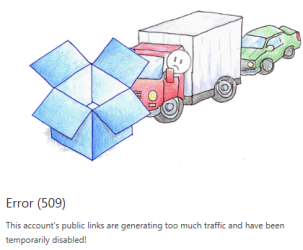
This is what I just got . . . . .
 

Attachments

  • 2014-06-01_112011.png _ Jarmezrock's Dropbox.png
    2014-06-01_112011.png _ Jarmezrock's Dropbox.png
    36.5 KB · Views: 84

My Computer My Computer

At a glance

Microsoft Windows 7 Home Premium 64-bit 7601 ...AMD Athlon(tm) II X2 220 Processor3.00 GBNVIDIA GeForce 6150SE nForce 430
Computer type
PC/Desktop
Computer Manufacturer/Model Number
emachines
OS
Microsoft Windows 7 Home Premium 64-bit 7601 Multiprocessor Free Service Pack 1
CPU
AMD Athlon(tm) II X2 220 Processor
Motherboard
eMachines EL1358G
Memory
3.00 GB
Graphics Card(s)
NVIDIA GeForce 6150SE nForce 430
Sound Card
Realtek High Definition Audio
Screen Resolution
1280 x 1024 x 32 bits (4294967296 colors) @ 60 Hz
Hard Drives
(1) WDC WD10 EADX-22TDHB0 SCSI Disk Device (2) Generic- Multi-Card USB Device
Keyboard
came with PC
Mouse
came with PC
Antivirus
Avast
Browser
IE 9
Other Info
don't know how to get info for the other 5 areas
Hi,

I am really sorry about the issues you have had so far with downloading. It must be frustrating :(
Sorry but I haven't been online for a little bit. My best friend and pet little dog died last week and I have been an emotional wreck. She was the love of my life :cry: Rest In Peace my baby girl xo

I really hope this link works for you? I tested it in an incognito browser and it allows me to download

Download -->

Just keep nagging me if it doesn't ok ;) I don't mind....I will get it to you eventually :)
 

My Computer My Computer

At a glance

Windows 7 Ultimate x64Intel Core Duo 3.4GhzKingstone 4 x 2GB DDR2Nvidia GForce E8400GT
Computer type
PC/Desktop
Computer Manufacturer/Model Number
Custom Build Asus board
OS
Windows 7 Ultimate x64
CPU
Intel Core Duo 3.4Ghz
Motherboard
Asus P5Q SE/R
Memory
Kingstone 4 x 2GB DDR2
Graphics Card(s)
Nvidia GForce E8400GT
Hard Drives
Intel 180G SSD 330 Series 2.5in SATA, Samsung 250GB 2.5in SATA, Seagate 250GB 3.5in SATA, WD 250GB 3.5in SATA, WD 1TB 3.5 SATA
Antivirus
Microsoft Security Essentials
Browser
Comodo Dragon Chrome
I'm so sorry about your pet :(.

Nope, your above link gave me the same "browser not supported" as it did before but I have other things to work on so don't worry about me for now, go ahead & take some time to grieve.
 

My Computer My Computer

At a glance

Microsoft Windows 7 Home Premium 64-bit 7601 ...AMD Athlon(tm) II X2 220 Processor3.00 GBNVIDIA GeForce 6150SE nForce 430
Computer type
PC/Desktop
Computer Manufacturer/Model Number
emachines
OS
Microsoft Windows 7 Home Premium 64-bit 7601 Multiprocessor Free Service Pack 1
CPU
AMD Athlon(tm) II X2 220 Processor
Motherboard
eMachines EL1358G
Memory
3.00 GB
Graphics Card(s)
NVIDIA GeForce 6150SE nForce 430
Sound Card
Realtek High Definition Audio
Screen Resolution
1280 x 1024 x 32 bits (4294967296 colors) @ 60 Hz
Hard Drives
(1) WDC WD10 EADX-22TDHB0 SCSI Disk Device (2) Generic- Multi-Card USB Device
Keyboard
came with PC
Mouse
came with PC
Antivirus
Avast
Browser
IE 9
Other Info
don't know how to get info for the other 5 areas
Awesome! Works great!
 

My Computer My Computer

At a glance

Windows 7 Ultimate x64
Computer type
PC/Desktop
OS
Windows 7 Ultimate x64
Making this post to hopefully streamline installation for Google-ers:

  1. Register on SevenForums
    • You need to be a member to download attachments, and there is a file attached to a certain post which is required. You must also click the URL in the activation email.
  2. Download the installer from the OP, as well as the "rundll32.exe" file in the "64bit" folder (I had to Right Click > "Save Link As..." in order to download the file).
  3. Download the "Register_File_Types.reg" file attached to this post.
  4. Run the gif viewer installer
  5. Move the "rundll32.exe" file to C:/ and replace the existing file there. Then set compatibility mode to Vista.
  6. Run the .reg file.
  7. Right click on any .gif file, go to properties, and change the file it opens with to "Windows 7 Gif Viewer"

Double click a .gif file and it should now open in the program playing smoothly, without need for clicking yes on a permissions box. This is what worked for me, anyways.

If I had any request it would be to get it to launch when you click "Preview" after right clicking an image, instead of the default photo viewer. Other things I've noticed: there's a white 1-pixel-wide border on .gif files that flicker, and when moving between multiple images it loads them in alphabetical order ( the default viewer loads them in whatever sorting method you're using in that folder). Not sure if this last bit can be "fixed" as it isn't quite an integrated app, but I figured I'd at least mention it.

Thanks to all who contributed to make this program happen, however DIY and sketchy it may seem! It even loads regular files faster than the default photo viewer. :)
 

My Computer My Computer

At a glance

Win7 Home Premium x64
Computer type
PC/Desktop
OS
Win7 Home Premium x64
Making this post to hopefully streamline installation for Google-ers:

  1. Register on SevenForums
    • You need to be a member to download attachments, and there is a file attached to a certain post which is required. You must also click the URL in the activation email.
  2. Download the installer from the OP, as well as the "rundll32.exe" file in the "64bit" folder (I had to Right Click > "Save Link As..." in order to download the file).
  3. Download the "Register_File_Types.reg" file attached to this post.
  4. Run the gif viewer installer
  5. Move the "rundll32.exe" file to C:/ and replace the existing file there. Then set compatibility mode to Vista.
  6. Run the .reg file.
  7. Right click on any .gif file, go to properties, and change the file it opens with to "Windows 7 Gif Viewer"

Double click a .gif file and it should now open in the program playing smoothly, without need for clicking yes on a permissions box. This is what worked for me, anyways.

If I had any request it would be to get it to launch when you click "Preview" after right clicking an image, instead of the default photo viewer. Other things I've noticed: there's a white 1-pixel-wide border on .gif files that flicker, and when moving between multiple images it loads them in alphabetical order ( the default viewer loads them in whatever sorting method you're using in that folder). Not sure if this last bit can be "fixed" as it isn't quite an integrated app, but I figured I'd at least mention it.

Thanks to all who contributed to make this program happen, however DIY and sketchy it may seem! It even loads regular files faster than the default photo viewer. :)

Hey shearme

Try the install posted in my post 3 posts above. No need to do all that you've posted. Although appreciate your efforts that you are trying to help people who are googling and finding their way here (of all places this is actually the highest rated on googles list) I too was frustrated so EDIT (we've) developed an easier method that does as you describe ;-)


Give it a go and let me know what you think?
 
Last edited:

My Computer My Computer

At a glance

Windows 7 Ultimate x64Intel Core Duo 3.4GhzKingstone 4 x 2GB DDR2Nvidia GForce E8400GT
Computer type
PC/Desktop
Computer Manufacturer/Model Number
Custom Build Asus board
OS
Windows 7 Ultimate x64
CPU
Intel Core Duo 3.4Ghz
Motherboard
Asus P5Q SE/R
Memory
Kingstone 4 x 2GB DDR2
Graphics Card(s)
Nvidia GForce E8400GT
Hard Drives
Intel 180G SSD 330 Series 2.5in SATA, Samsung 250GB 2.5in SATA, Seagate 250GB 3.5in SATA, WD 250GB 3.5in SATA, WD 1TB 3.5 SATA
Antivirus
Microsoft Security Essentials
Browser
Comodo Dragon Chrome
Not sure what's happened from that quote?
 

My Computer My Computer

At a glance

Windows 7 Ultimate x64Intel Core Duo 3.4GhzKingstone 4 x 2GB DDR2Nvidia GForce E8400GT
Computer type
PC/Desktop
Computer Manufacturer/Model Number
Custom Build Asus board
OS
Windows 7 Ultimate x64
CPU
Intel Core Duo 3.4Ghz
Motherboard
Asus P5Q SE/R
Memory
Kingstone 4 x 2GB DDR2
Graphics Card(s)
Nvidia GForce E8400GT
Hard Drives
Intel 180G SSD 330 Series 2.5in SATA, Samsung 250GB 2.5in SATA, Seagate 250GB 3.5in SATA, WD 250GB 3.5in SATA, WD 1TB 3.5 SATA
Antivirus
Microsoft Security Essentials
Browser
Comodo Dragon Chrome
Never post from your phone. It screws posts
 

My Computer My Computer

At a glance

Windows 7 Ultimate x64Intel Core Duo 3.4GhzKingstone 4 x 2GB DDR2Nvidia GForce E8400GT
Computer type
PC/Desktop
Computer Manufacturer/Model Number
Custom Build Asus board
OS
Windows 7 Ultimate x64
CPU
Intel Core Duo 3.4Ghz
Motherboard
Asus P5Q SE/R
Memory
Kingstone 4 x 2GB DDR2
Graphics Card(s)
Nvidia GForce E8400GT
Hard Drives
Intel 180G SSD 330 Series 2.5in SATA, Samsung 250GB 2.5in SATA, Seagate 250GB 3.5in SATA, WD 250GB 3.5in SATA, WD 1TB 3.5 SATA
Antivirus
Microsoft Security Essentials
Browser
Comodo Dragon Chrome
Give it a go and let me know what you think?

AH! Must've missed that.

I'm not gonna bother undoing what I've already done, but running your .exe didn't break anything. It defaulted compatibility mode of your rundll32.exe to XP, but since it helpfully left open the explorer window, switching back to vista was a breeze. :D
 

My Computer My Computer

At a glance

Win7 Home Premium x64
Computer type
PC/Desktop
OS
Win7 Home Premium x64
I really like this program. I'd like to make it the default for all image files--not just gifs and tifs. Is there a way I can make it default, like with a registry key or something?
 

My Computer My Computer

At a glance

Windows 7 Ultimate x64i7-4702M
Computer type
Laptop
Computer Manufacturer/Model Number
Lenovo Thinkpad E540
OS
Windows 7 Ultimate x64
CPU
i7-4702M
Antivirus
Norton 360
Browser
Pale Moon
Hi,

I am really sorry about the issues you have had so far with downloading. It must be frustrating :(
Sorry but I haven't been online for a little bit. My best friend and pet little dog died last week and I have been an emotional wreck. She was the love of my life :cry: Rest In Peace my baby girl xo

I really hope this link works for you? I tested it in an incognito browser and it allows me to download

Download -->

Just keep nagging me if it doesn't ok ;) I don't mind....I will get it to you eventually :)

Long time since this post but this is a wonderfull tool! THANK YOU.

Is there a way to change the background color when viewing gifs via regedit? Please reply if any one knows how to. I changed color of the windows 7 photoviewer but cannot seem do it with this tool.
 

My Computer My Computer

At a glance

windows 7 64 bit
Computer type
PC/Desktop
OS
windows 7 64 bit
Browser
mozilla
Back
Top