Windows 7 Laptop isn't working with external IBM e74 monitor.

Tradjek Fate

New member
Local time
1:30 PM
Messages
4
Hello,

Yesterday my new laptop arrived, Windows 7 (64-Bit) pre-installed, I've downloaded all the updates; there are no other issues with this computer.

The only problem I'm having has to do with the external monitor; it's a IBM (6332) E74 monitor. Windows 7 detects and correctly names the external monitor E74, but the monitor just flashes no signal. I also located and downloaded the the IBM E74 drivers .zip file, but Windows 7 , says it is already using the latest drivers and ignores them.

Any suggestions would be great, thanks.
 
Last edited:

My Computer My Computer

At a glance

Windows 7 64-Bit/Debian (Lenny)
OS
Windows 7 64-Bit/Debian (Lenny)
Hello Tradjek Fate, welcome to Seven Forums!


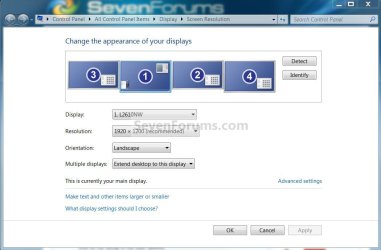
When you say "detects and correctly names" do you mean in device manager or here, in the snip below?


click to enlarge
Monitors.jpg
 

My Computer My Computer

At a glance

W 7 64-bit UltimateIntel Q9550 Yorkfield8GB Dominator 8500C5DATI : XFX 5870
Computer Manufacturer/Model Number
* BFK Customs *
OS
W 7 64-bit Ultimate
CPU
Intel Q9550 Yorkfield
Motherboard
ASUS P5Q Pro
Memory
8GB Dominator 8500C5D
Graphics Card(s)
ATI : XFX 5870
Sound Card
Realtek HD Audio 7-1
Monitor(s) Displays
1x 47" LCD HDMI & 3x 26" LCD HDMI
Screen Resolution
1920x1080P & 1920x1200
Hard Drives
1x 80GB Intel X25-M G2 SSD : 1x 500GB & 1x 640GB WD Caviar Black(s)
PSU
Corsair 620HX
Case
Cooler Master RC-690
Cooling
Tuniq Tower 120, 2x 140mm and 3x 120mm case fans
Keyboard
Microsoft 500
Mouse
Razer Diamondback 3G
Internet Speed
14 Mb/s
Other Info
1x Koutech 3Gb/s SATA HDD Hot Swap Rack
I mean in the "snip below"; Device manager shows two "Generic PnP Monitor". Also, I forgot to say it's a Acer Aspire 5534-1121 laptop.
 
Last edited:

My Computer My Computer

At a glance

Windows 7 64-Bit/Debian (Lenny)
OS
Windows 7 64-Bit/Debian (Lenny)
Do you have external monitor enable in BIOS?
 

My Computer My Computer

At a glance

ME/XP/Vista/Win7
OS
ME/XP/Vista/Win7
That's not a BIOS option.
 

My Computer My Computer

At a glance

Windows 7 64-Bit/Debian (Lenny)
OS
Windows 7 64-Bit/Debian (Lenny)
... and there's no chance the monitor or cables are bad?
 

My Computer My Computer

At a glance

W 7 64-bit UltimateIntel Q9550 Yorkfield8GB Dominator 8500C5DATI : XFX 5870
Computer Manufacturer/Model Number
* BFK Customs *
OS
W 7 64-bit Ultimate
CPU
Intel Q9550 Yorkfield
Motherboard
ASUS P5Q Pro
Memory
8GB Dominator 8500C5D
Graphics Card(s)
ATI : XFX 5870
Sound Card
Realtek HD Audio 7-1
Monitor(s) Displays
1x 47" LCD HDMI & 3x 26" LCD HDMI
Screen Resolution
1920x1080P & 1920x1200
Hard Drives
1x 80GB Intel X25-M G2 SSD : 1x 500GB & 1x 640GB WD Caviar Black(s)
PSU
Corsair 620HX
Case
Cooler Master RC-690
Cooling
Tuniq Tower 120, 2x 140mm and 3x 120mm case fans
Keyboard
Microsoft 500
Mouse
Razer Diamondback 3G
Internet Speed
14 Mb/s
Other Info
1x Koutech 3Gb/s SATA HDD Hot Swap Rack
No, the same monitor is now connected to a desktop computer, and working.
 

My Computer My Computer

At a glance

Windows 7 64-Bit/Debian (Lenny)
OS
Windows 7 64-Bit/Debian (Lenny)
Back
Top