Banana8123
New member
- Local time
- 7:13 AM
- Messages
- 2
Model: HP g7-2204sd
OS: Windows 7 Ultimate
HDD swapped for SSD 3 years ago
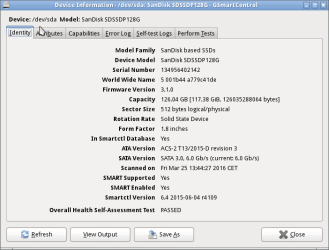
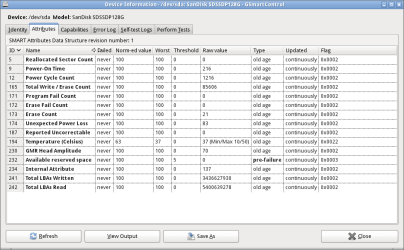
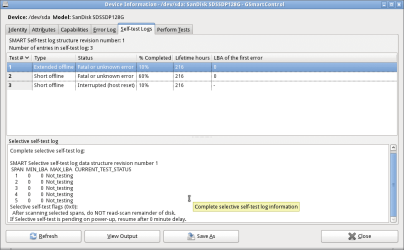
So my father's laptop has been working without problems for 3 years now up until now.
It will no go beyond the "starting windows" loading screen and when I try to boot it in safe mode it will hang on loading "classpnp.sys".
After maybe a 100 reboots it started and it worked for a while only to crash again showing a bsod (of which I have a picture) which I hope will help some.
I have already tried multiple fixes from the internet by looking up things like "safe mode freezes on classpnp.sys" but none of them have worked.
startup repair says there is nothing it can repair.
I will try to add a bsod dump if I can get it to boot again.
Your thoughts are very much appreciated. Many thanks!
Jorn
OS: Windows 7 Ultimate
HDD swapped for SSD 3 years ago
So my father's laptop has been working without problems for 3 years now up until now.
It will no go beyond the "starting windows" loading screen and when I try to boot it in safe mode it will hang on loading "classpnp.sys".
After maybe a 100 reboots it started and it worked for a while only to crash again showing a bsod (of which I have a picture) which I hope will help some.
I have already tried multiple fixes from the internet by looking up things like "safe mode freezes on classpnp.sys" but none of them have worked.
startup repair says there is nothing it can repair.
I will try to add a bsod dump if I can get it to boot again.
Your thoughts are very much appreciated. Many thanks!
Jorn
Attachments

My Computer
- Computer type
- PC/Desktop
- OS
- Windows 7